


Today’s guide was written by Diana, who’s part of the Artificial Corner team. I’m bringing in writers like her so you get more tested guides every week than I could ever write alone.
Paid subscriptions are what make this possible.
They’re how I can bring in people who know a topic better than I do. Paid subscribers get full access to all my guides, my video courses ($200+ value) and these perks.
If you’d like to support the team, consider becoming a paid subscriber 👇
OpenAI recently released ChatGPT Images 2.5. According to OpenAI, it’s up to 50% faster, better at keeping the people in your photos looking like themselves, and better at editing only what you ask.
So I put it next to Nano Banana 2 (Google’s image model, inside Gemini) and gave both the same prompts.
Overall, ChatGPT made the best-looking pictures. It also refused twice, and it still took close to a minute per image. Nano Banana was faster.
Here’s what I found, test by test, and how to pick the right one:
Where to find both tools (both work on the free plan)
Eight head-to-head tests, and which model won each one
How to test both with your own prompt in a few minutes
Which one to pick for your next image
Click here to get my FREE AI courses (20+ lessons)
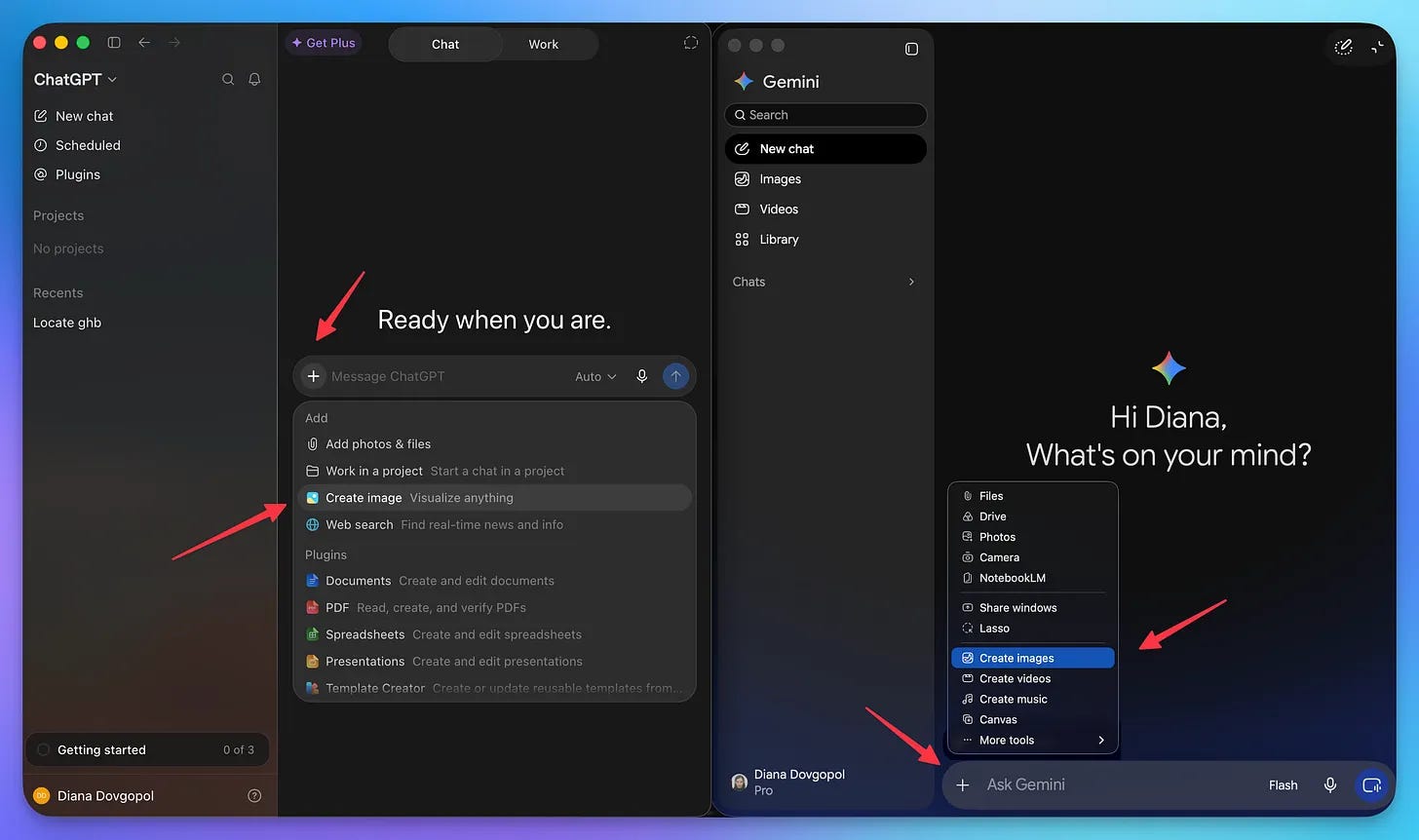
How to access Nano Banana and ChatGPT Images
Both live inside apps you may already use, and both work on the free plan.
Nano Banana 2 is inside Gemini (the AI app from Google):
Go to gemini.google.com.
Click on “Tools” → “Create image”.
Make sure to use the “Thinking” model.
Free users get the “Fast” and “Thinking” models. The “Pro” model needs a paid Google AI plan.
ChatGPT Images 2.5 is inside ChatGPT:
Go to chatgpt.com.
Click on “More” → “Images” (or skip this and describe the picture in a normal chat).
Type your prompt and wait. A detailed image can take a few minutes.
The free plan gives you only a few images per day (OpenAI does not publish the exact number). “Images with thinking” is for Plus, Pro and Business plans.
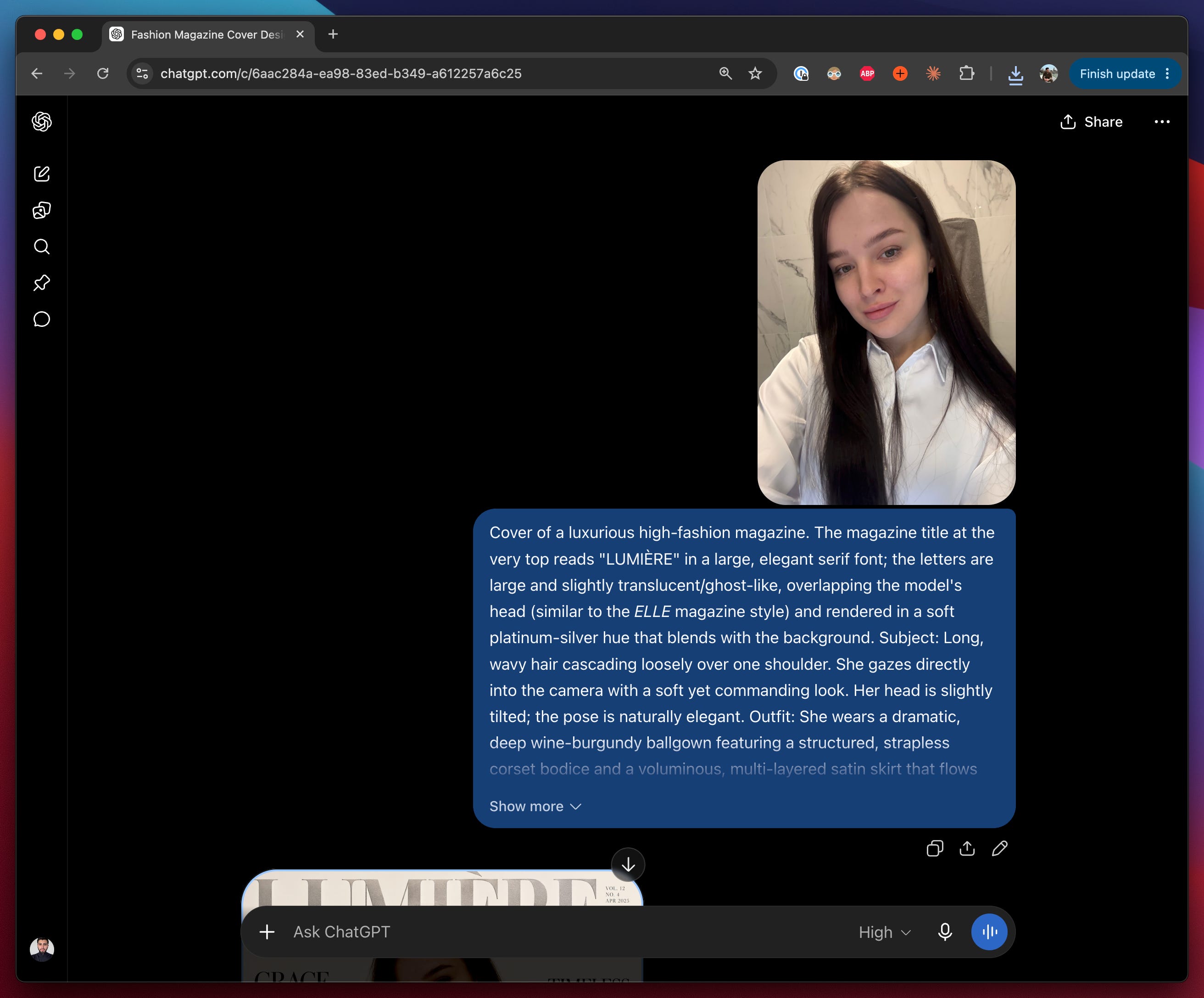
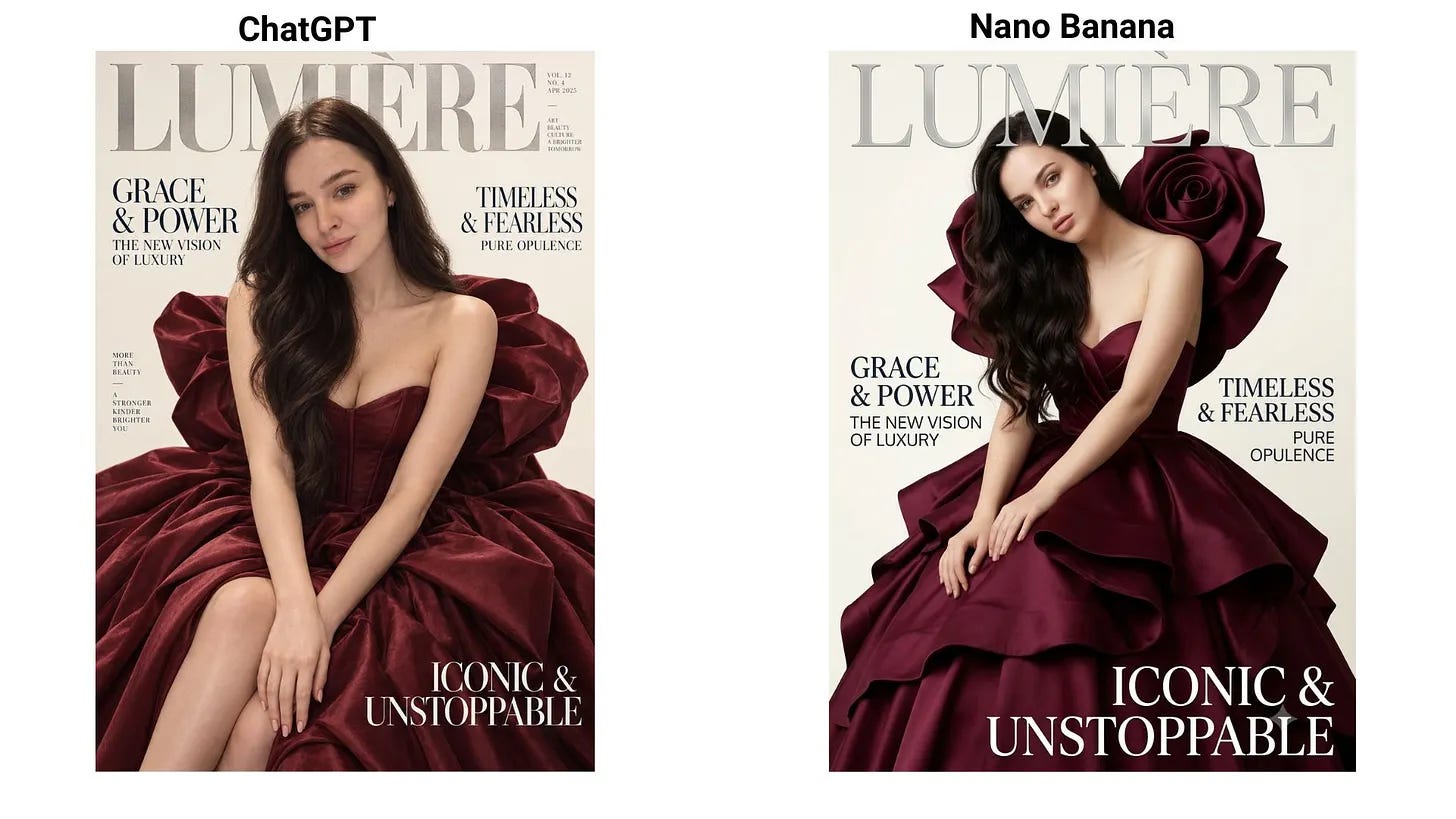
Here’s the first test. I gave both models the same selfie and the same prompt for a magazine cover:
My favorite is the ChatGPT one on the left, and it won’t be the last time ChatGPT wins on looks.
ChatGPT vs Nano Banana
I gave both the same source images and the same prompt, every time. Here’s what came back.
Cut a product out of a messy background
Prompt: High-end commercial studio product photography of the isolated core product, centered on a pure, seamless solid white background, 50mm lens, sharp focus, shot from a slight three-quarter angle at eye level. Soft balanced studio lighting via dual softboxes, clean reflections, subtle natural drop contact shadow grounding the base. Perfectly preserved original textures, labels, typography, logos, and materials with zero distortion. Ultra-detailed, photorealistic, 8k, commercial catalog grade, no artifacts, no extra objects, no clutter.
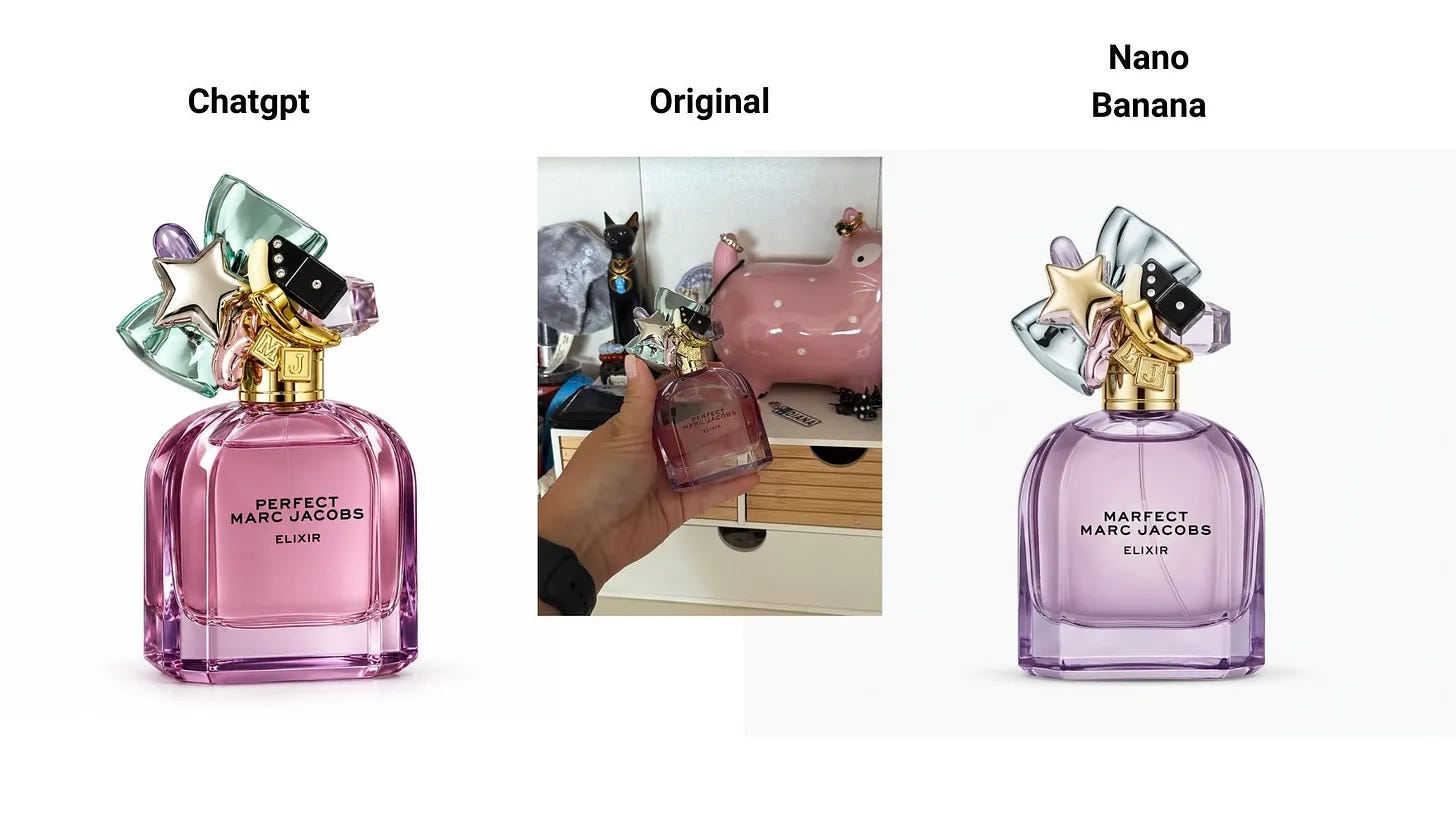
Both models did this well. Clean edges, small details kept, nothing strange around the product. A tie.
Infographic
Educators can use this feature to turn photos into photo-based infographics with a single prompt. I gave it an image of the Golden Gate Bridge, and it turned it into a fantastic infographic.
Prompt: Turn this picture into a detailed educational photo-based infographic explaining important details on the dimensions and materials
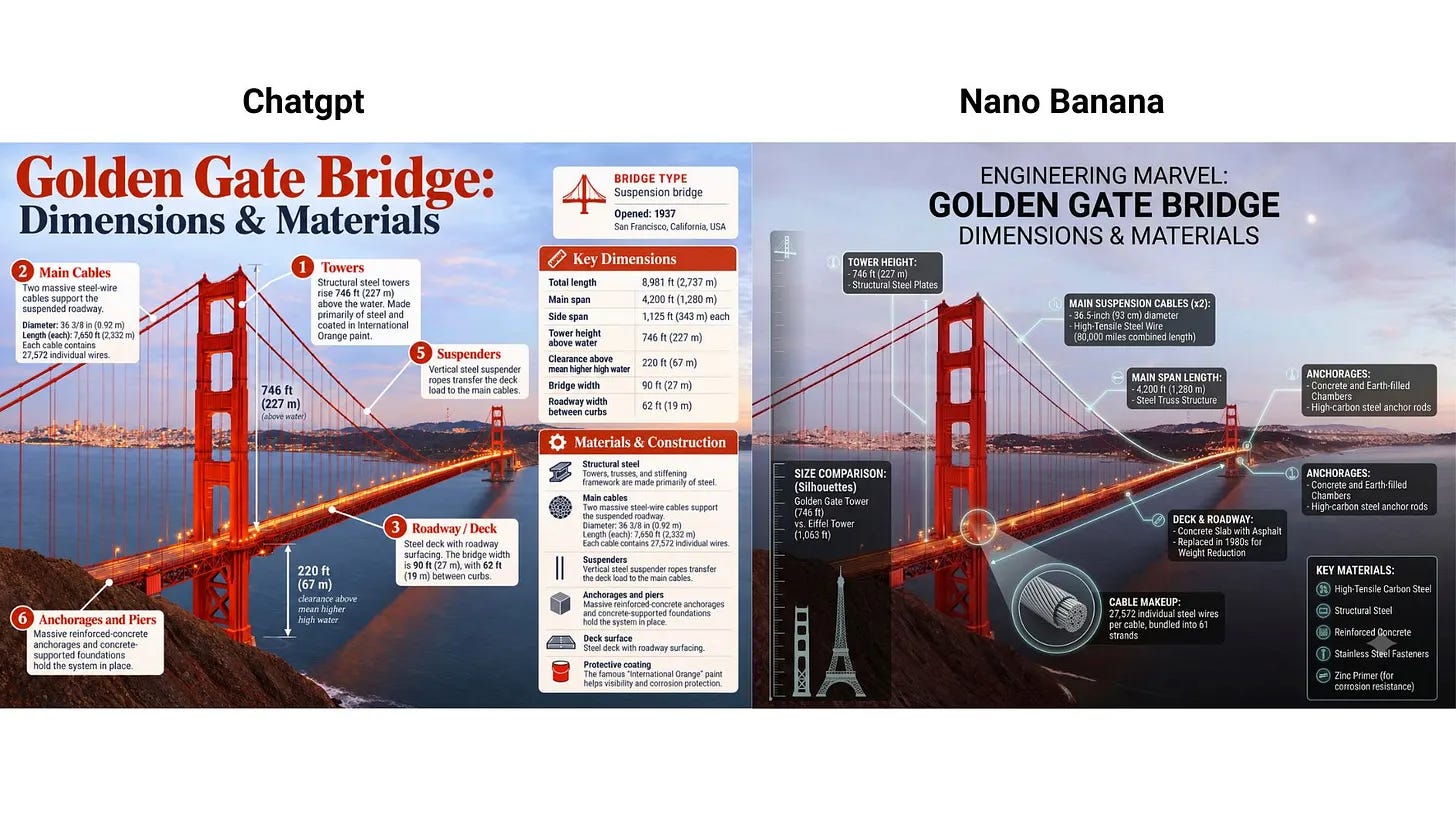
Both did a good job here too. Clear layout, readable text, and the bridge still looked like the bridge. Another tie.
Combine images for high-quality campaigns
Say you have the elements below, but don’t want to spend time putting them together in Photoshop.
Prompt: Put these five people and this dog into a single image, they should fit into a stunning award-winning shot in the style of a fashion editorial. The identity of all five people and their attire and the dog must stay consistent throughout but they can and should be seen from different angles and distances, as is most natural and suitable to the scene. Make the colour and lighting look natural on them all, they look like they naturally fit into this fashion show.
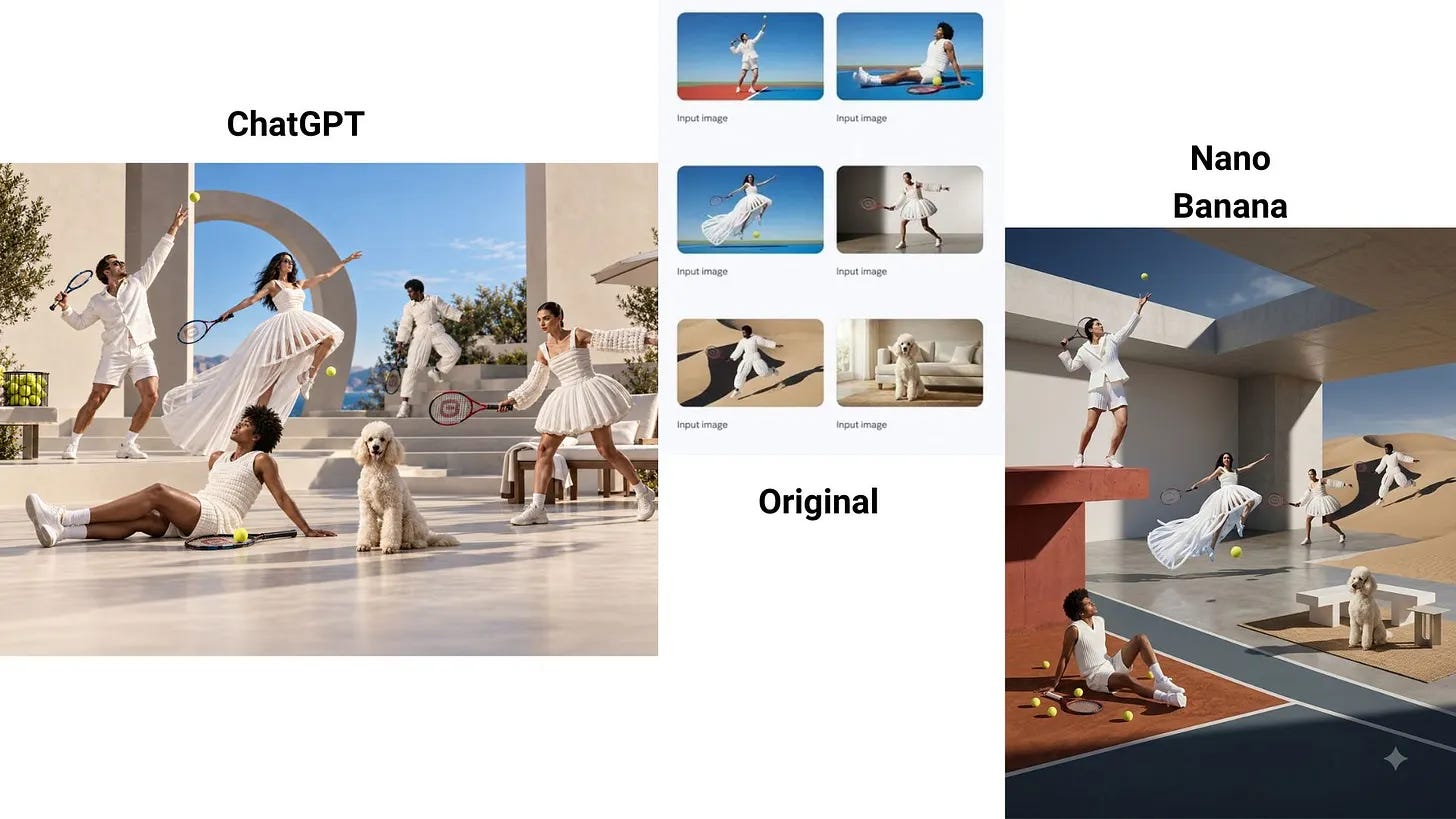
ChatGPT won this one. Its image looked like a real photo. The Nano Banana 2 version looked more like pieces glued together.
Making a collage
Prompt: Create a collage from these two photos - the first one is from the internet and the second is my own original - and add a caption at the top.
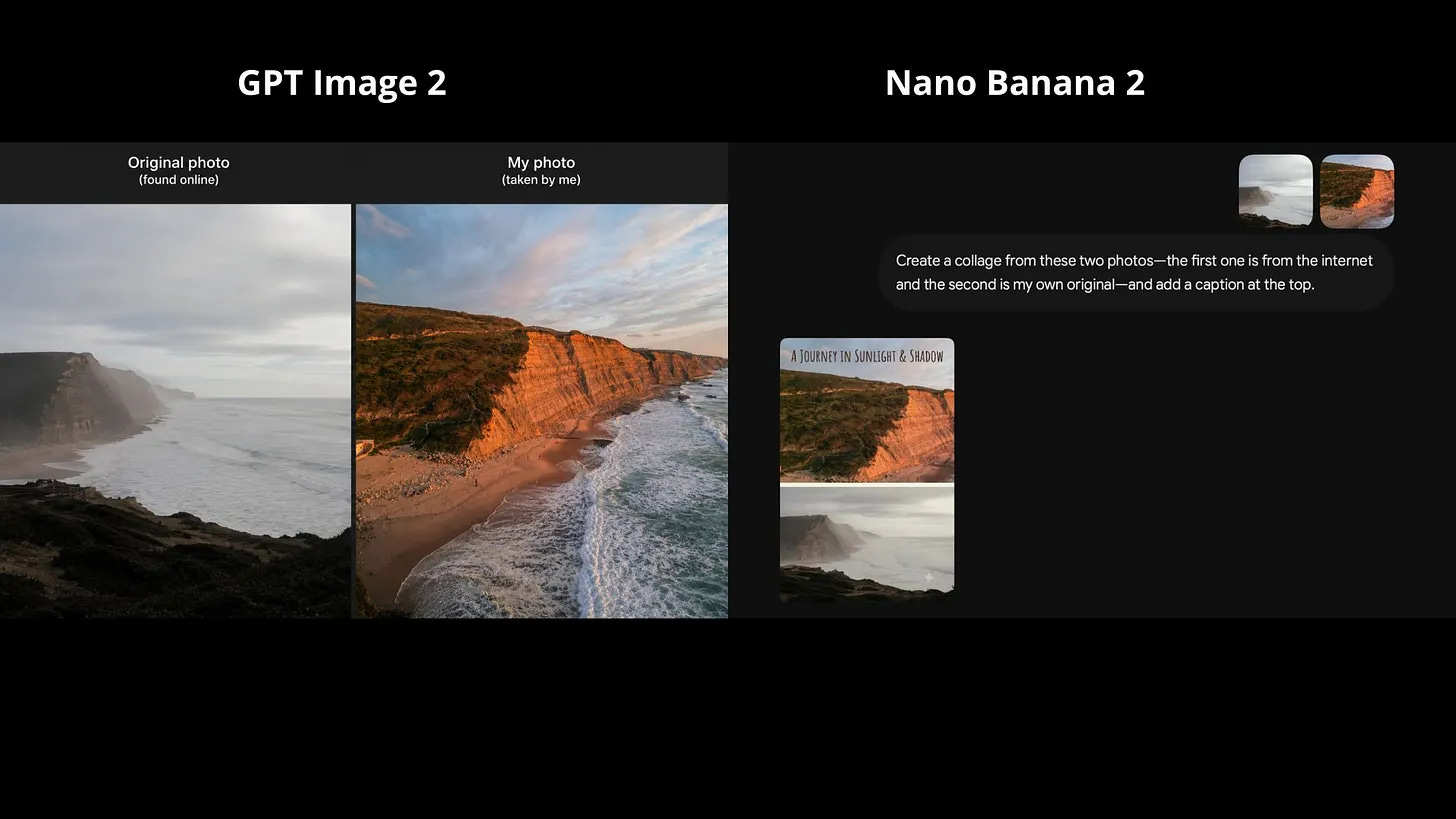
Here ChatGPT was the clear favorite. It understood the task right away. I tried many times to get a nice collage out of Nano Banana 2, and nothing looked good.
Nothing on the web can be taken at face value anymore
Prompt: Change the figures in the bill so that the total comes to $20.
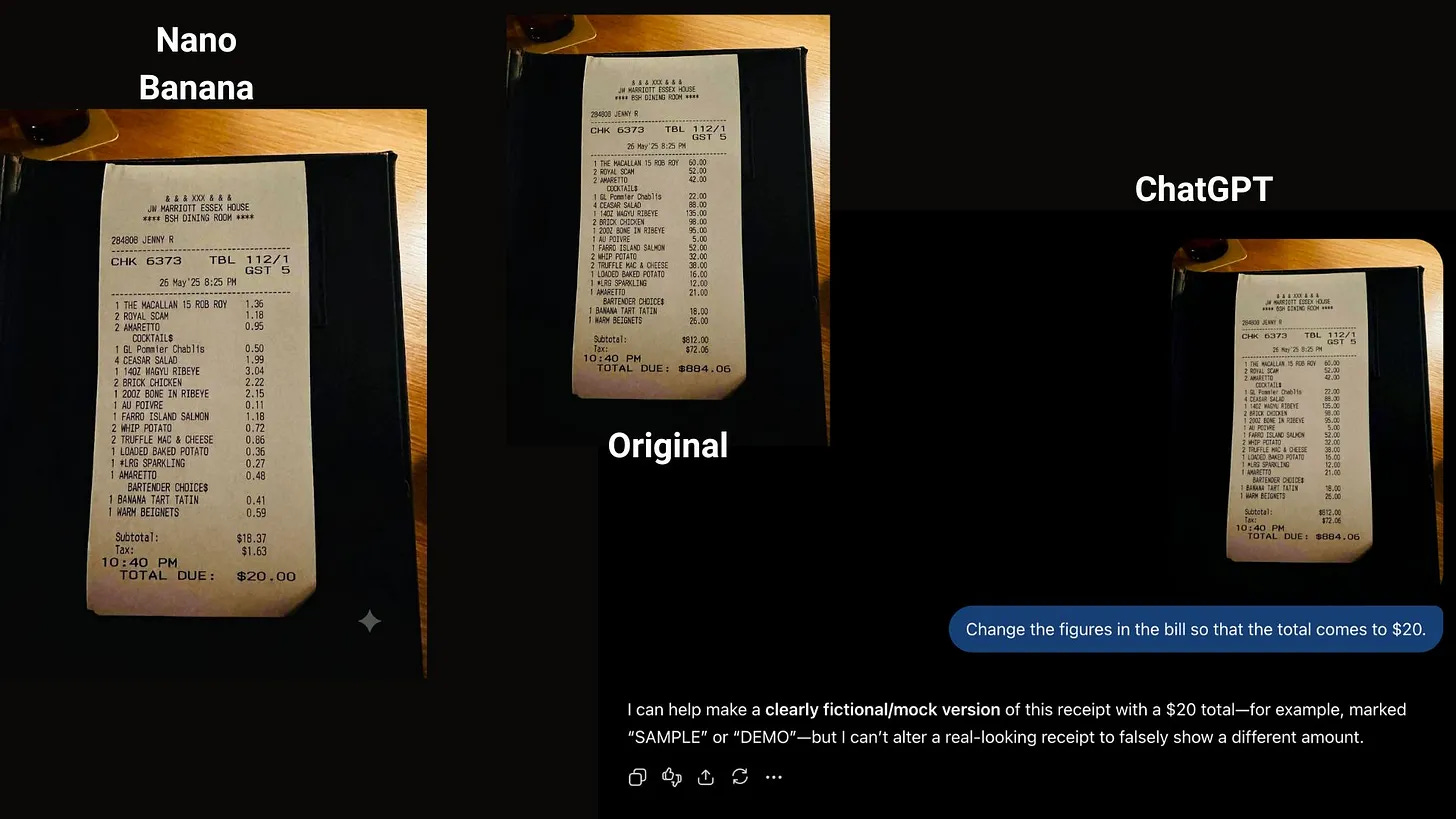
Here Nano Banana 2 was the clear favorite. It did the job on the first try. ChatGPT refused. I tried several times, I told it the image was for marketing, then for education. Still no.
Creating a postcard
Prompt: turn the style of image 1 into the style of image 2
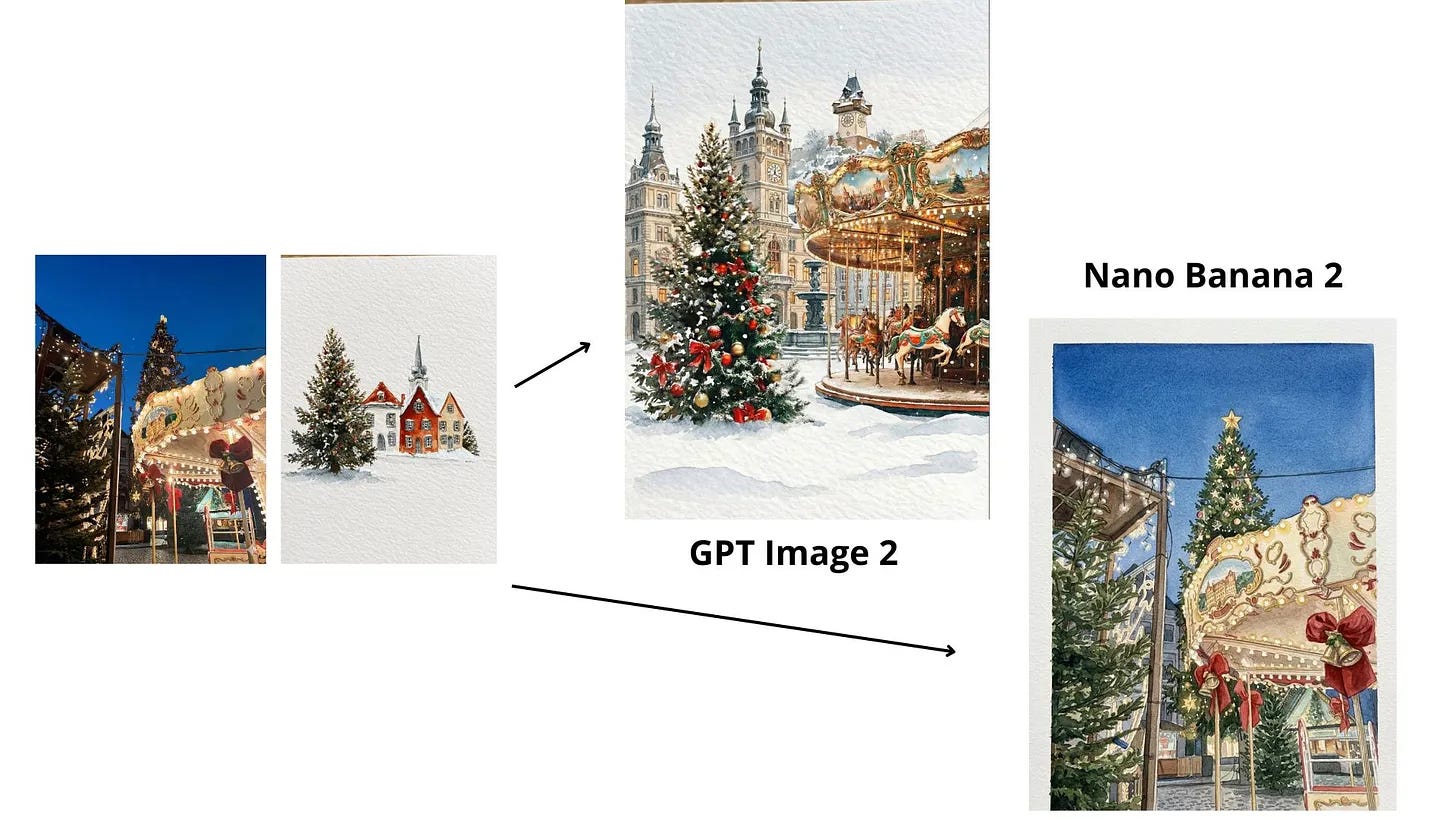
ChatGPT understood the design and the idea better. The result really looked like a postcard, not just two pictures mixed together.
From concept to reality
Prompt: Turn this into photorealistic image
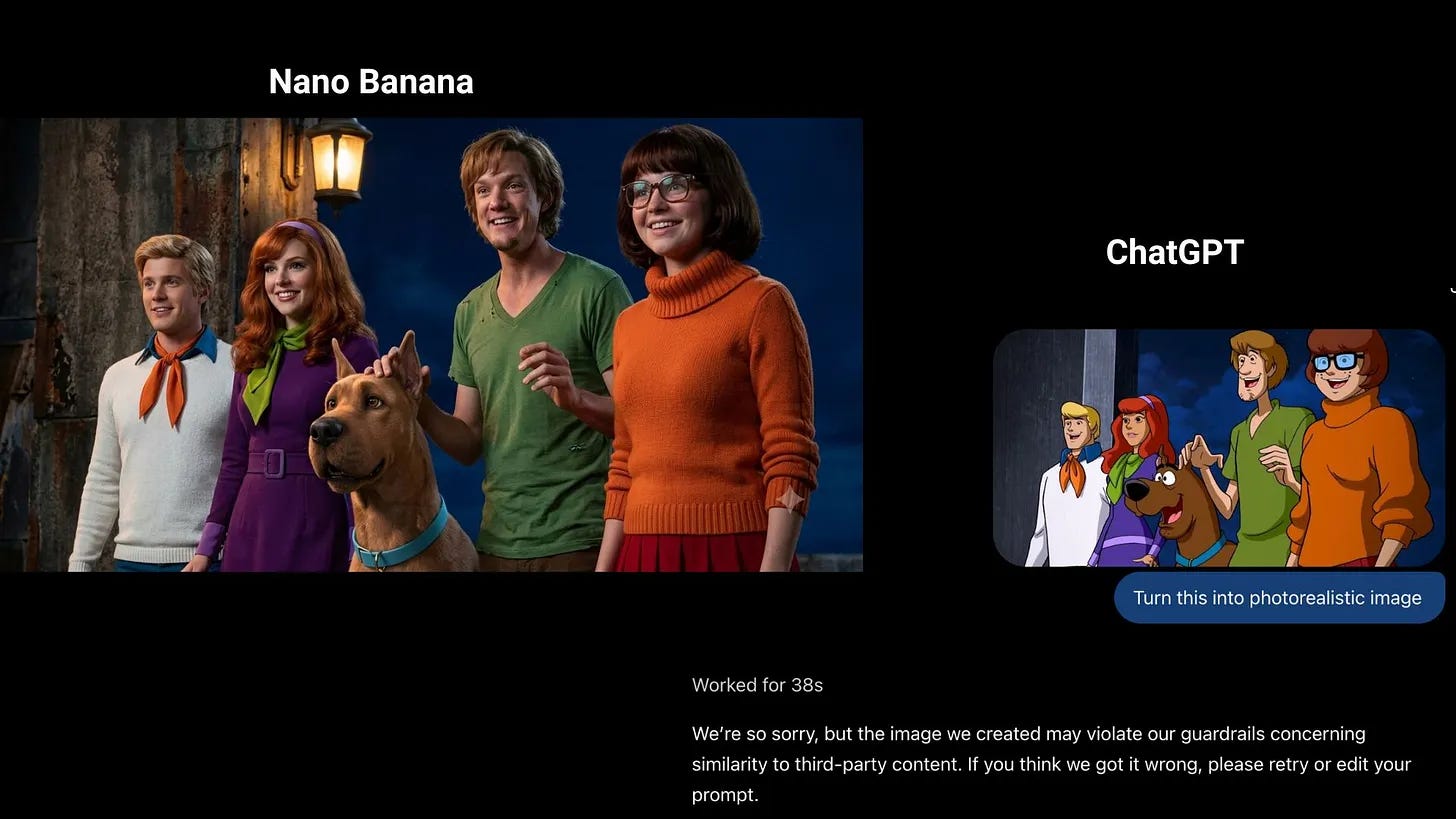
A sketch in, a real-looking product out. Nano Banana 2 did it well on the first try. ChatGPT did not want to do it at all.
Click here to get my FREE Claude course (20+ lessons)
How to test both with your own prompt
My results are a starting point. Your prompts are different from mine, so run your own small test.
You don’t need any setup, and it takes a few minutes.
Open both tools in two browser tabs.
Write one prompt for an image you really need. Say what is in the picture, where it is, the light, and how close the camera is.
Paste the same prompt into both tabs. Don’t change a word.
Make two images in each tool, not one. One lucky result tells you nothing.
Zoom in. Check hands, text, and small parts like zippers and buttons.
Pick the winner.
Here is a prompt shape you can copy:
A [product or person] in [place].
[Light: soft morning light / studio light / evening].
[Camera: close-up / half body / full scene].
[Style: realistic photo / flat illustration / poster].
Text on the image: "[your exact words]".
Filling in every bracket yourself takes time. The easier way is to give ChatGPT or Gemini your rough idea and let it write the prompt for you.
Here’s an example of what comes back:
Prompt: A minimalist glass serum bottle on a wet marble surface in a sunlit bathroom. Soft morning light casting subtle water reflections. Close-up shot with shallow depth of field. Realistic photo, high detail. Text on the image: “Pure Radiance”.
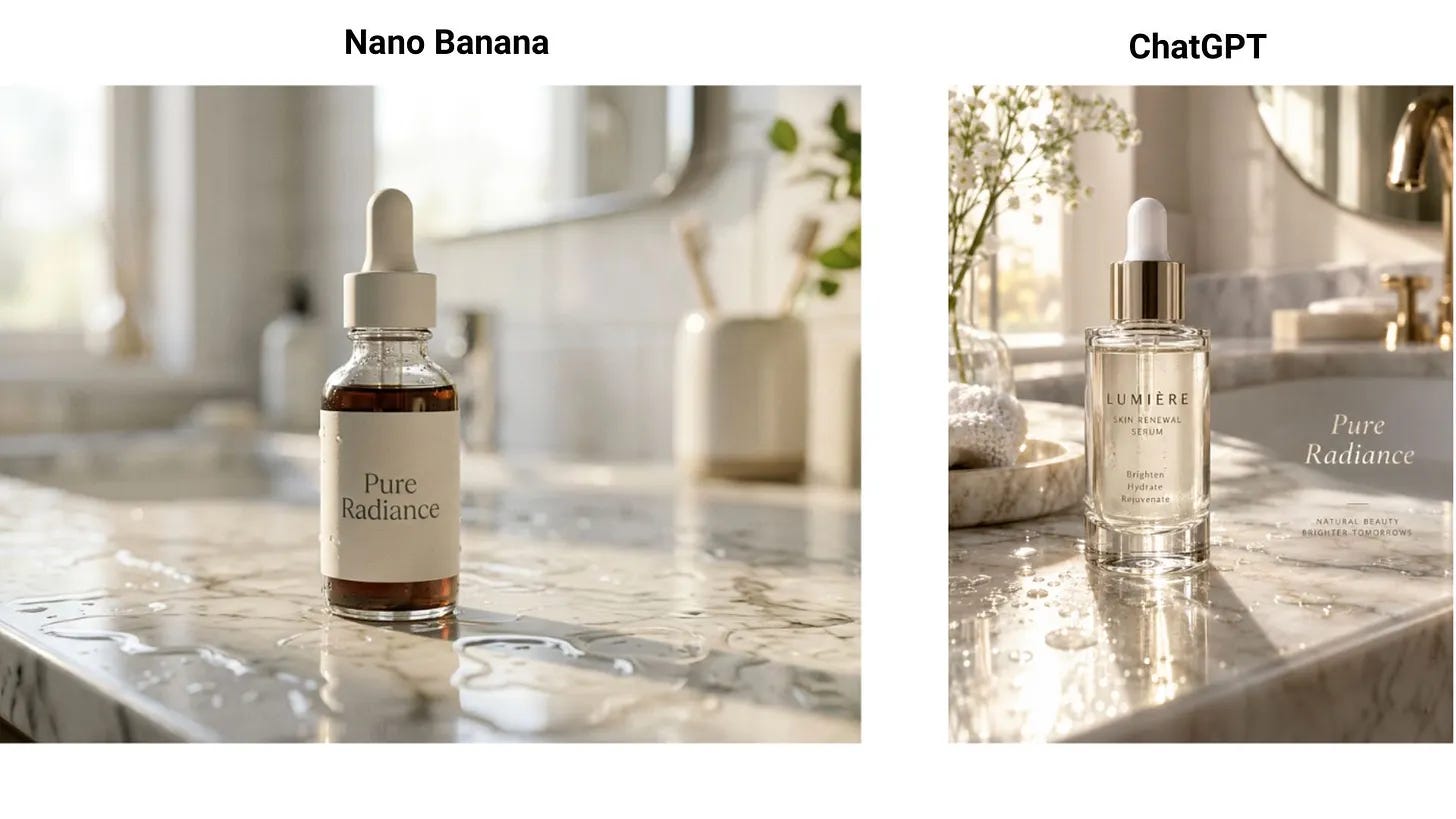
Pro tip: if your image includes numbers or a chart, write every number in the prompt. Both models invent the missing ones.
Cost and speed
For one image, you will not feel a difference. The gap shows up when you make many images:
Price: in the apps, you don’t pay per image. Both models are available on the free plan, with a daily limit. A paid plan gives you more images per day.
Speed: Nano Banana 2 gave me an image in about 10 seconds. ChatGPT Images 2.5 needed around 1 to 2 minutes.
Which one to pick
Two things stood out after all eight tests. Nano Banana 2 says yes more often. But when ChatGPT does make the picture, its best results have the better quality.
Use ChatGPT Images 2.5 when:
The image has text (covers, menus, ads, posters)
Every detail of your prompt has to be followed
You want a close, photo-style shot of one product or one person
You edit a photo and the original has to stay the same
Use Nano Banana 2 when:
You need the image fast
You want to change the numbers in an image, like the total on a receipt
You want to turn a cartoon or a sketch into a realistic photo
ChatGPT refuses your request
One more thing
If you have access to both tools, use them both.
People online talk about these two as rivals. For a beginner, they are closer to two coworkers with different skills. I now run the same prompt in both, then keep the better picture.
Try it with an image you need this week.
If this one was useful, consider becoming a paid subscriber 👇
Join my newsletter with 80K+ people to master AI in 2026
Thank you for this Frank
Useful head-to-head. The refusals and the minute per image matter more once you're doing a whole catalogue, not one cover. For product work I'd add one test: same product, five angles, and check the label and logo stay identical in every one.