

Picture this: Free consulting from experts in your field that would normally cost thousands or be hard to access.
You can get something like this using Google’s NotebookLM
It takes only a few minutes
There’s little to no hallucination
You can get free expert advice 24/7
These AI mentors aren’t only a “custom GPT.“ They can also conduct a video presentation or podcast customized to your needs.
Unlike ChatGPT, NotebookLM is an AI tool grounded in your own documents. You upload docs, videos, or audio, and in every response, it cites only information within your documents.
I’ve used the method I’m about to show you to get mentorship from experts in AI, real estate, marketing, and more fields for free!
Here’s how you can do it:
Step 1: Find your human mentor
The first step is to find enough online content to feed the AI.
Just think of that book author, business leader, or influencer you’ve been following for some time. Most likely, they have a lot of articles, videos, or podcasts uploaded to YouTube or social media.
You simply need to gather that online content and save it on your computer (I’ll show you how in step 2)
YouTube → save the links
Books → get an ebook/PDF copy
Posts / newsletters → save the content in a doc file
AI Mentor’s Demo
The easiest and most reliable way to build your AI mentor is with NotebookLM.
Say you’re a leader or builder thinking about how to use AI in your company.
I created an AI mentor around Nate B. Jones’ AI Strategy YouTube playlist. Nate’s an AI-first product strategist and advisor I’ve been following. In his playlist, there are 89 videos with actionable insights for leaders and builders navigating the AI transition: frameworks, case studies, and real-world examples to make smarter decisions, and capture real business value with AI.
Here’s the NotebookLM around Nate’s AI Strategy. I gave it 89 videos, but it all took a few minutes!
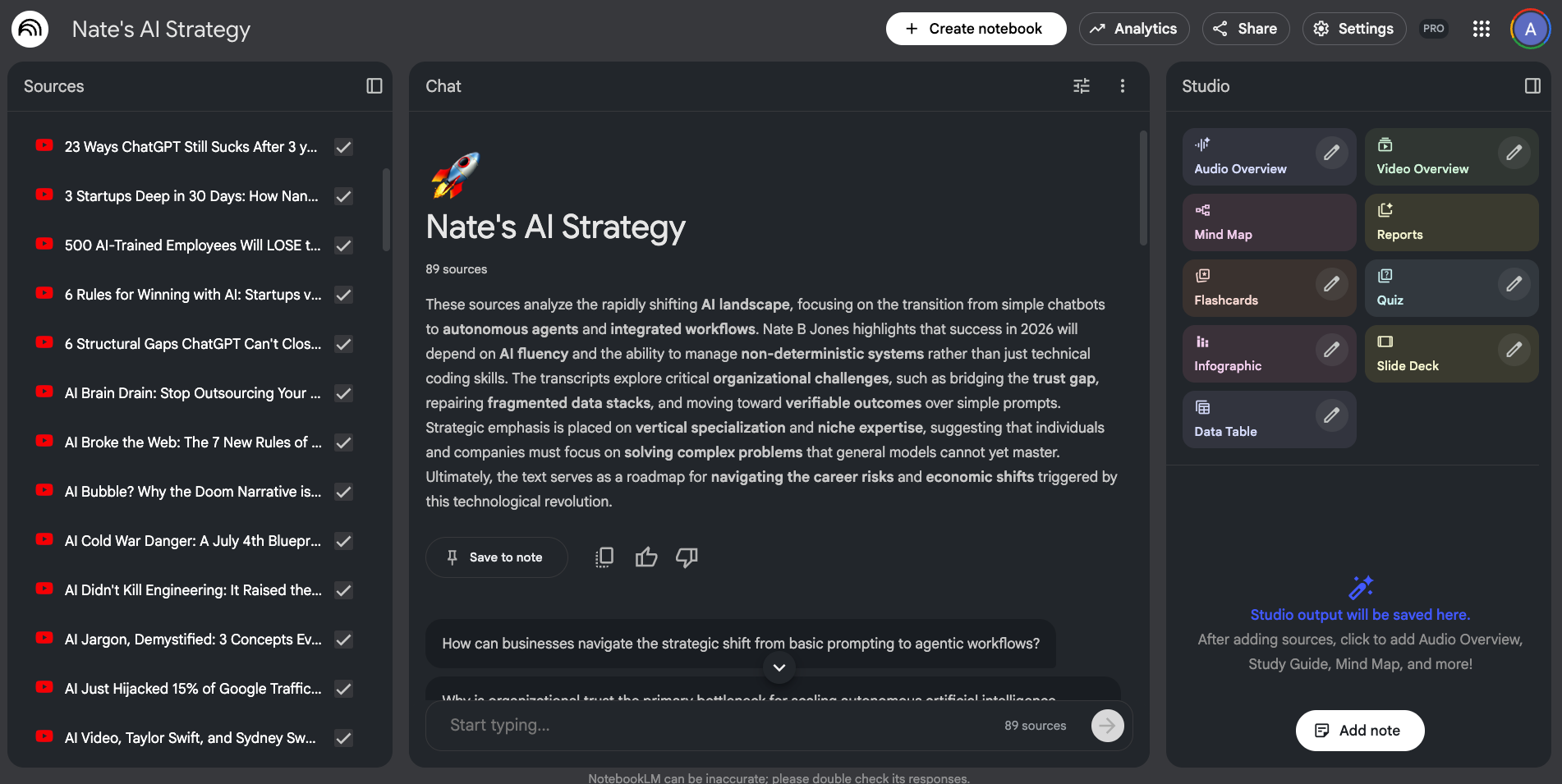
ChatGPT’s knowledge comes from tons of internet sources (good and bad)
The knowledge of this AI mentor is limited to the advice Nate shares in his 89 videos.
This means that if you’re able to collect good resources, the AI’s responses will be optimized for your needs. Otherwise, the responses won’t be as good (garbage in → garbage out)
Here’s an example. I gave my AI Strategy NotebookLM, this case:
I’m a co-founder at a 20-person bookkeeping + payroll shop serving about 150 small businesses (restaurants + local services).
We’re trying to decide whether AI is actually worth implementing for us this year or if it’s a distraction. Right now we’re drowning in repetitive work: sorting client emails, chasing missing docs, and turning messy statements into clean books. We’ve only done light experimentation (ChatGPT for drafting client replies and SOP checklists), nothing wired into our systems.
Can you help us answer: where does AI create real ROI for a small services business like ours, and what’s the smallest “first win” you’d ship in 30–60 days?
And here’s what it responded:
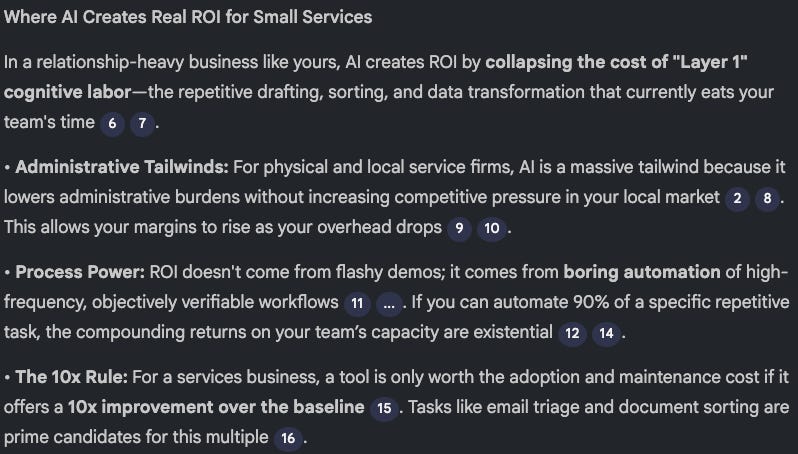
When I tried this with ChatGPT, the response was very surface-level.
But as you can see, NotebookLM goes deeper. Here’s what I love about it:
It goes through the 89 video transcripts and looks for the best way to answer my question
When it finds an answer, it provides inline citations so you can click and see exactly where in your documents the information came from
Out-of-scope queries are returned as “The provided sources do not contain information regarding XYZ“ (unlike ChatGPT, which tends to hallucinate)
Here’s how I built my AI Strategy mentor in NotebookLM:
Step 2: Build your own AI Mentor
Follow these steps to create your own mentor
Go to NotebookLM
Click on “Create new Notebook“
Add your sources: drag PDFs, ebooks, or any other file, or click on “Link“ and paste the links separated with a space or new line
That’s basically it!
Step 3 can be time-consuming, so I’ll give you details on how I do this quickly.
Here’s how I quickly collect the links to the resources:
Visit the mentor’s YouTube channel, blog, podcast site, etc
Find a section where all the content you want is listed (playlists, archive, etc)
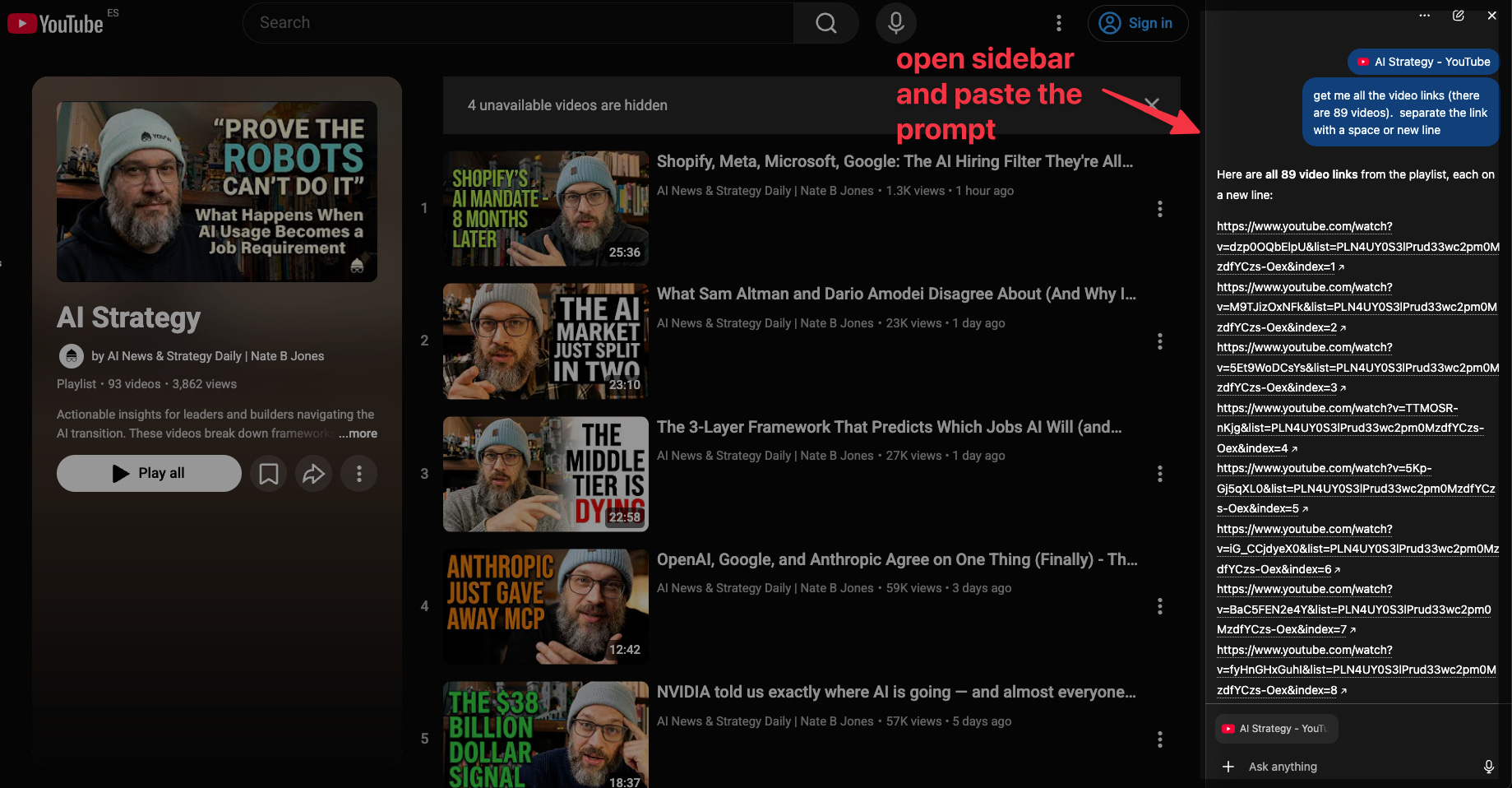
Use Perplixity Comet, ChatGPT Atlas, or Claude extension to quickly get the link to the videos, posts, etc
If you’re a ChatGPT user, try Atlas. I opened Atlas, visited the site, opened the sidebar, and used this prompt:
Get me all the video links (there are 89 videos). Separate the link with a space or new line
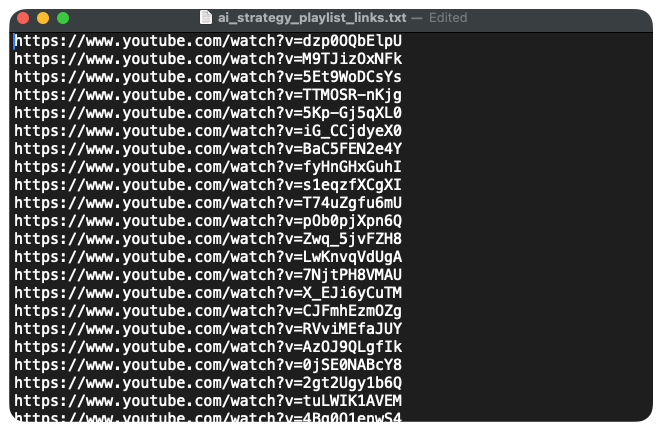
You can ask it to export the links to a .txt file for easy copy-and-paste.
The AI mentor you create can be a specialist in any topic (AI, real estate, sales, marketing, etc). In the video below, I show you 3 AI mentors I created and a live demo of me building one from scratch (in case you got lost in the steps above)
Step 3: Make the most out of your AI Mentor
The first time I tried the features I’m about to show you, I was mind-blown!
Besides chatting with your AI mentor using text prompts, you can also:
Make your mentor conduct a video presentation customized to your request
Generate a customized podcast of your mentor (listen to it on the go)
Talk to your mentors (in the video below, I actually interact with them as if we’re in the same room 🤯)
Become a paid subscriber to get access to the best part of this (and all my guides) and other welcome gifts
Let’s see how to make the most out of our AI mentors