

Click here to get my FREE Claude course (20+ lessons)
Most people don’t get bad results from ChatGPT or Claude because they’re “not smart enough.”
They get bad results because their prompts leave too much room for guesswork.
I’ve spent a lot of time testing the best ways to work with AI and the pattern is always the same: small changes in how you ask lead to massive changes in what you get back.
None of the prompts in this guide are magic tricks.
They don’t make AI smarter.
They simply reduce guesswork. Once you start using them, the quality of the responses increases dramatically
#1 Ask me questions before you start
One of my favorite ways to reduce ChatGPT or Claude’s guesswork is to use this formula:
[YOUR PROMPT]
Before you start, ask me any questions you need so I can give you more context. Be extremely comprehensive
That’s it. One line, but a huge difference.
Without this prompt, the model will usually: assume details, fill gaps with “reasonable” sounding fluff and hallucinate confidently (especially for complex tasks)
Let’s imagine I want to get a dog. When I ask AI for recommendations, the response is just guesswork and has nothing to do with my preferences.
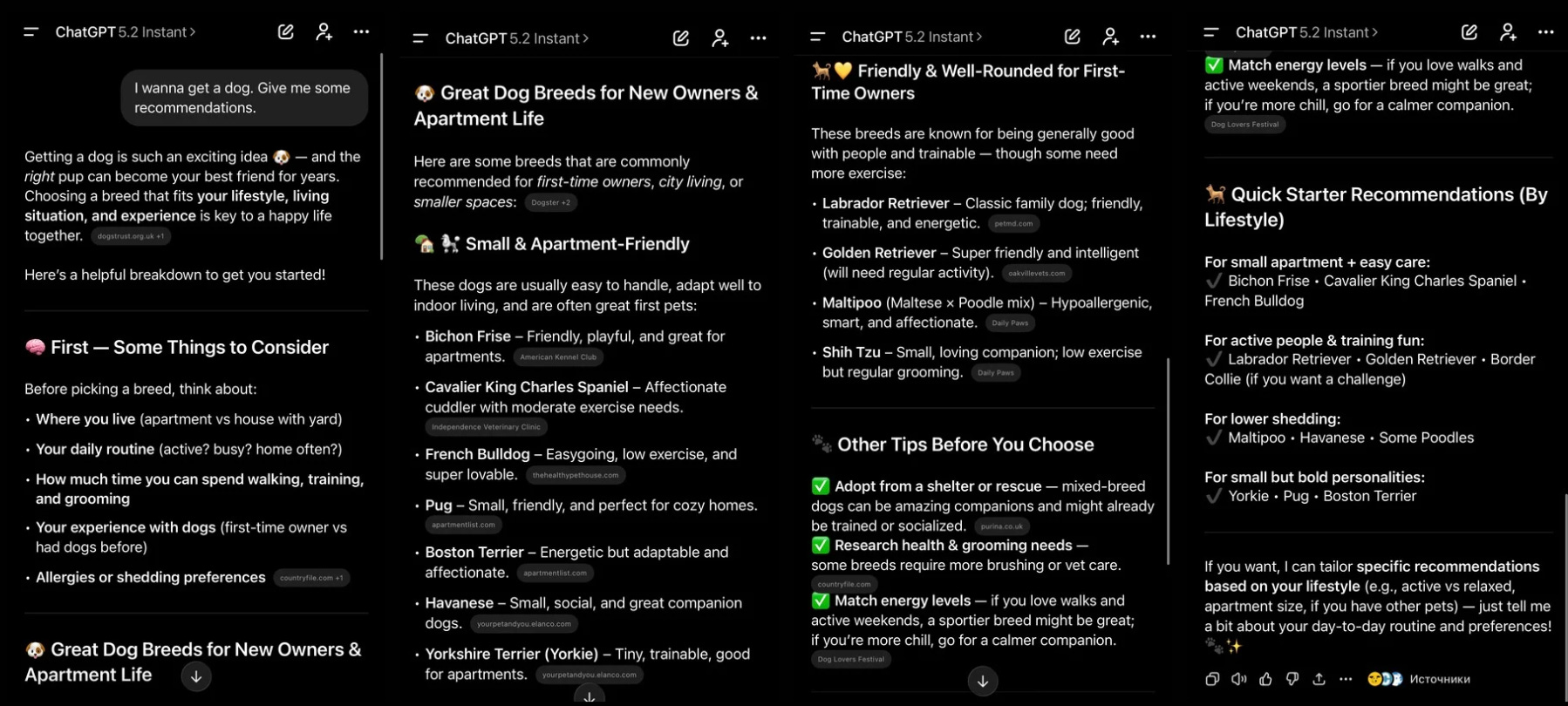
When I use the prompt formula, it flips into information-gathering mode:
It asks 10–15 questions you didn’t think about
You answer them
And the output becomes denser, more accurate, and way more “you”
Here’s the same request, but this time adding the prompt formula:
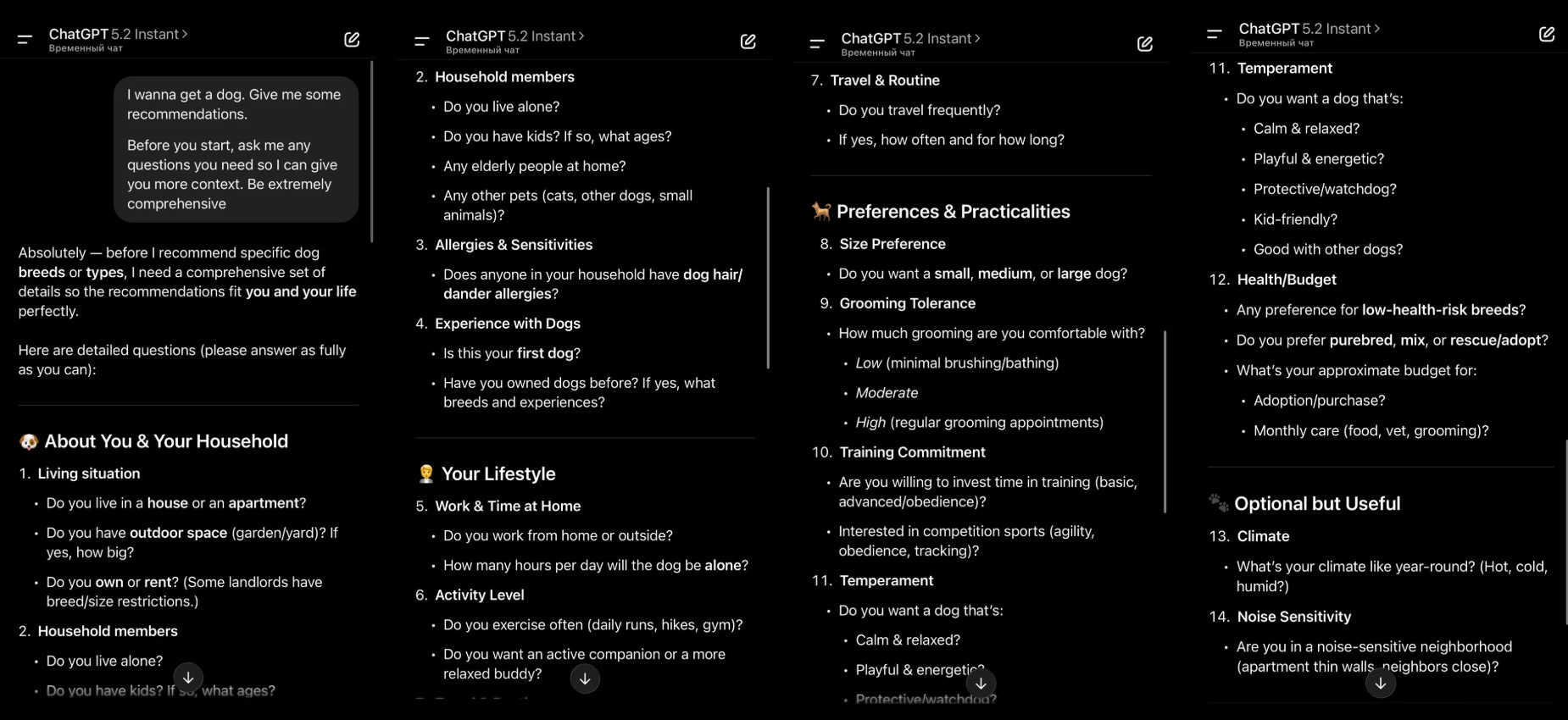
Once I answered those questions, the response improved a lot!
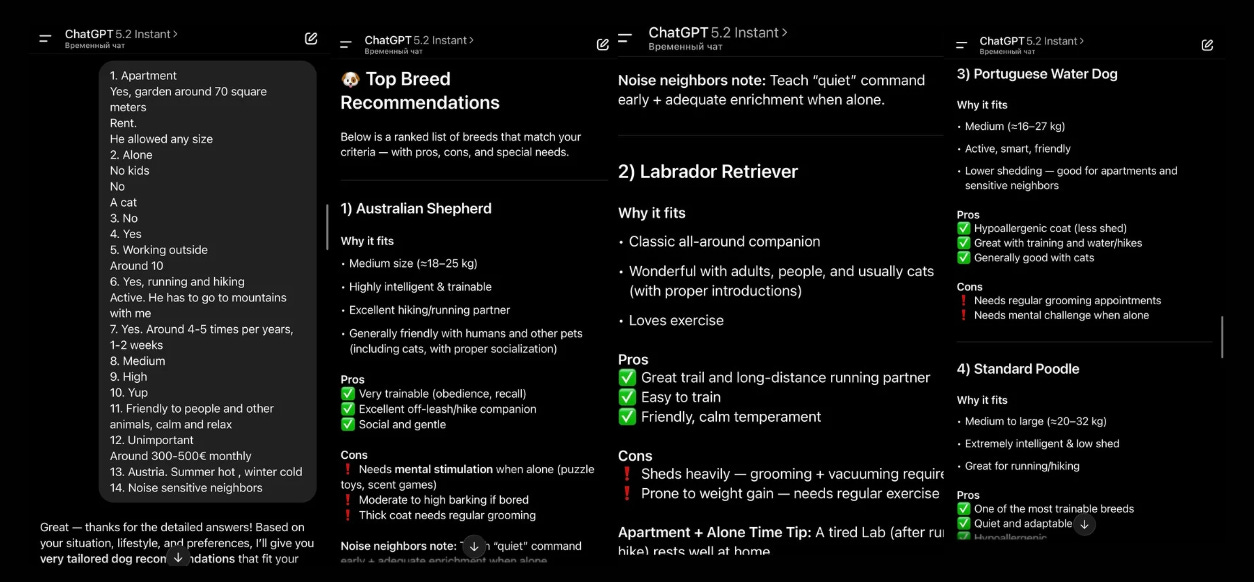
I also got a small ranking where I can always come back and make a comparison.
#2 Name the intended audience
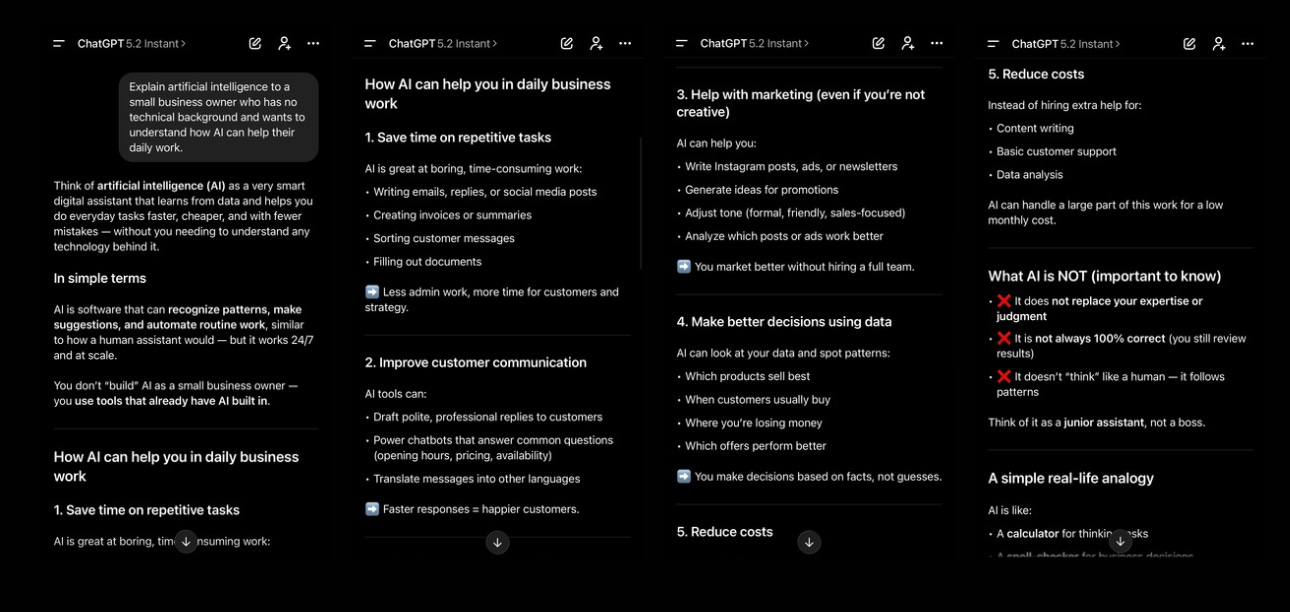
By naming the audience, you control the level of detail, the language, and the examples. Instead of abstract definitions, AI focuses on practical use cases, everyday problems, and real-world benefits.
When you want to learn a new concept, make sure you use this formula:
Explain [concept] to [name the audience]
Here are some examples:
Good prompt:
Explain artificial intelligence to a small business owner with no technical background who wants to understand how AI can help their daily work
#3 Ask for simple explanations when you need clarity
Whenever a topic feels complex, ask AI to lower the level. Include one of the instructions below in your prompts:
Explain [insert specific topic] in simple terms.
Explain to me like I’m 5 years old.
Explain to me as if I’m a beginner in [field].
Write the [essay/text/paragraph] using simple English like you’re explaining something to a 5-year-old.
Instead of just writing “Explain inflation,” try this:
Explain inflation in simple terms like I’m 5 years old
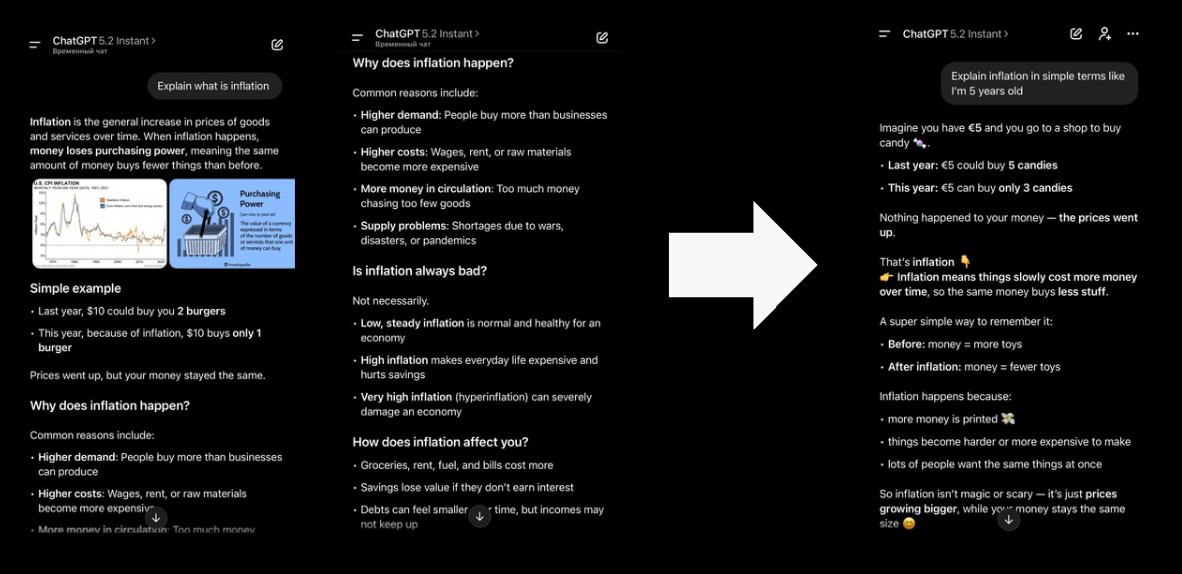
In most cases, the explanation becomes clearer and far easier to understand without unnecessary jargon or abstract theory.
#4 Prompt shortcuts
Some of the best prompts listed in this article can be quickly applied with shortcuts. The “Explain to me like I’m 5 years old“ can be abbreviated as → /ELI5
Here’s a list of ChatGPT shortcuts I use often:
/BRIEFLY → short answer, straight to the point
/TLDR → compress a long text into a few lines
/ELI5 → explain in simple, beginner-friendly language
/EXEC SUMMARY → high-level summary like you’re briefing a manager
/STEP-BY-STEP → break it down into steps
/CHECKLIST → turn the output into a checklist you can follow
/AUDIENCE → tailor the answer to a specific audience
/TONE → change the vibe (formal, funny, bold, calm, dramatic)
/FORMAT AS → force a structure (table, bullets, JSON, template)
/REWRITE AS → rewrite in a specific style (academic, casual, Gen Z, etc)
/ACT AS → make ChatGPT adopt a role (coach, editor, professor, PM)
/MULTI-PERSPECTIVE → show different viewpoints on the same topic
/PITFALLS → highlight common mistakes + what to avoid
/NO AUTOPILOT → ban generic filler and “safe” answers
/EVAL-SELF → ask it to critique its own response and improve it
Here’s how to use the shortcuts:
#5 Be honest
AI is famously agreeable. This prompt fixes that.
The tone stays without a change, but the starting point is going to be different.
Imagine you’re excited about a new idea.
Instead of:
“What do you think about [idea]?”
Try this:
You’re an honest friend who really cares about me and isn’t afraid to question my ideas.
[your question]
The response shifts immediately.
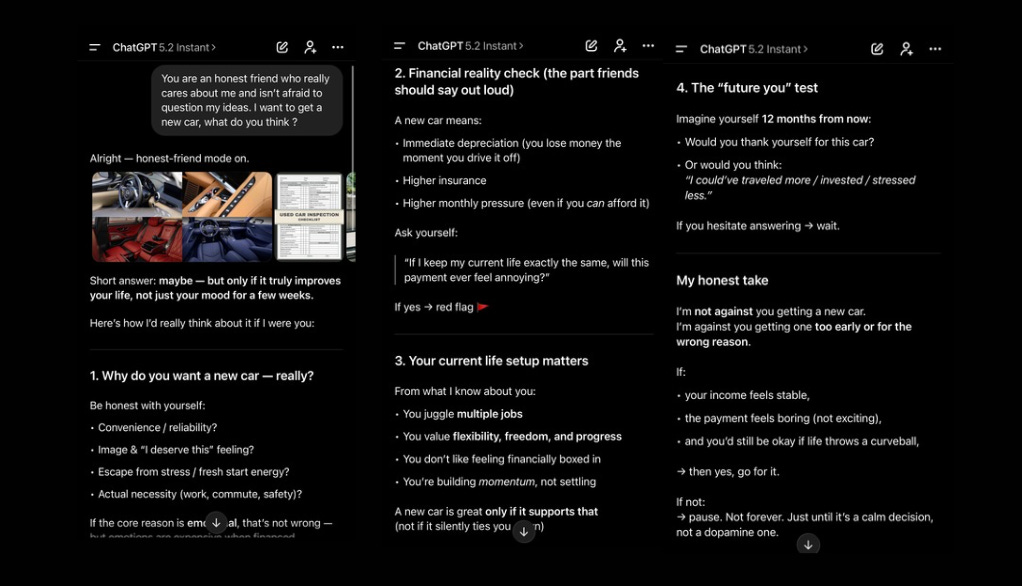
It’s especially useful when you’re evaluating an idea, a direction, or a big decision. Less fantasy. More grounding.
Start 2026 off on the right foot
There are still more prompts you should use in 2026
But before we continue this list, I’d like to answer a question many of you have asked me:
Subscribe to get my best AI guides delivered straight to your inbox 👇
P.S. My course on learning a new language with AI was just released. Check it out here
