

Most people have a list of things they’d build if they knew how.
A site for a side business. A portfolio for the job hunt. A simple tool their team keeps asking for.
I had one too: a home for everything my paid subscribers get. Videos only they can watch, a login with no passwords, my Claude skills ready to download, all in one place.
I didn’t know where to host a video. I didn’t know what a login system was, or why code needs to “go on GitHub.”
Claude built it anyway, and it just went live:
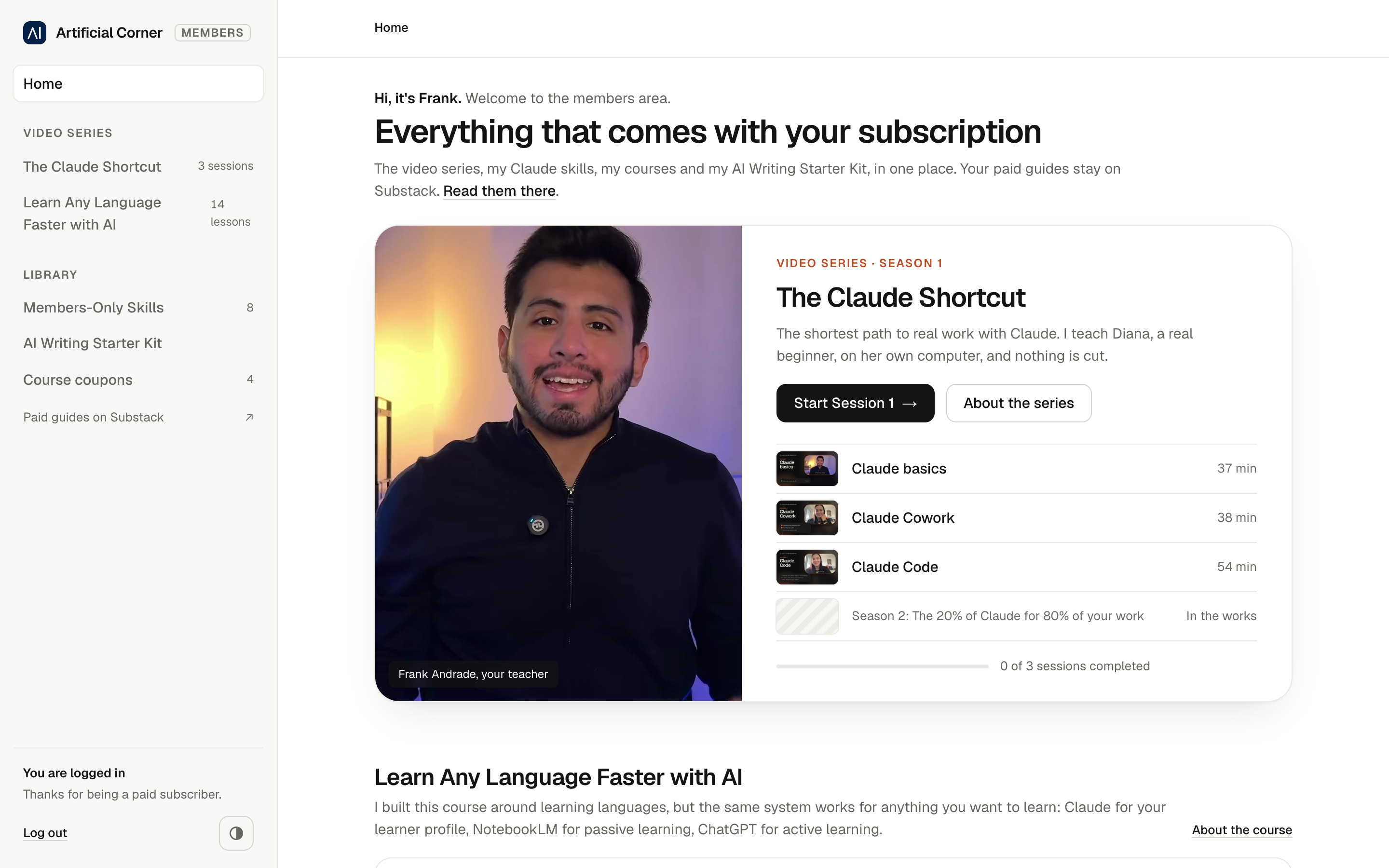
I didn’t write any code. What I learned was how to work with Claude on a job this big: what to ask, what to hand over, and when to let it run on its own.
In this guide, you’ll learn:
What you bring to the build, and what Claude does for you
The 4 stages of building with Claude
How to plan the build with Claude before anything gets built
How to hand your plan to Claude so you never explain your project twice
How to make Claude check its own work all night
Two things before we start:
1. Save this guide, and use its 4-stage map as your checklist on the next thing you want built.
2. Send it to a friend who keeps saying “I’d build that, but I’m not technical.”
PS: This newsletter grows mostly from people like you sharing it. Every share helps me keep writing guides like this one.
You need to know what you want. Claude does the technical part
Think of a tailor making you a suit. You don’t need to know how to sew. You still show up, though: you say what it’s for, you pick the fabric, and you try it on and point at what feels tight.
Building with Claude works the same way. Claude does the building (code, setup, etc) and fixes what breaks. Your job is everything around it:
Saying what you want, who it’s for and what good looks like (with examples of success if possible)
Answering its questions and deciding the things that matter to you, like the design or what to leave out
Doing the few steps Claude can’t do for you, like signing up for a service or approving a payment
Checking the result and saying what’s wrong
That’s still real work, but none of it needs you to know how to code.
Say you want a simple site for your job search: your CV, three projects and a contact form. You don’t need to learn web design. You do need to pick the three projects, say what makes each one worth showing, and send yourself a message through the contact form to see if it arrives.
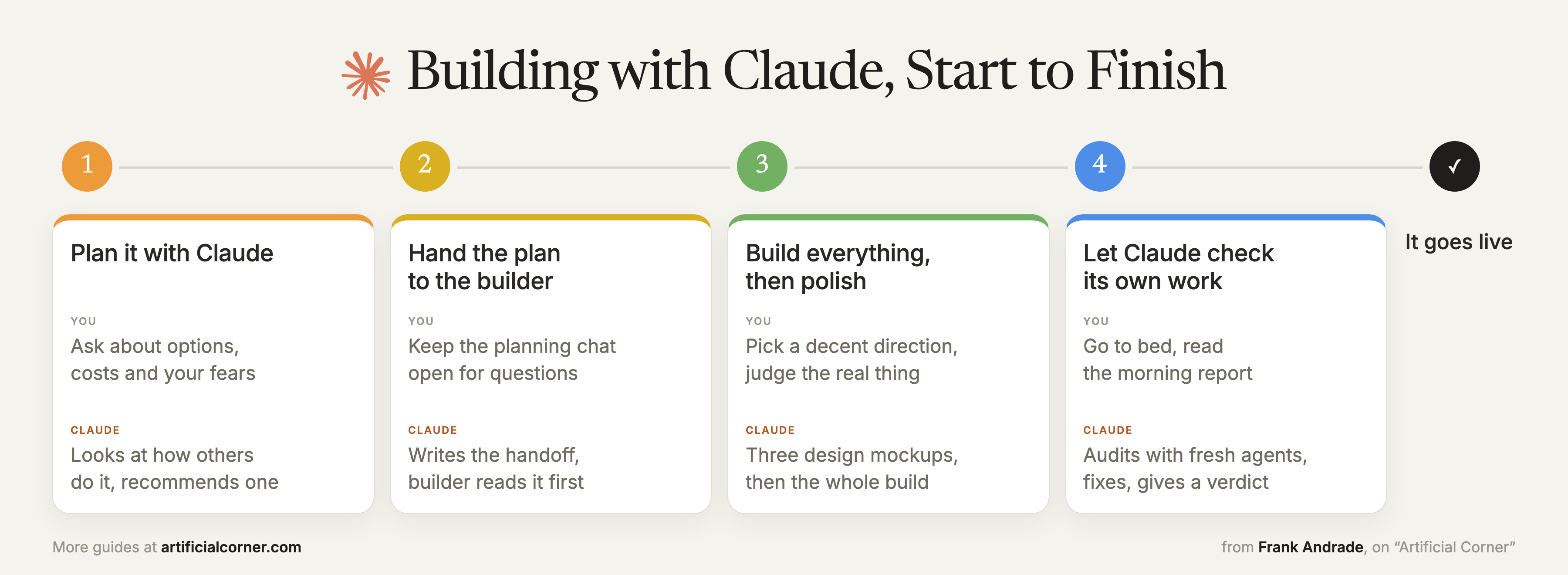
The rest of this guide is how to do your part well, from the first idea to the day it goes live:
This week only: join for $150 a year, and keep that price for as long as you stay. The offer ends Friday, November 20, at 11:59pm ET. On Saturday, the price goes up to $250 a year.
Get the offer: artificialcorner.com/bf26
#1 Plan it with Claude before you build
Before anything gets built, talk it through with Claude in a normal chat: your options, how hard each one is, what it costs and what worries you.
My question was where my videos should live. Claude looked at how other writers do it and found one who had built his own site, where readers log in with their paid email. My two fears were passwords and video costs. There were no passwords at all (readers get a login link by email), and the video hosts had free plans at my size. That’s when I said “Okay, you convinced me.”
Here’s a template you can fill in:
I want to build [what you want built] for [who will use it]. Before we build anything, help me plan it:
What are my options, from the simplest to the most complete? Look at how [2 or 3 examples you like] do it.
How hard is each one for someone who isn’t technical?
What will it cost to set up, and to keep running?
What I’m worried about: [your fears]. How is that usually solved?
Then recommend one option and tell me why. Ask me anything you need to know first.
Once the plan is settled, it’s time to hand it to the builder.
#2 Hand the plan to the builder
There are different ways to set this up. This is the one I found easiest when you’re new to Claude, or new to what you’re building.
The building happens in a second chat: the builder. It works in a folder on your computer, creates everything your project needs and sets it up, and you still talk to it in plain English. Pick the most capable model for it, Opus or Fable, because it can work for hours and keep track of every moving piece.
Keep the planning chat open the whole time. Your beginner questions go there, and it passes things to the builder in two ways: a handoff file for the plan, and prompts you copy and paste for everything else:
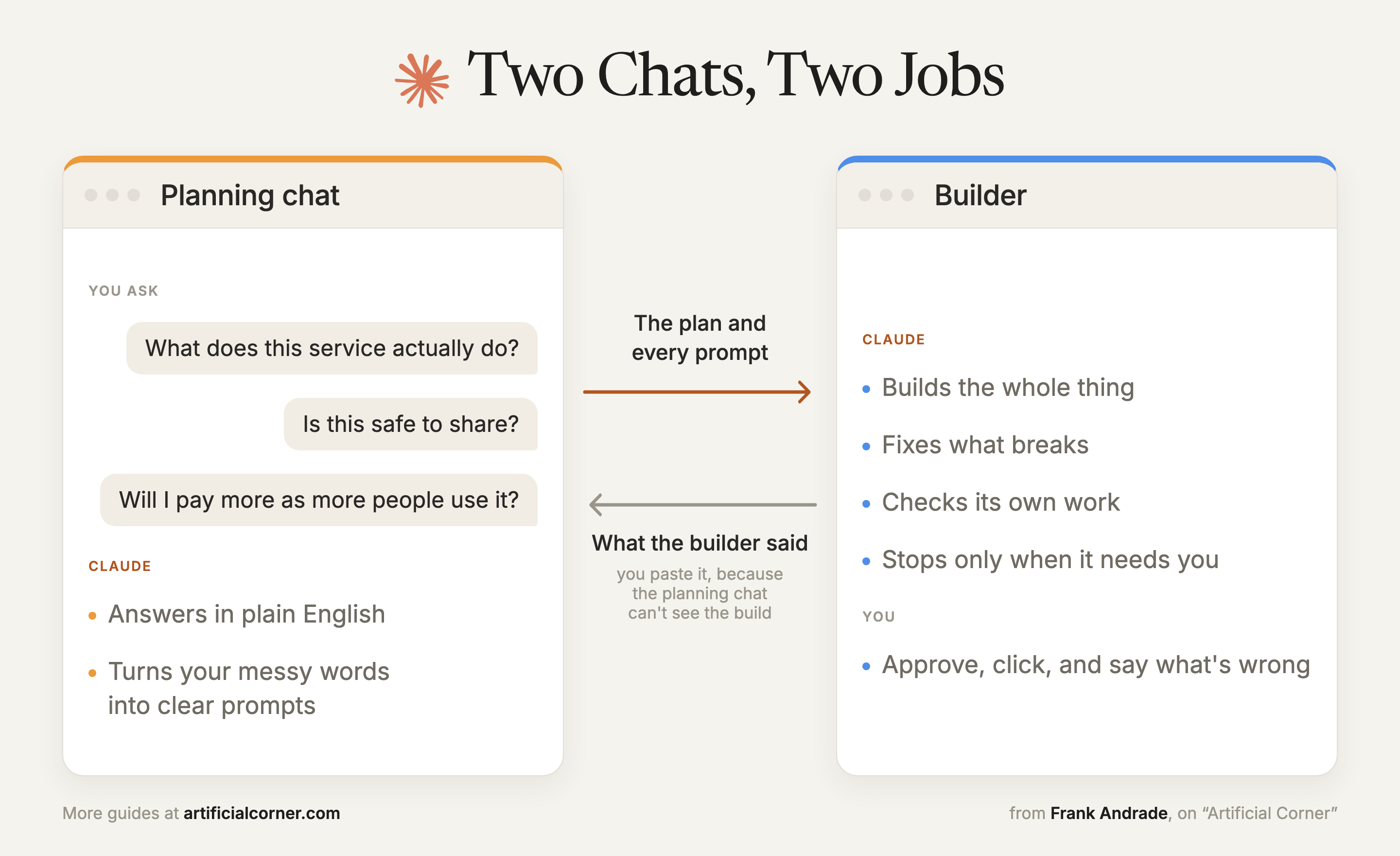
The handoff file is a plain text file in the builder’s folder, like the brief you’d give a contractor on day one. The builder reads it before it does anything. My planning chat saved it straight into that folder, and kept adding to it every time we decided something new, like a design rule or which video host to use.
The same file saves you later. A long build fills up a chat, the way a notebook runs out of pages. Past a point, every new message uses more of your Claude limits, and Claude starts losing track of what happened at the start. That’s when you open a fresh chat and tell it “read HANDOFF.md first.” It picks up exactly where the last one stopped.
I never wrote one myself. The first one went from the planning chat to the builder.
Once the plan was settled, I asked the planning chat:
Turn our plan into a handoff file for the builder, with everything it needs to start building in a new chat without me explaining anything again.
After that, whenever a builder chat got too long, I asked the builder itself:
Create a handoff so I can continue this in a new chat.
Then I opened a fresh chat and told it to read the file first.
#3 Let it build everything, then polish
The first version Claude showed me looked cheap. It took one of my images and blew it up across every page.
I didn’t try to fix it myself. I said what bothered me and asked for options. Here’s a template you can fill in:
The first version looks [cheap, generic, cluttered]. Here’s why: [what bothers you].
Before changing anything, show me 3 different design directions as mockups of [the home page and one inner page]. Use [example 1] and [example 2] as a quality bar, not as something to copy. Under each one, write one line on who it suits.
Claude came back with three directions, each with a line on who it was for.
This is where I almost got stuck. I kept asking for variations of the landing page, then variations of the variations. Then I asked myself a better question: why not pick a decent one, build everything, and only then polish?
That’s what I told Claude:
Go with direction [number]. Now build the whole thing end to end. Stop only when you need me to create an account, approve a cost or click something only I should click, and tell me exactly what to click. We’ll polish the design at the end.
You judge the real thing much better than a mockup. Half the things I wanted to change in the mockups didn’t matter once I could click through the actual site.
When Claude stops for you
The builder stopped only for three things:
Accounts: a few services to sign up for. Claude told me about each one only when it needed it.
Keys: some services give you a secret key, like a password for your project. I never paste mine in the chat. I save them myself in a password manager or the computer’s keychain.
The last click: when I couldn’t find a button, Claude took over my browser, went to the right screen and left the final click to me.
Once everything worked, I went back to the design and polished it. This is a page from the finished site:
#4 Let Claude check its own work all night
Once the site worked, I wanted every page checked, on a phone and a laptop, as a paid subscriber and as a visitor. Doing that myself would have taken days.
I didn’t write the builder’s prompt. I asked my planning chat for it. Here’s my request, cleaned up a little:
Write a prompt for the builder to audit [what you built] with agents, so it’s ready for [who uses it] without me checking every part of it myself. Give it the freedom to improve things as it goes, not only fix bugs, and to keep auditing until it’s something [who uses it] would be happy to use. I don’t mind if it takes hours.
The planning chat turned that into a long prompt. It gave each agent a role, and it made the builder prove every fix with a screenshot instead of saying “it should work now.” It also listed the lines the builder must never cross, and asked for a morning report with an honest verdict on whether the site was ready.
The builder sent out fresh agents (copies of Claude that never saw how the site was built), each one checking it as a different person, from a paid subscriber on a phone to a picky designer.
Claude worked on it for about four hours while I slept. The first round of checks found 61 problems, and the last one found 4, all small.
What’s inside the site I built
You now have the setup I used. Here’s what it built, and what paid subscribers get inside:
Check out the site here: https://learn.artificialcorner.com/
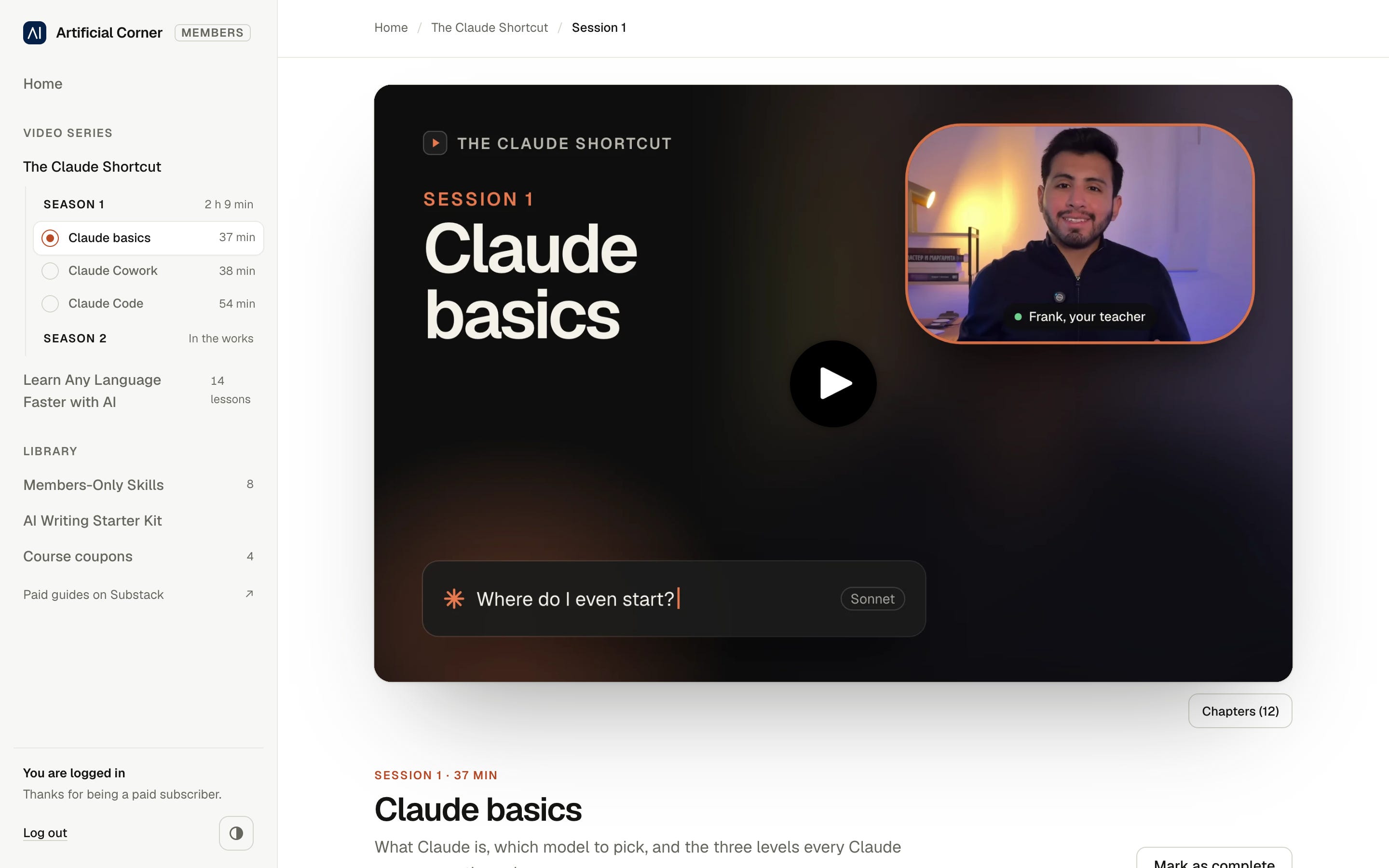
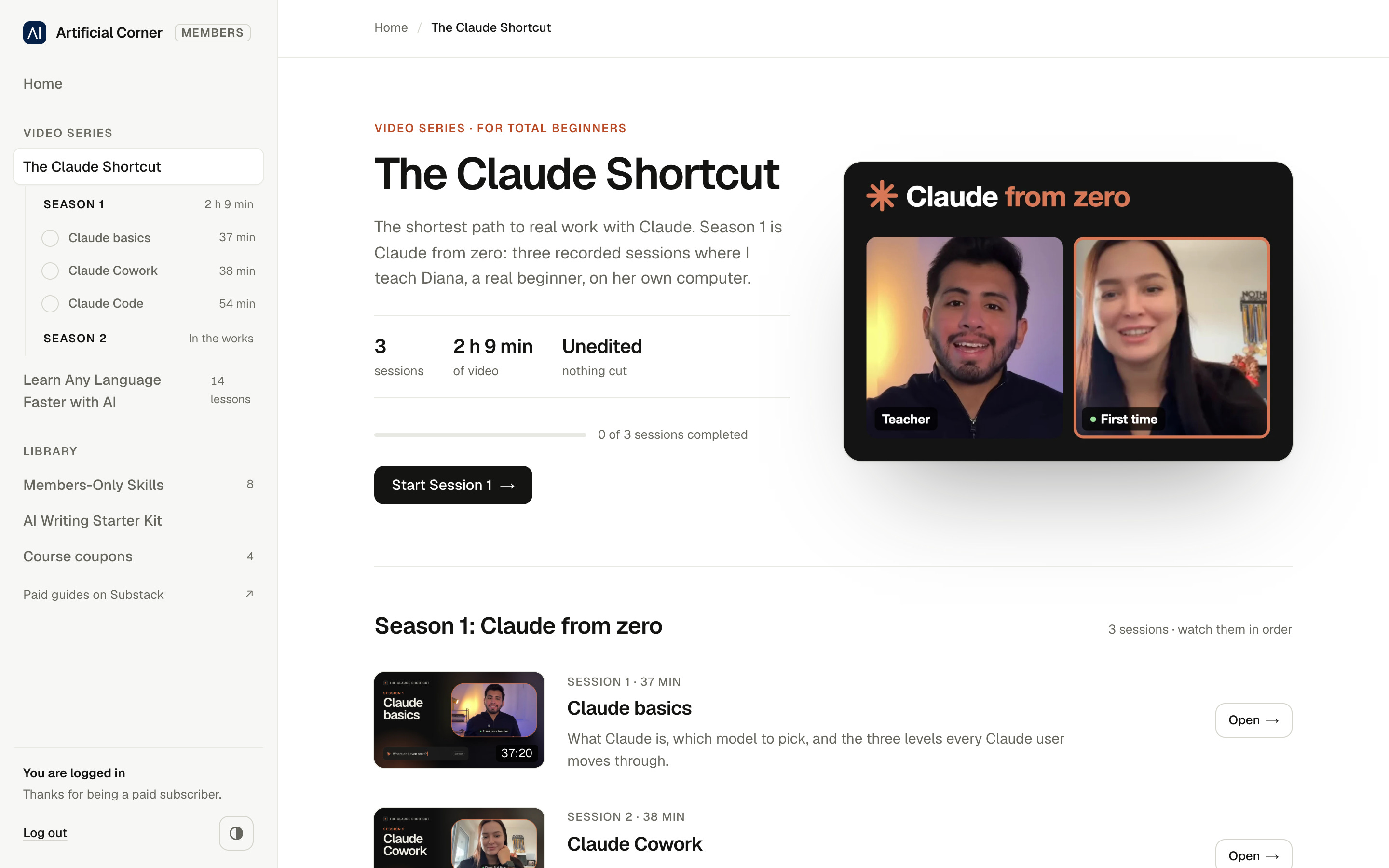
The Claude Shortcut: three recorded sessions where I teach Diana, a complete beginner, Claude from zero on her own computer. Over two hours, unedited, so every question a beginner has is in there.
Learn Any Language Faster with AI: my full 14-lesson course. It’s built around languages, but the same system works for most subjects you want to learn.
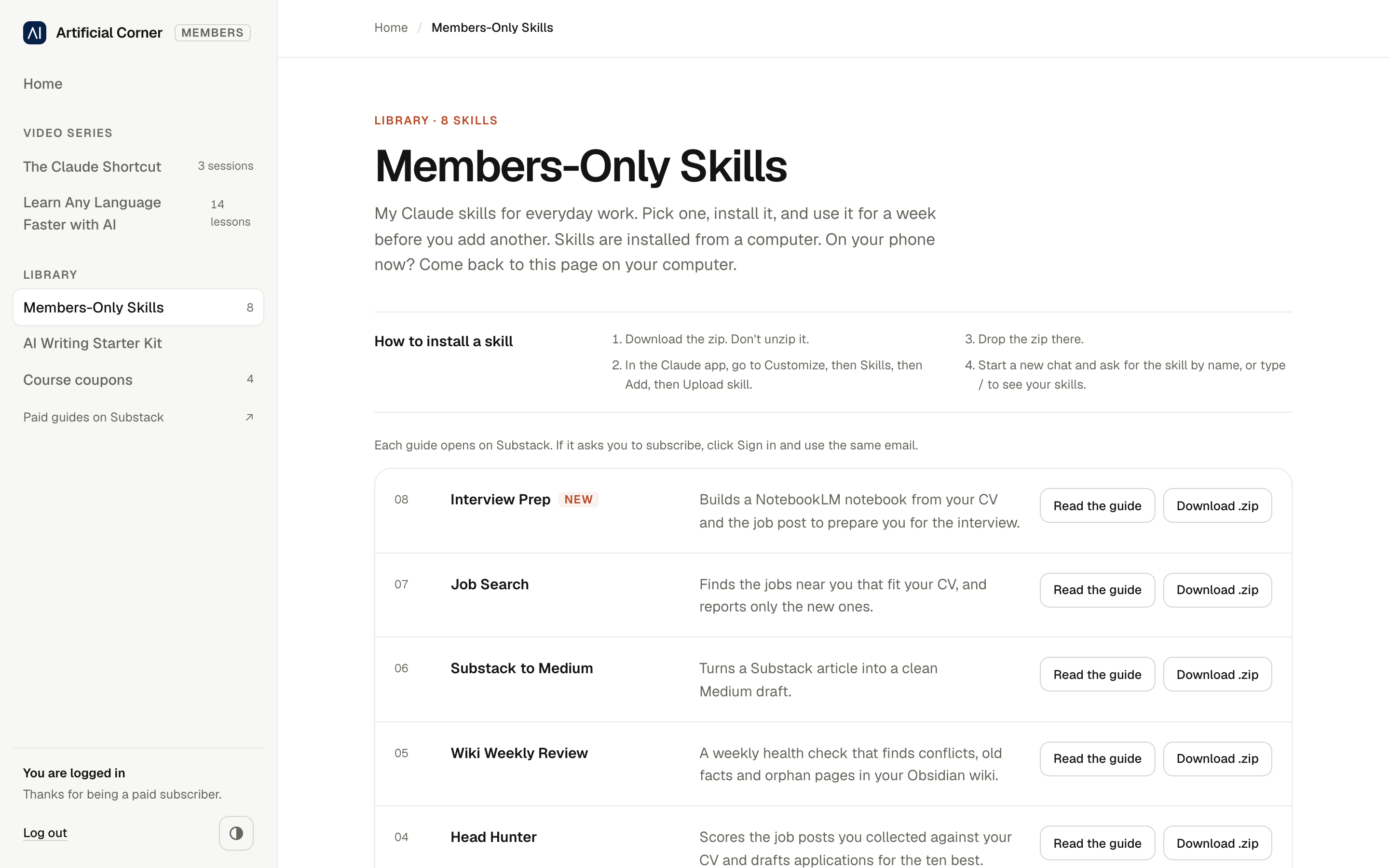
Members-Only Skills: my Claude skills for everyday work, from job search to presentations built on what MIT taught for 40 years, plus a kit that teaches Claude to write like you.
Course coupons: free access to my Udemy courses.
The video series is where I’d start. Each session has its own page, with the next steps after it. This is the series page:
Each skill comes with a guide, so you know how to get the most out of it. Here’s how the skills page looks:
Paid subscribers get all of it, plus a deep-dive guide every week.
This week only: join for $150 a year, and keep that price for as long as you stay. The offer ends Friday, November 20, at 11:59pm ET. On Saturday, the price goes up to $250 a year.
Get the offer: artificialcorner.com/bf26