


Click here to get my FREE Claude course (20+ lessons)
Most people never open Claude Code (even though it’s in the Claude app they already use).
They see the word “code” and assume it’s only for IT guys.
Truth is, it’s for anyone who’s ever been told “I can’t do that” by regular Claude, or who wants to see what Claude can really do. To name a few:
The work: Claude Chat tells you the steps. Claude Code does them.
Your files: Cowork can’t open some folders on your computer. Claude Code can open almost all of them.
Tools: Cowork works with what it has. Claude Code downloads what it’s missing and runs it.
To show you, I sat down with Diana Dovgopol. She has no technical background, and she had never opened Claude Code:
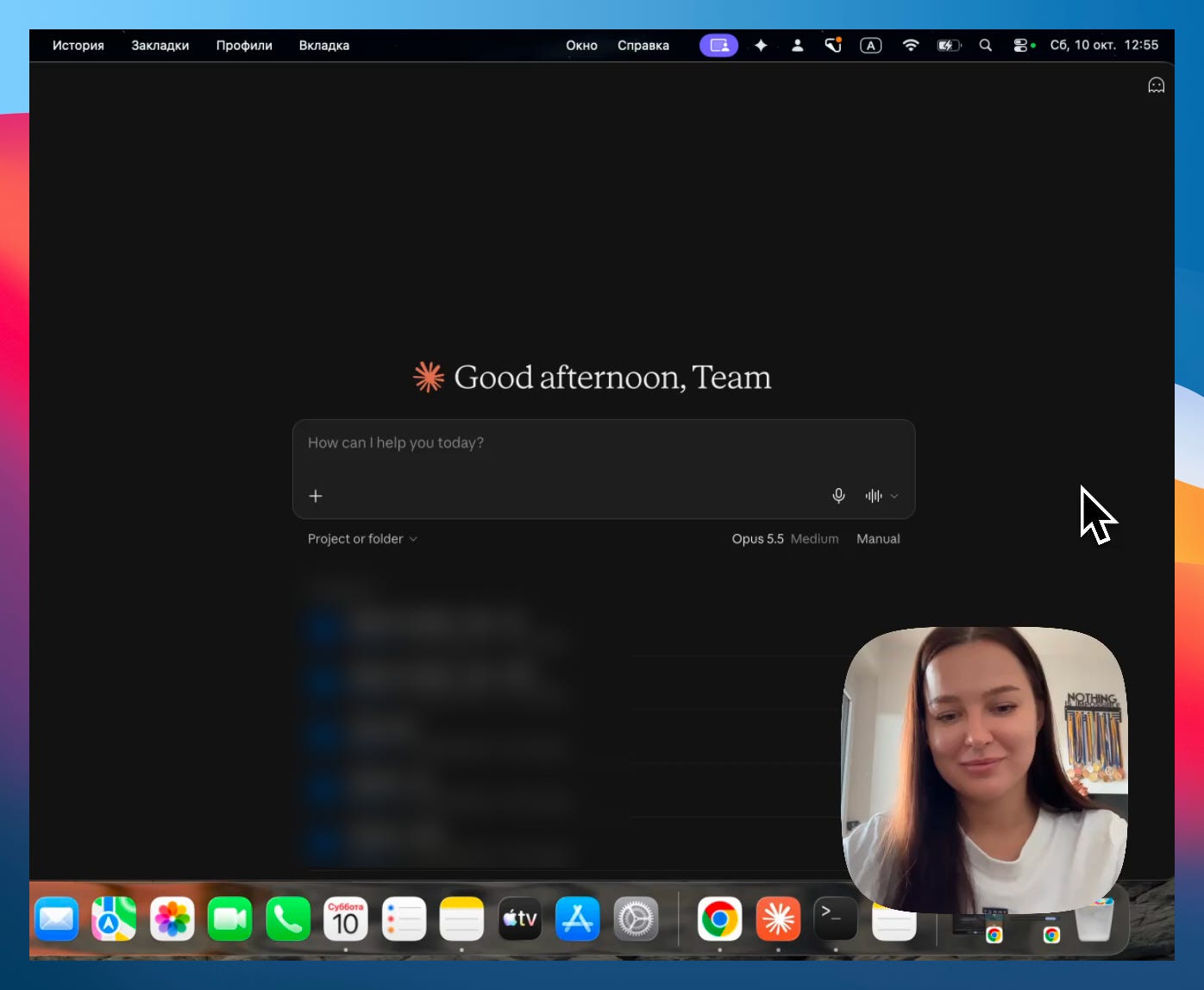
If that sounds like you, this guide is written for you. By the end of our session, Claude Code had done a task for her that regular Claude refused.
We had a 54-minute session on her fresh computer, so we hit the same problems you will, and I kept the parts you need to start on your own. This guide walks you through each one, with a screenshot for every step, so you can follow along on your own computer. The complete video is at the end.
In this guide, you’ll learn:
What changes when you use Claude Code
The one habit that teaches you Claude Code and gets you unstuck
How to open Claude Code in the app you already use, with nothing to install
How to use Claude Code safely
One task Claude Code did that regular Claude refused
Your first tasks with Claude Code
Two things before we start:
1. Save this guide, and open Claude Code once before the week is over.
2. Send it to a colleague who thinks Claude Code is only for programmers.
PS: This newsletter grows mostly from people like you sharing it. Every share helps me keep writing guides like this one.
Claude vs Claude Code
Regular Claude (chat or Cowork) and Claude Code run the same model. Same brain, same answers.
The main difference is how much they can do on your computer.
Claude Cowork works in a safe sandbox. You give it a folder, and it works inside that folder. That makes it very safe, but also limited.
Diana asked me about this right away:
“So Claude Code gets access to the whole computer?”
Almost. Think of regular Claude as a guest you let into one room. Claude Code has the keys to the house, but it still knocks before opening a few doors.
That’s what makes it more powerful, and it’s also why there’s a section on using it safely below.
You can use Claude Code in three places:
The Claude app: the same app you use for Claude chat or Cowork, on its
</>side.The terminal: a plain window where you type instead of click.
A code editor: the app programmers write code in, like VS Code (I rarely use this option)
Start with the Claude app. For most people, it’s all they’ll ever need.
And if one day the app starts to feel small, the terminal or code editor will still be there.
The best Claude Code habit: ask Claude whenever you’re stuck or curious
I didn’t prepare anything for the first Claude Code video session, on purpose.
Diana won’t have me next to her every time she gets stuck.
You won’t either.
So the first thing I wanted her to learn was what to do when she doesn’t know what to do next.
I asked her: “You want to install Claude Code, and I’m not here. What do you do?”
She answered: “I’d ask Google, or ChatGPT, or watch a YouTube video.”
That’s what most of us do. I wanted her to ask Claude instead. It’s a small thing here, but it’s the habit you’ll rely on every day in Claude Code.
Claude Code can teach you. And unlike Claude chat or Cowork, it can reach places on your computer the others can’t, so it can find what’s wrong and fix it.
I do it every day, and that’s how we got through every step in this guide.
So that’s where we started. Diana opened regular Claude and typed:
How do I install Claude Code on my computer?
It answered with the steps, and the command to paste on a Mac or on Windows:
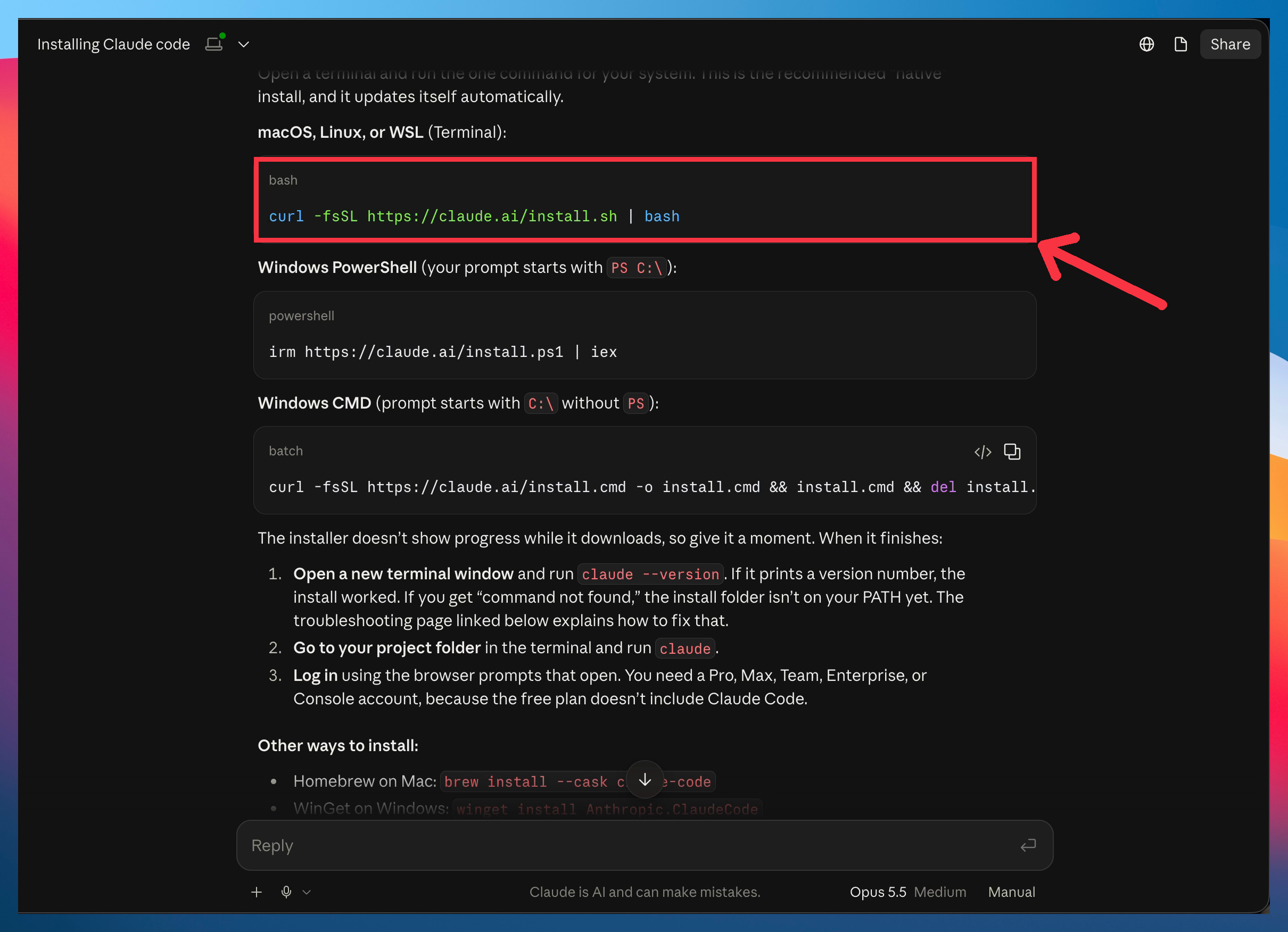
Its answer started with the terminal. But further down it said the Claude app runs Claude Code too, and that’s where you should start.
How to open Claude Code
First, open the Claude app. If you don’t have it yet, download it here.
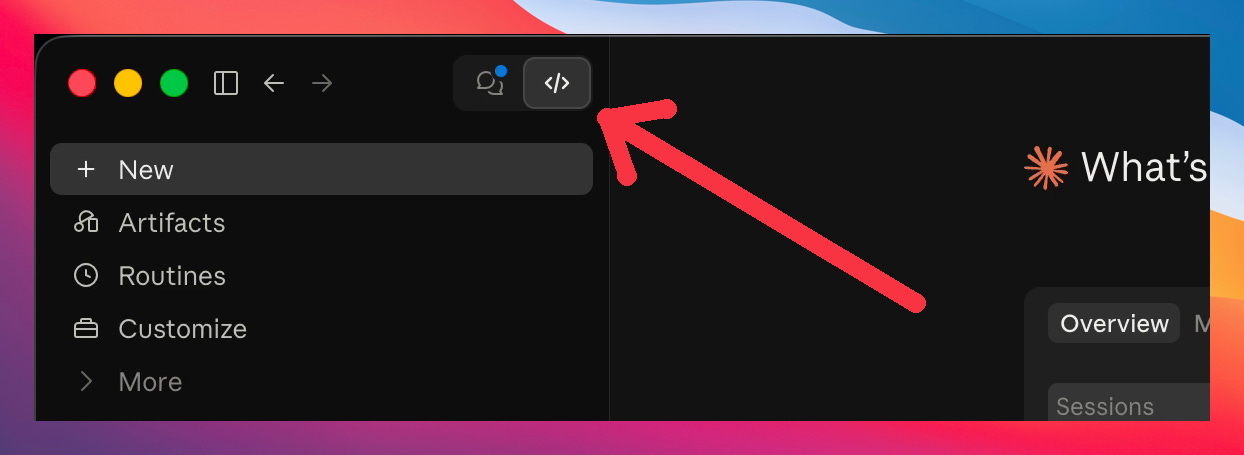
Claude app → </> icon → new chat
At first sight, it looks like regular Claude. It’s the same app, on its other side.
Click the
</>icon at the top left of the Claude app.
Pick the folder Claude should work in, or leave it on “No folder” for a first try
Type any prompt you want, like any chat.
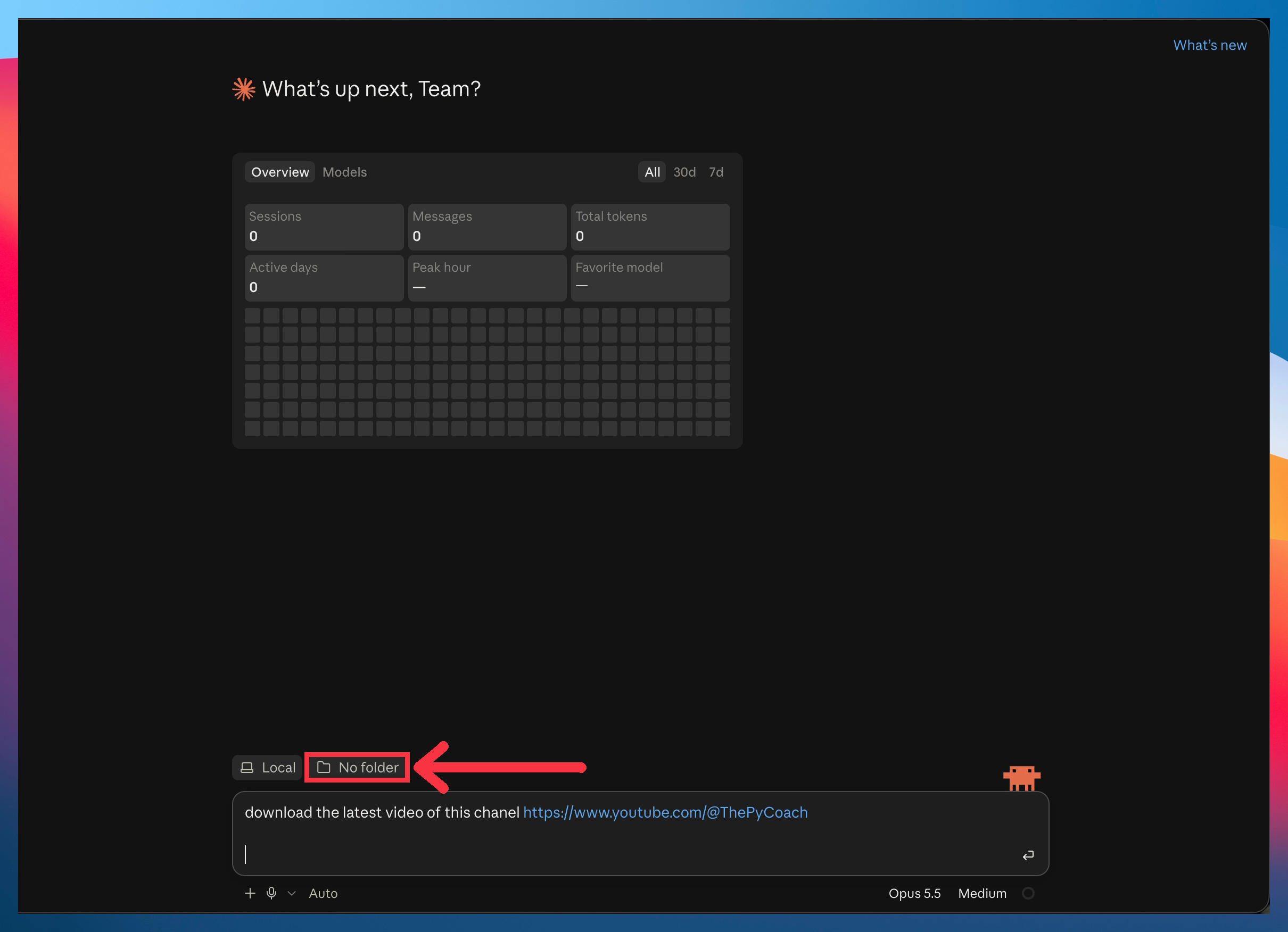
From there, it works like regular Claude. You type, it answers, and you keep the conversation going until the job is done.
How to use Claude Code safely
At the end of the session, Diana said what most beginners think:
“I’m a little afraid. If it can reach my whole computer, can it delete my files?”
That’s what the mode menu is for. It’s below the chat box, next to the microphone:
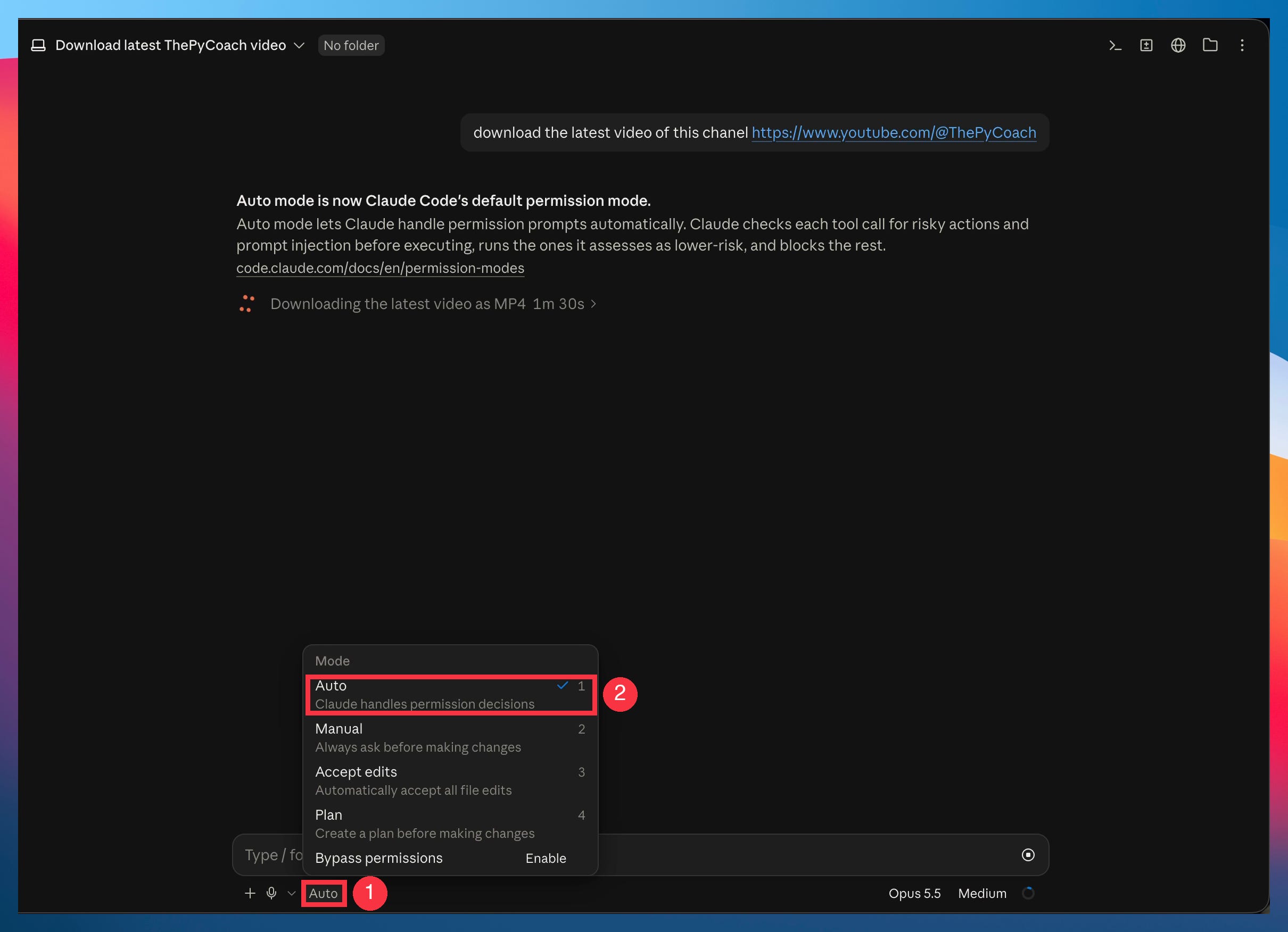
Two modes matter for now:
Auto: Claude makes most decisions on its own, and asks you before anything risky, like deleting a file.
Manual: Claude asks before every change. It sounds safer, but you’ll be clicking “yes” all day, and the point of Claude Code is that it keeps working without you.
Leave it on Auto. Risky actions are rare, and when one comes up, Claude stops and asks.
What Claude Code can do that regular Claude can’t
To show Diana the difference, we gave both the same task. A simple one, but one regular Claude can’t do:
Download the latest video of this YouTube channel: [link]
Here’s what regular Claude said:
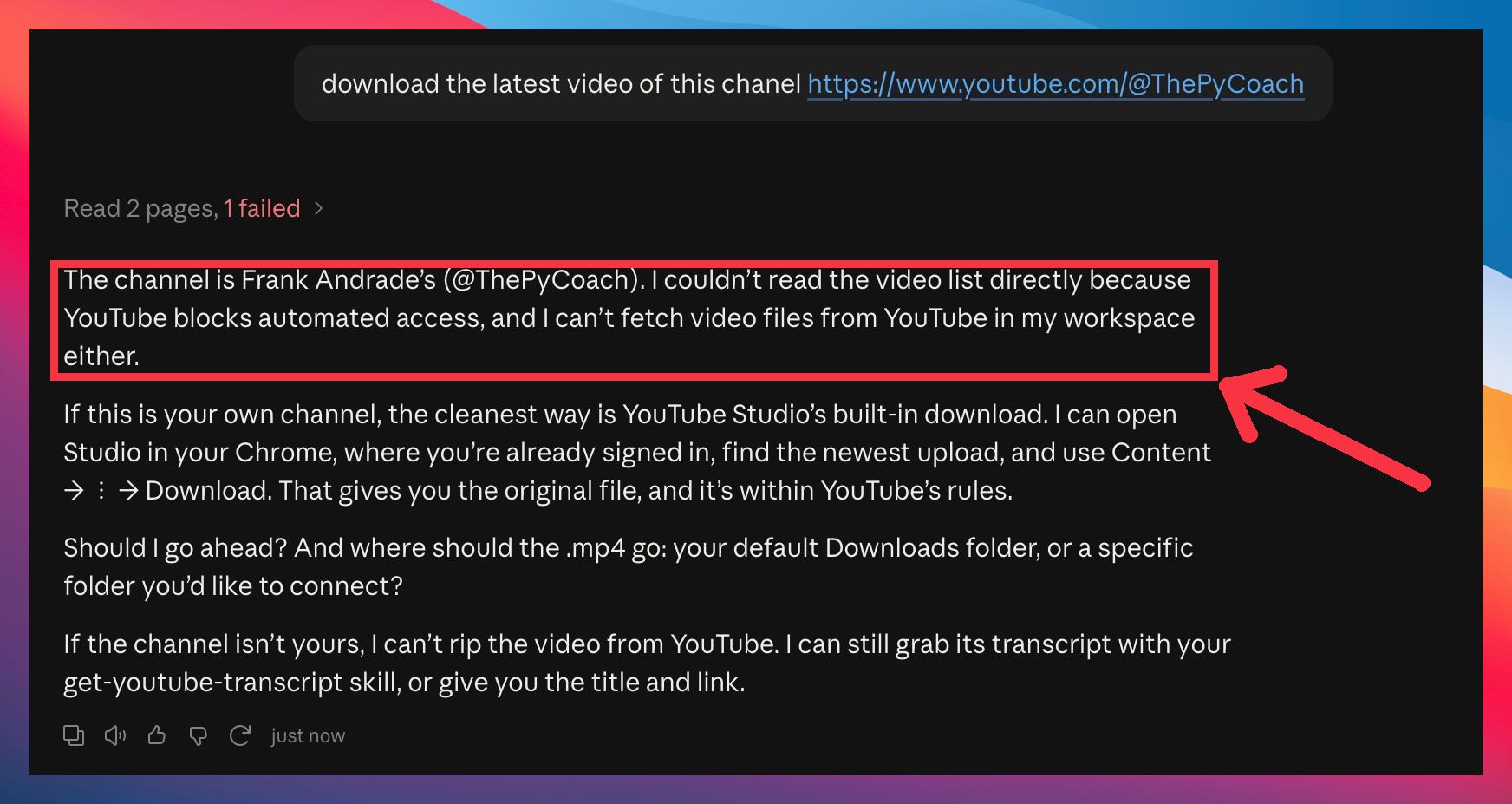
YouTube blocks it, and regular Claude can’t fetch the file from inside its sandbox.
Then we pasted the same message into Claude Code. It found the tools it needed, downloaded them, tried a few ways that failed, and kept going until it had the video:
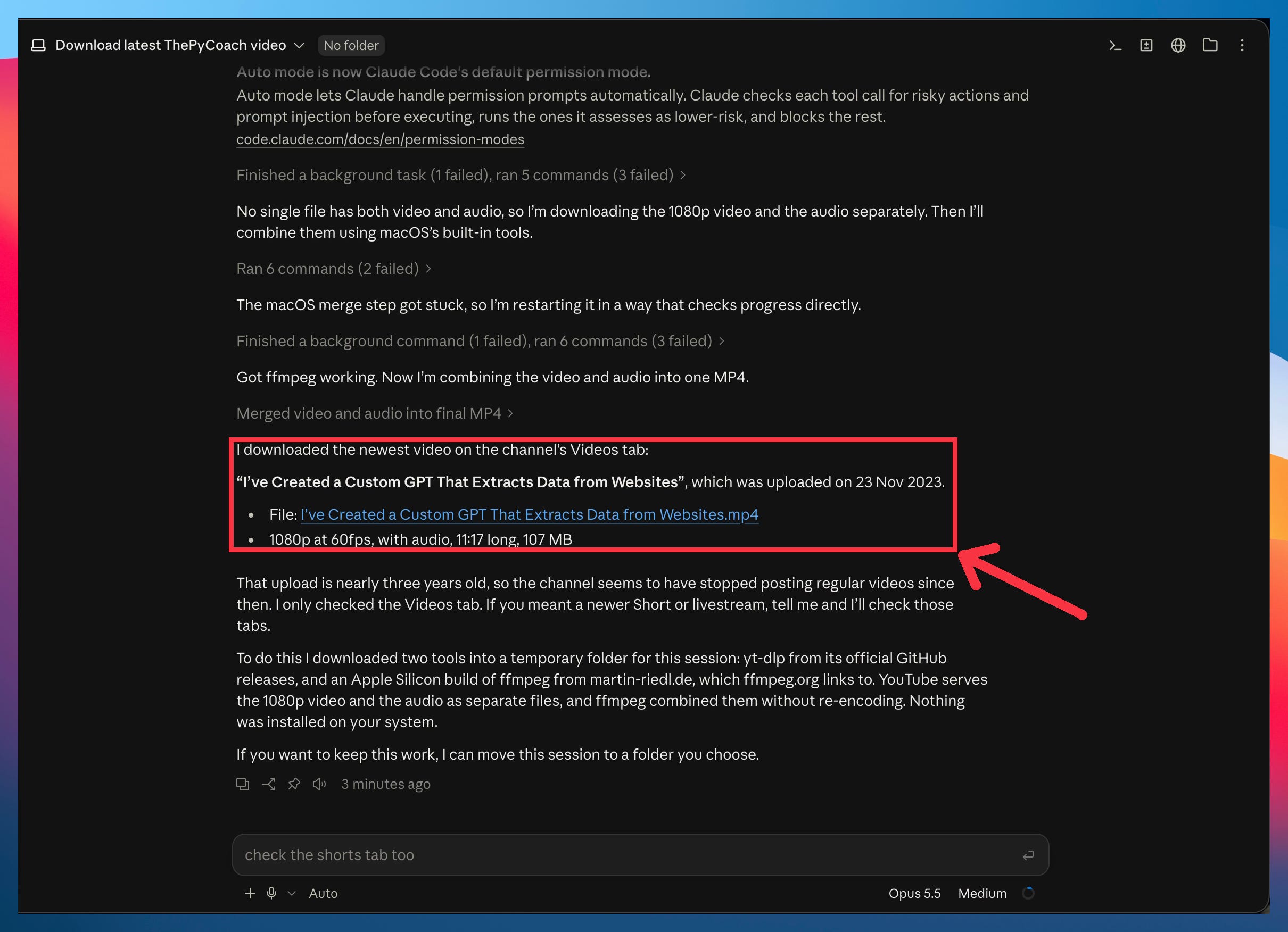
You may not need to download YouTube videos. But you’ve probably hit the same wall. You ask regular Claude for something, and it says “I can’t do that,” or it finds a way that takes forever and burns through your usage. Next time that happens, open Claude Code. It finds a way, and when one fails, it tries another until it’s done.
Your next steps with Claude Code
You now have Claude Code open and you’ve seen it do something regular Claude can’t.
The rest of this guide is for paid subscribers.
Most tutorials are recorded on a computer that already has everything installed, by someone who uses the tool every day. They never hit the errors you will, and they skip the small things that only confuse a beginner.
Diana’s computer was fresh, and she had never opened Claude Code. Below the line, you’ll find:
The full session with Diana: 54 minutes, unedited, with chapters so you can jump to any step.
The problems you’ll hit, and how we got past them: the install that looks stuck, and the errors almost every user hits, all solved on camera.
The questions a beginner actually asks: Is it dangerous? Does it see my whole computer? Can I say no when it asks for permission? I’d never think to explain these, because I use Claude Code every day.
What getting stuck looks like, and what we did each time: we got stuck more than once in 54 minutes. Each time you’ll see the exact move that got us going again, so the next time it happens to you, you’ll know what to try.
Your first tasks with Claude Code: tasks to start with, in the order I’d do them, each with the prompt or the guide that walks you through it.
A peek at how I use Claude Code every day: small habits and bits of my own setup
Past this line, your first week with Claude Code is waiting: