

If you use Claude, you probably know Sonnet and Opus.
The one you probably haven’t used is Fable, the one above them.
And Fable isn’t even the top. Anthropic has one more model, called Mythos, and you can’t use it. In testing, it beat nearly every human expert at finding ways to break into software, and found thousands of serious holes in every major operating system and browser. Anthropic decided that’s too much power to give to anyone, so Mythos only goes to a handful of partners pointed at defending critical systems.
That makes Fable the most capable model the rest of us can get.
Same family, one step below the one they locked up, at double the price of Opus. I kept Opus as my daily driver and use Fable for specific jobs.
In this guide, you’ll learn:
Where Fable lives
What Anthropic says Fable is for, and when to ignore it
The jobs I actually use it for
How to prompt Fable 5.1
And whether your task deserves it
1. Where Fable 5 lives
Here’s where to switch it on:
In the Claude app:
Open a new chat
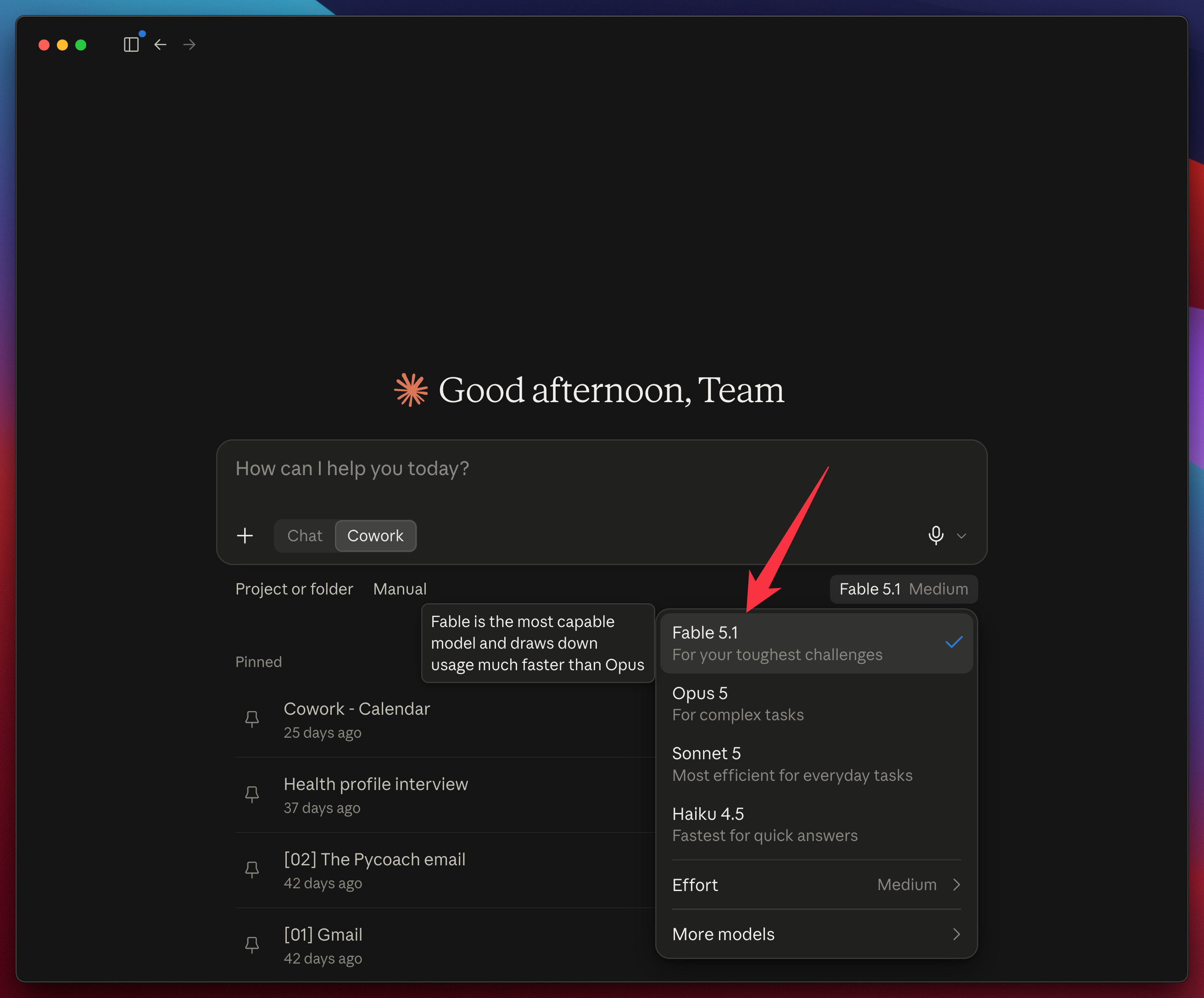
Click the model name at the bottom right of the message box
Pick Fable 5.1
Hover over it and Anthropic tells you the catch itself:
Fable is the most capable model and draws down usage much faster than Opus
In that same menu, click Effort:
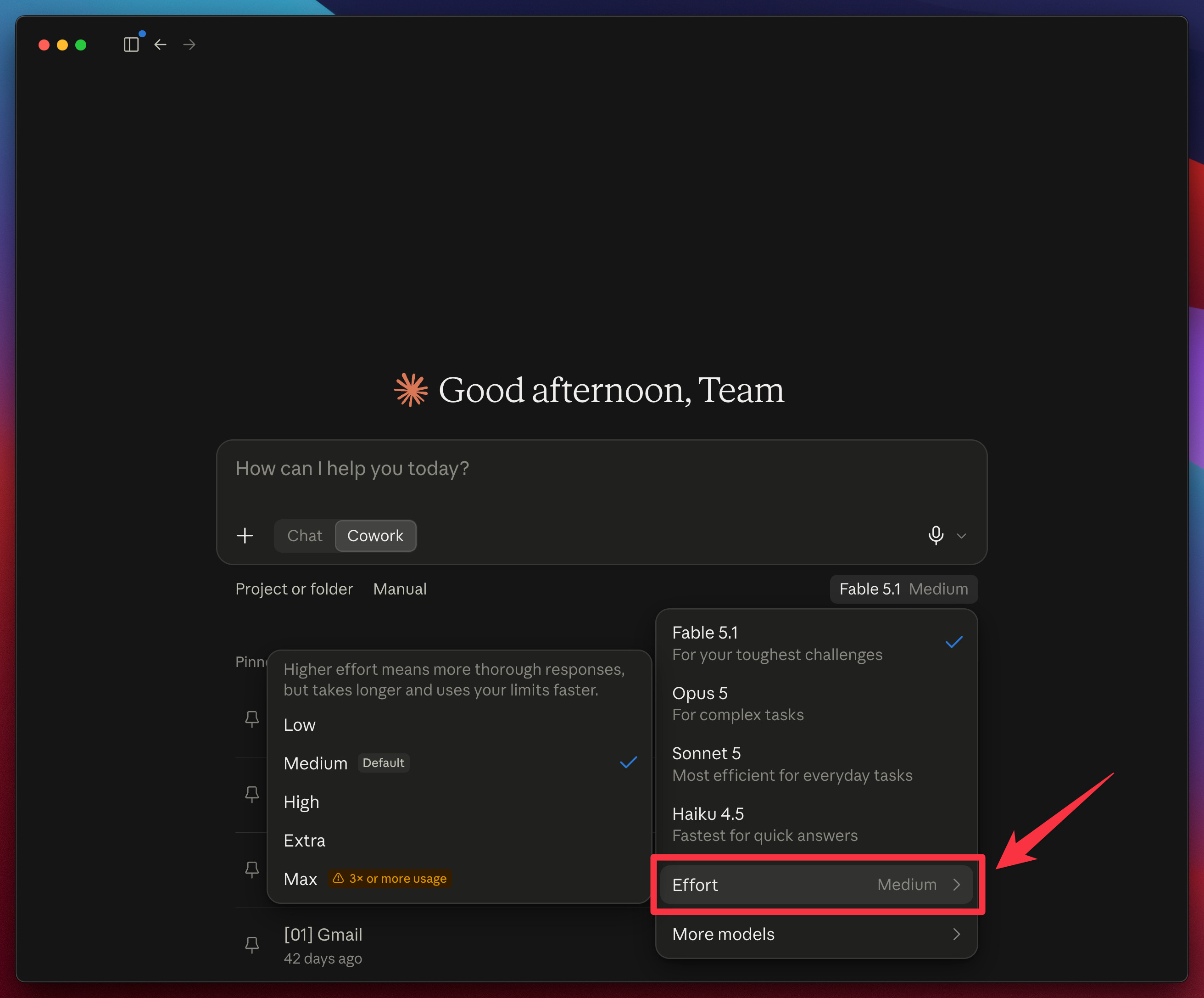
Five levels: Low, Medium, High, Extra, Max. Medium is the default in the Claude app, and Max carries its own warning: “3× or more usage.”
Everything in this guide ran at High.
In Claude Code:
Type
/modelPick Fable
Press Enter to make it your default, or s to use it for this session only
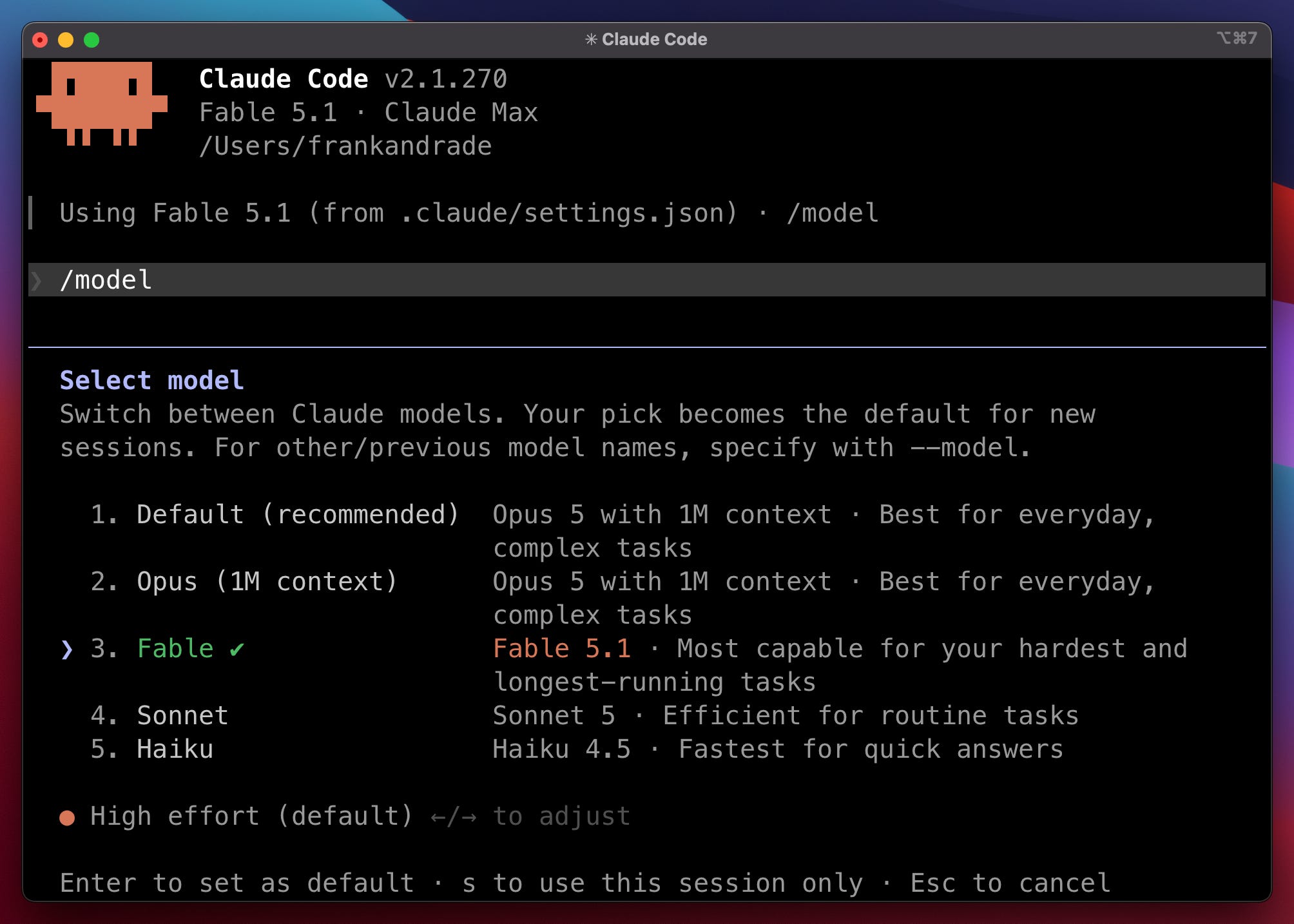
Note the line at the bottom of that screen: High effort (default).
Claude Code sets it high for you. Adjust it with the arrow keys, or skip the menu and launch the session using this command:
claude --model fable --effort highNow, switching Fable on is the easy part. Knowing when to leave it on is the actual skill, and I pick Fable job by job.
The rest of this guide is about which jobs and how to prompt Fable 5.1
If you’re not a paid subscriber yet, now’s the time to join hundreds of members with full access to all our guides :)