

Click here to get my FREE Claude course (20+ lessons)
If you use scheduled tasks in Claude Cowork, you’ve probably seen this message by now: “Cowork tasks that run only on this computer are being deprecated.”
Here’s how it looks on one of my tasks:
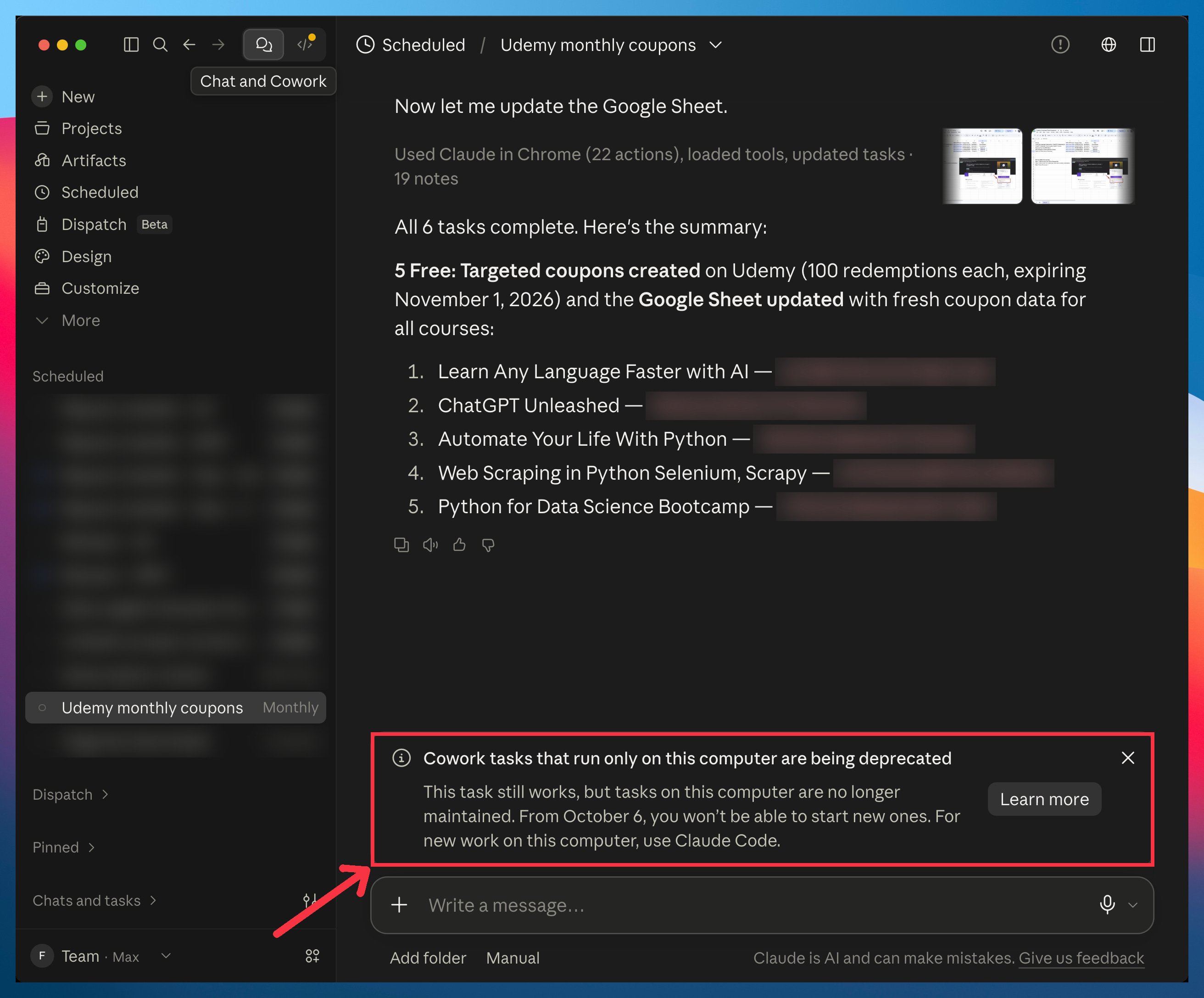
In plain English, it means:
Today: your task runs on your computer, the same as always.
From October 6: every new task you create runs in Anthropic’s cloud (tasks still on your computer keep running there, but nobody fixes them if they break).
Anthropic offers two ways out.
Option #1: move your tasks to the cloud.
It takes a few seconds, but it comes with two drawbacks:
Privacy: your task’s history moves from your computer to Anthropic’s servers.
You’re locked-in: the task stops being a file on your computer, so you’re locked in. Moving to ChatGPT, or to whatever tool comes next, gets harder.
Option #2: move your tasks to Claude Code.
Your tasks and their history stay on your computer, as files you own. And don’t let the name scare you: Claude Code is part of the same Claude app you already use (no terminal, no coding), and it’s way more powerful than Cowork.
In this guide, you’ll learn:
How to check which of your tasks are affected
How to move a task to the cloud in one click
What you give up when your tasks move to the cloud
How to keep your tasks on your computer with Claude Code (+ the side benefits you get)
Two things before we start:
1. Save this guide, and decide where each of your scheduled tasks should run before October 6.
2. Send it to a colleague who uses Claude Cowork.
PS: This newsletter grows mostly from people like you sharing it. Every share helps me keep writing guides like this one.
Which of your tasks are affected
Here’s where to look: Open the Claude app → Scheduled → search for your task.
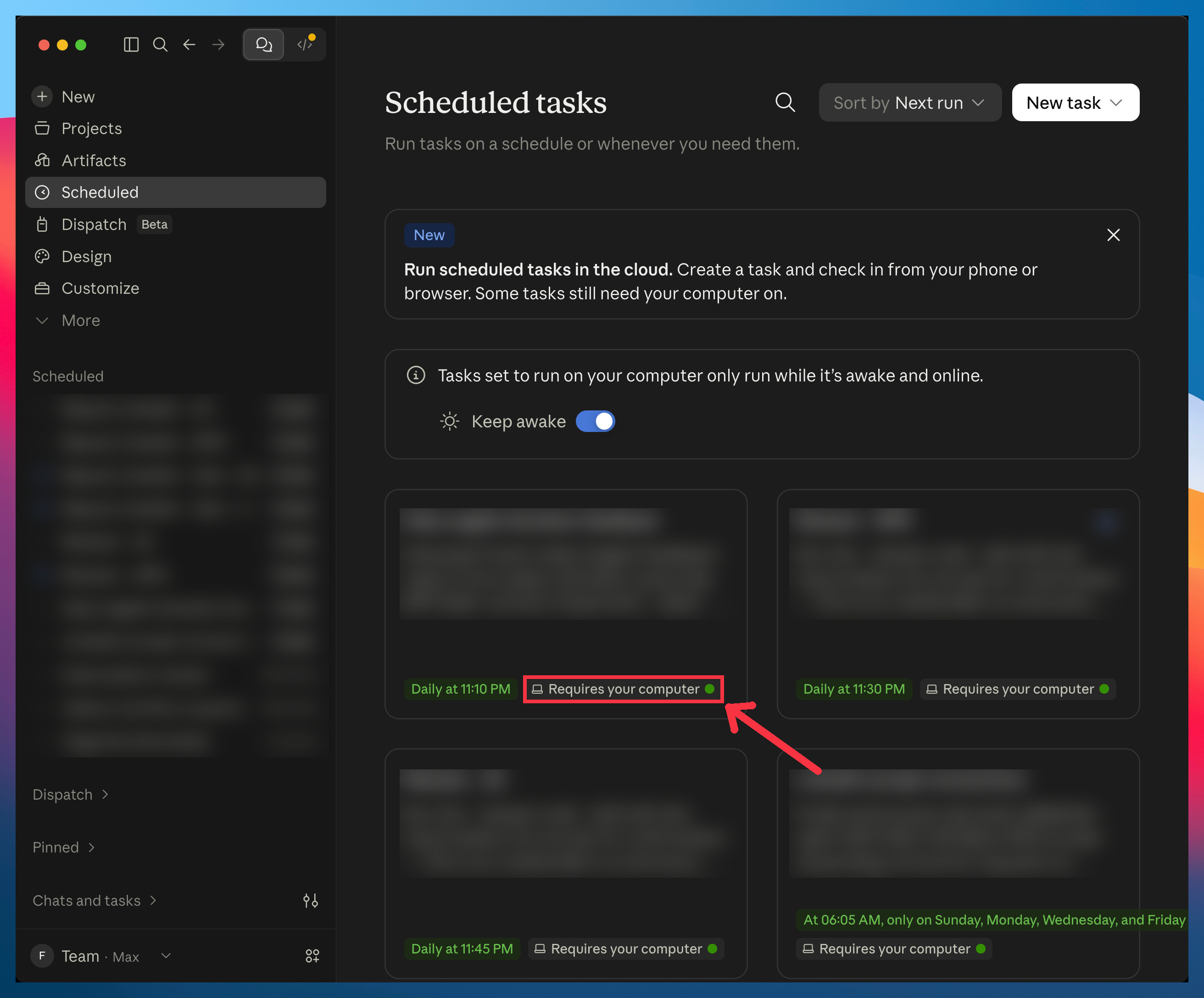
You’ll see two labels that look alike.
“Requires your computer” is the confusing one: despite its name, it means the task is already in the cloud. It’s just a label: the task still needs your computer to run (for its browser or your files), so you don’t get the cloud’s benefits, but it already comes with both drawbacks: its history sits on Anthropic’s servers, and it’s no longer a file you own:
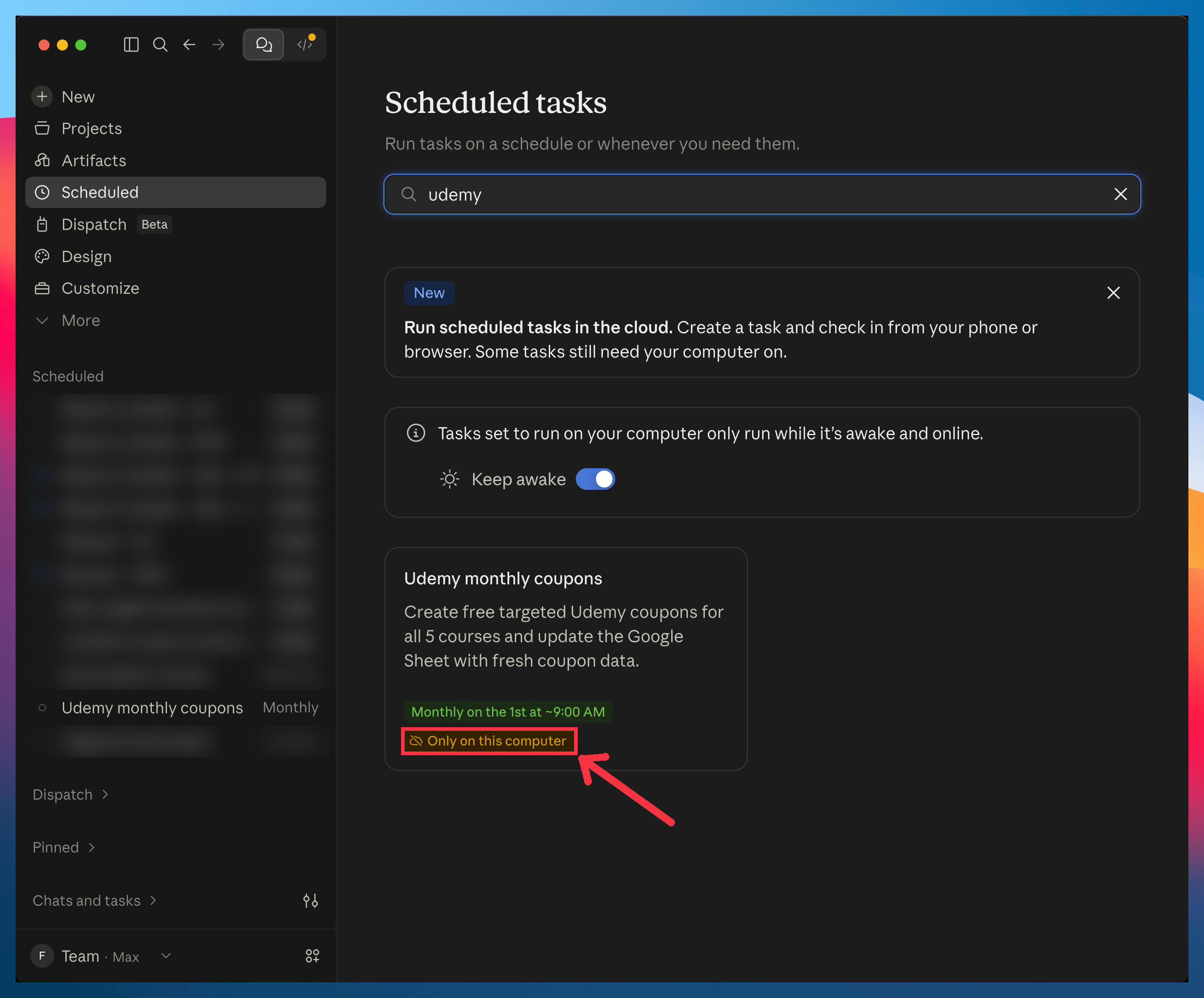
The one the deprecation banner is about is the yellow “Only on this computer” label.
Open the task, and you’ll see the same banner I showed you at the start.
I’ll use my Udemy coupons task as the example for the rest of this guide. Every month, it creates new free coupons for my Udemy courses (the ones paid subscribers get) and updates a Google Sheet with the codes.
Whichever label your tasks have, keep reading. If they say “Only on this computer”, you need to act before October 6. If they say “Requires your computer”, Anthropic already moved them to the cloud for you, and you can still bring them back to your computer:
Option 1: Move your tasks to the cloud
Here’s the one-click fix:
Click the task card with the yellow “Only on this computer” label (the one you found above)
Click Move to cloud
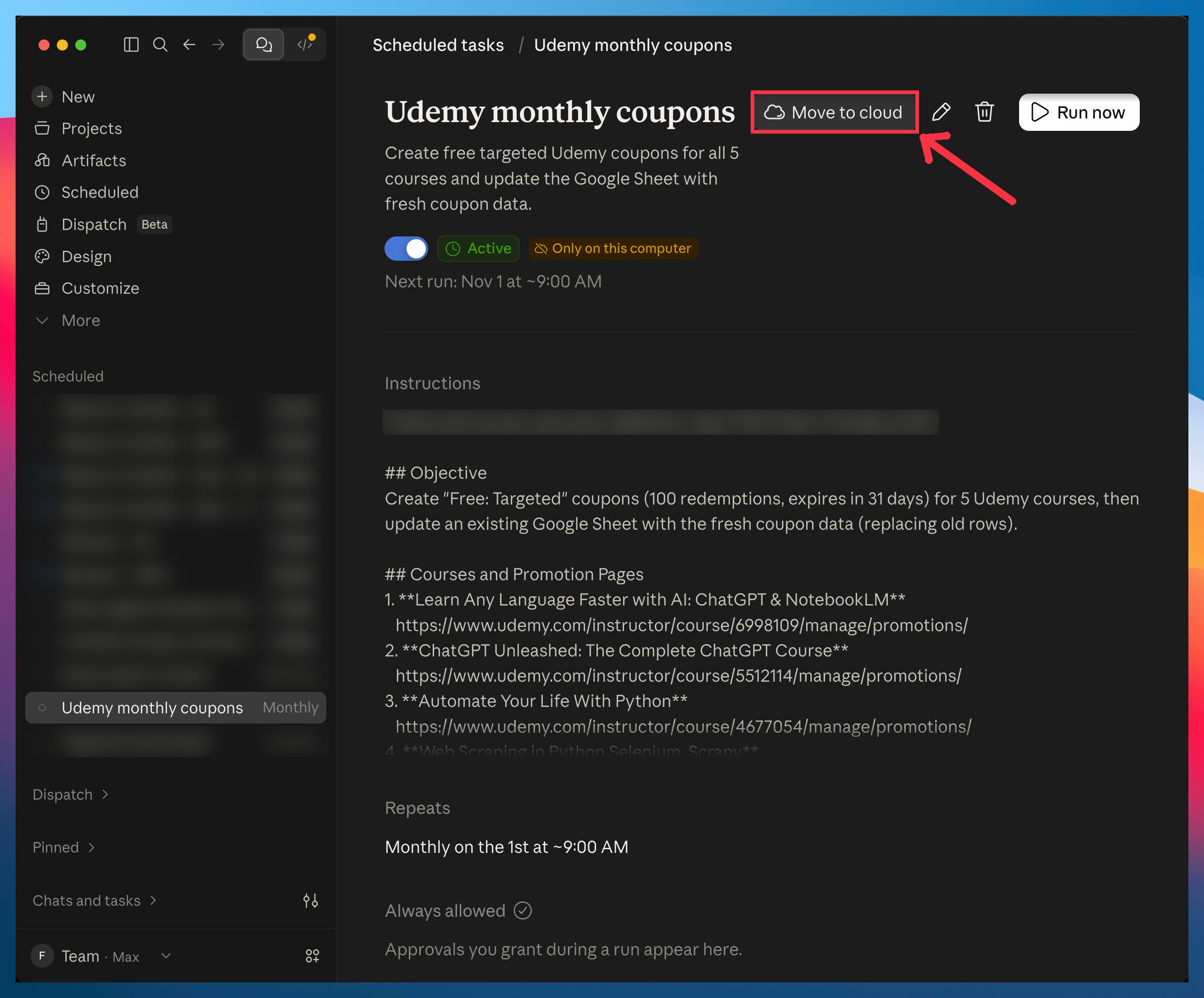
Done! Check that the label now says “Now runs in the cloud”
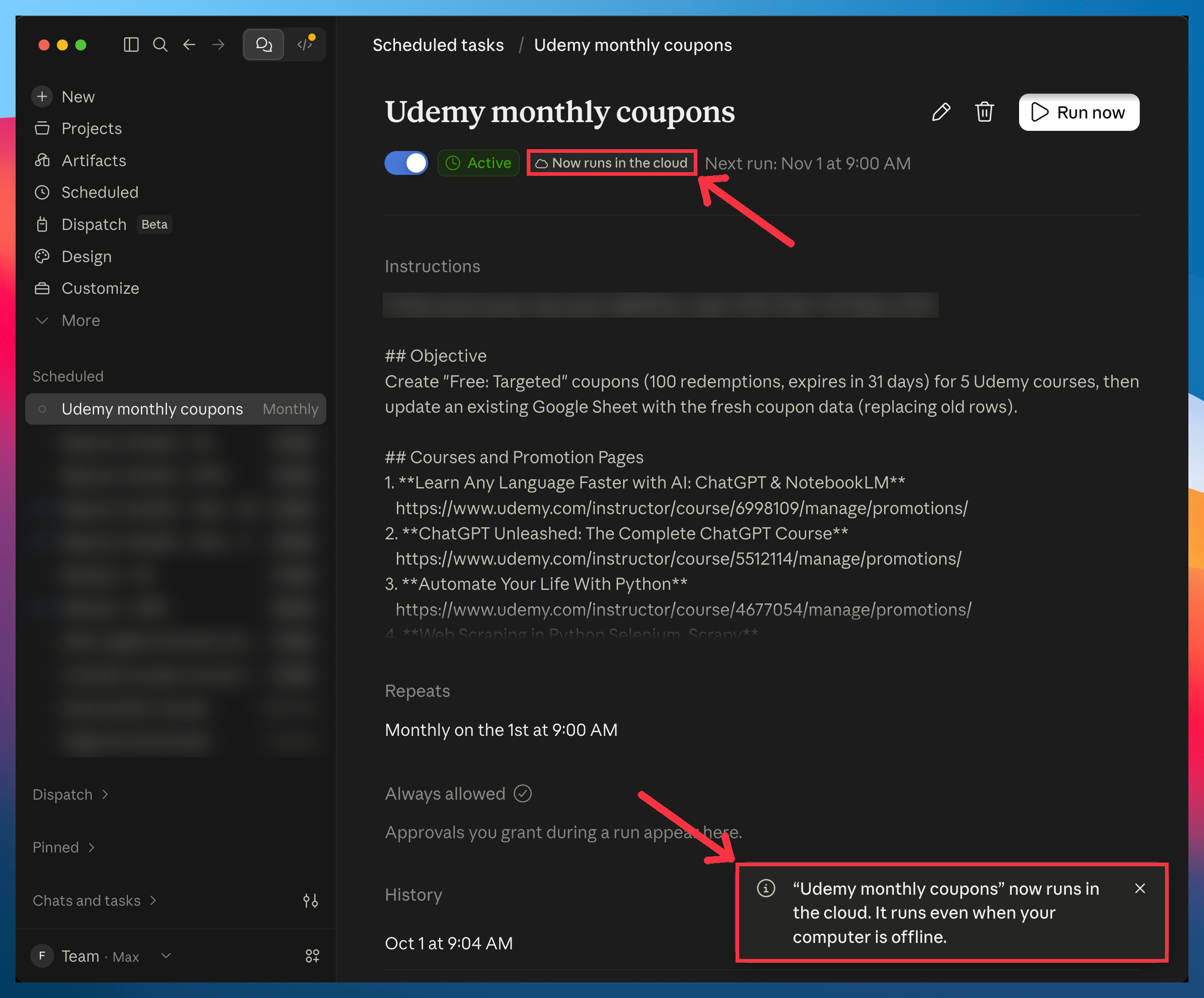
Easy, right? Before you do it with every task, though, you should know what you’re giving up.
What you give up in the cloud
Right after the move, the app told me my task “runs even when your computer is offline.”
That’s not true for most of my Cowork tasks (and most likely yours too).
Anything that uses Claude in Chrome or the files on your computer still needs your computer on with the Claude app open, and Anthropic’s own help page says so.
The cloud really helps with tasks that only use three things: your connectors (Gmail, Google Calendar, Notion, etc), web search, and files saved in your Claude account. Those tasks run even with your laptop closed.
Every other task still needs your computer to run. You get none of the cloud’s benefits, and its whole history still ends up on Anthropic’s servers.
Privacy
Every run leaves a transcript: the full record of what Claude did, step by step, with everything it saw on your screen.
Before, that transcript was saved only on your computer. Now it’s saved on Anthropic’s servers, and it stays there until you delete it.
Deleted runs are gone within 30 days (runs flagged by Anthropic’s safety systems are kept up to 2 years, and some data longer for legal reasons). Whether Anthropic trains its models on any of this is a separate switch: Settings → Privacy → Help improve our AI models.
You’re locked in
A cloud task stops being a file you own.
Before, every task lived as a file in your Documents folder, under Claude/Scheduled. Now, the instructions live only in your Claude account, and so does every run’s transcript.
That matters more than it seems.
The real power of building stuff with tools like Claude or ChatGPT is that what you build is yours. Your instructions, skills and tasks are files, and those files are assets. If a better tool shows up tomorrow, you point it at your files and you’re running again in minutes.
When your tasks live in the cloud, you don’t have those files. So the day a better tool comes out, moving gets hard.
Option 2: Keep tasks on your computer with Claude Code
Claude Code fixes both problems:
Privacy: every run’s transcript stays on your computer, not on Anthropic’s servers.
No lock-in: your tasks are files you own, so you can switch tools anytime.
If Claude Code sounds technical, here’s my proof that it isn’t. Next week, I start a Claude Code series with Diana Dovgopol. She has never written a line of code and has no technical background, and she’ll learn it from scratch.
You don’t need to install anything new: Claude Code is in the same Claude app where you use Cowork.
I think Claude Code is the most powerful way to use Claude. Now you have one more reason to start.
The rest of this guide is for paid subscribers. It’s every click it takes to move a Cowork task to Claude Code, so you can do it with yours instead of figuring it out from scratch.
Below the line:
The best ways to move your Cowork tasks to Claude Code: I thought the fix Anthropic suggests was the only option. It isn’t, and it doesn’t even work for tasks that are already in the cloud. You’ll get all three ways, with a screenshot for every step, and none of them needs any Claude Code experience.
2 copy-paste prompts that move your tasks for you: I used to move my tasks one by one. Now one prompt moves a task over, schedule included. Name a few tasks in the same prompt and they all come over.
What Cowork can’t do that Claude Code can: When I started moving some tasks to Claude Code a few months ago, I only wanted them to keep working. Then I found out Claude Code could make them better, and do things Cowork never could. I’ll show you a few of them, and we’ll see them in detail in the upcoming Claude Code series.
Past this line, every step is waiting: