


The days when you had to look up words in the dictionary, manually build a database of new words, and retain new vocabulary using flashcards are long gone (at least for me).
Over the past months, I’ve been using ChatGPT to increase my vocabulary. In the beginning, it quickly provided what every online dictionary out there provides nowadays, but little by little I developed a prompt that helped me stop using the dictionary and flashcards.
In this article, I show you step by step how to create a super prompt that:
Provides the definition of the word, examples, and meaning in the given context
Presents word families (to learn multiple words instead of 1)
Automatically builds a database of new words learned
Creates a story using all the new vocabulary
You’ll not only learn how I used ChatGPT to improve my vocabulary but also how I created these prompts.
Check out my Google Docs for more up-to-date ChatGPT for language learning guides
Part 1: Turning ChatGPT into an online dictionary
The first part of the prompt has a very simple goal — learn the meaning of the word with examples and understand it in the given context. To obtain this, you need to provide the word and copy/paste the sentence where you found that word.
Act as a language tutor. I’m going to give you new words I’m learning to increase my vocabulary. For each new word, I’ll give you context. You have to write the meaning of the word, provide 3 examples of how to use the word and explain the meaning of the word in the given context.
Here’s what you get with this first part of the prompt.
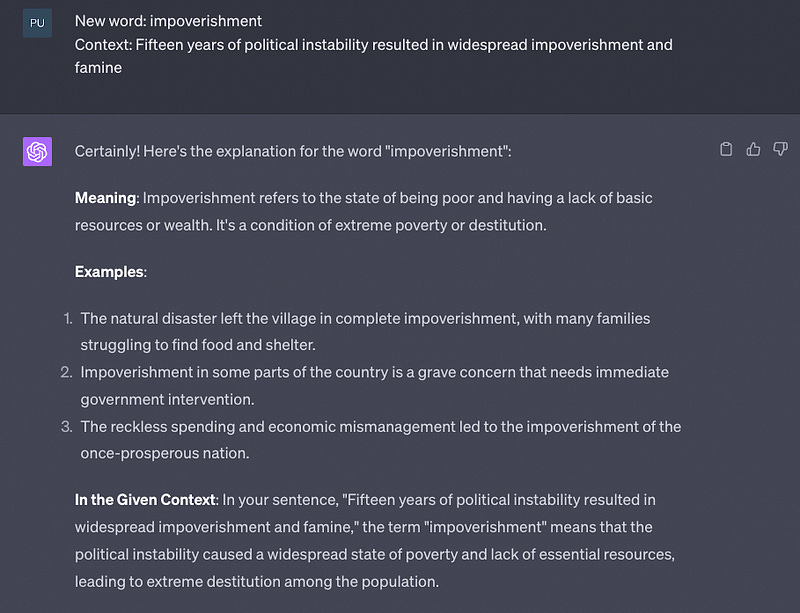
So far ChatGPT hasn’t provided anything that our old dictionary can’t.
In part 2, we’ll take this prompt to the next level.
Part 2: Creating a database of new words with ChatGPT
In the past, I used to manually build my personal database of new words in Notion. Now ChatGPT does all this for me.
Every time ChatGPT gives us the meaning of a new word, it’ll also add the new word to a table where we can keep track of all the words we’ve learned.
Here’s the second part of the prompt:
Only when I type the words “Table Time” you have to build the table below.
Column 0 (Word): New word
Column 1 (Type): Classify the word as a verb, noun, idiom, phrasal verb, etc based on the sentence I gave
Column 2 (Meaning): Write the meaning of the word
Column 3, 4, 5 (Example 1, 2 and 3): examples of how to use that new word
Column 6 (Family): Provide the word familyEvery day I’ll give you new words. You have to update the table every time I give you a new word.
Here’s the table I got after adding some new words.
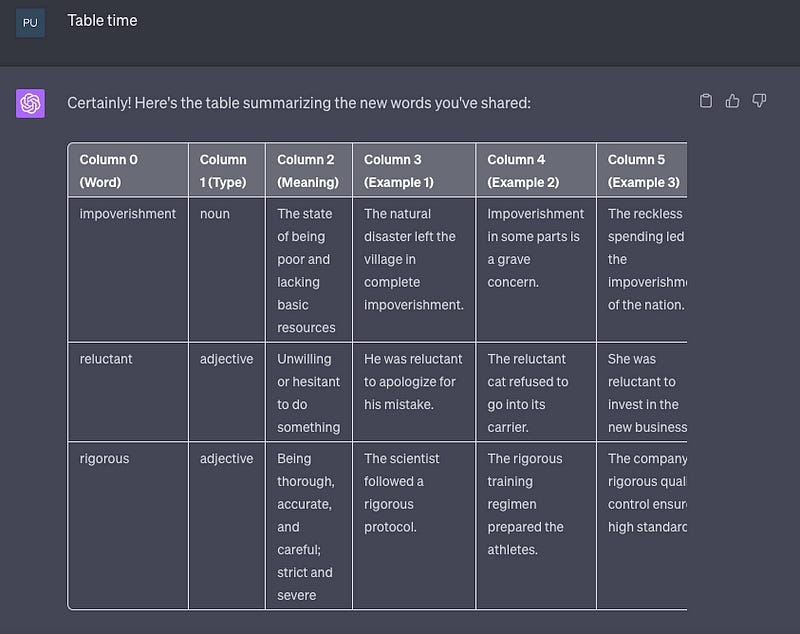
Although it’s not visible, the last column contains the word families. In that way, we can learn multiple words (e.g., rigorous, rigor, rigorously)
Part 3: Learning all the new words by reading a small story
Research has shown that we can increase our vocabulary through repetition. If you learn a new word, but never use it or hear it again, you’ll end up forgetting it. In contrast, if you hear it on TV, and find it in an article a good number of times, you might use that new word the next time you need it.
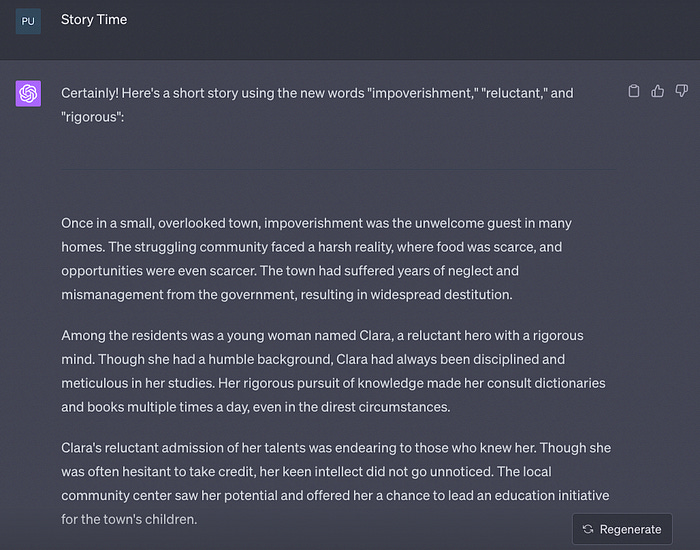
That’s why, the goal of the last part of the prompt is to make ChatGPT create a story with all the words that were added to our table.
Here’s the last part of the prompt:
Finally, when I tell you “Story Time” you have to create a small story using all the new words you added to the table.
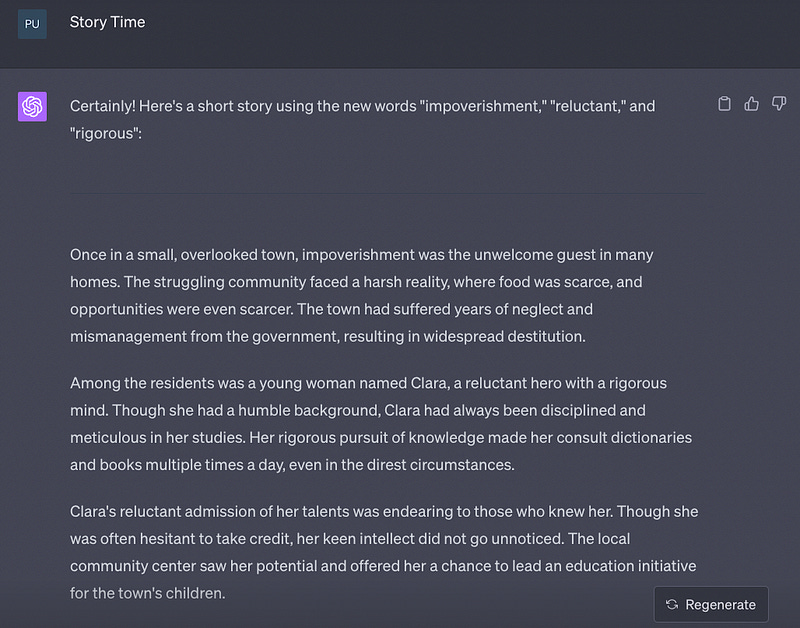
Remember that below each response, there’s the “Read Aloud“ button 📣 that you can use every time you want ChatGPT to read your story (this helps a lot in vocabulary acquisition!).
Here’s the complete prompt:
Act as a language tutor. I’m going to give you new words I’m learning to increase my vocabulary. For each new word, I’ll give you context. You have to write the meaning of the word, provide 3 examples of how to use the word and explain the meaning of the word in the given context.
Only when I type the words “Table Time” you have to build the table below.
Column 0 (Word): New word
Column 1 (Type): Classify the word as a verb, noun, idiom, phrasal verb, etc based on the sentence I gave
Column 2 (Meaning): Write the meaning of the word
Column 3, 4, 5 (Example 1, 2 and 3): examples of how to use that new word
Column 6 (Family): Provide the word familyEvery day I’ll give you new words. You have to update the table every time I give you a new word. Finally, when I tell you “Story Time” you have to create a small story using all the new words you added to the table.
Say “yes” if you understood all this
Listening
Every time ChatGPT responds, you can have it read aloud. Just click on the three dots and select “Read aloud.”

To practice my listening, I make ChatGPT read aloud the stories it generated for me.
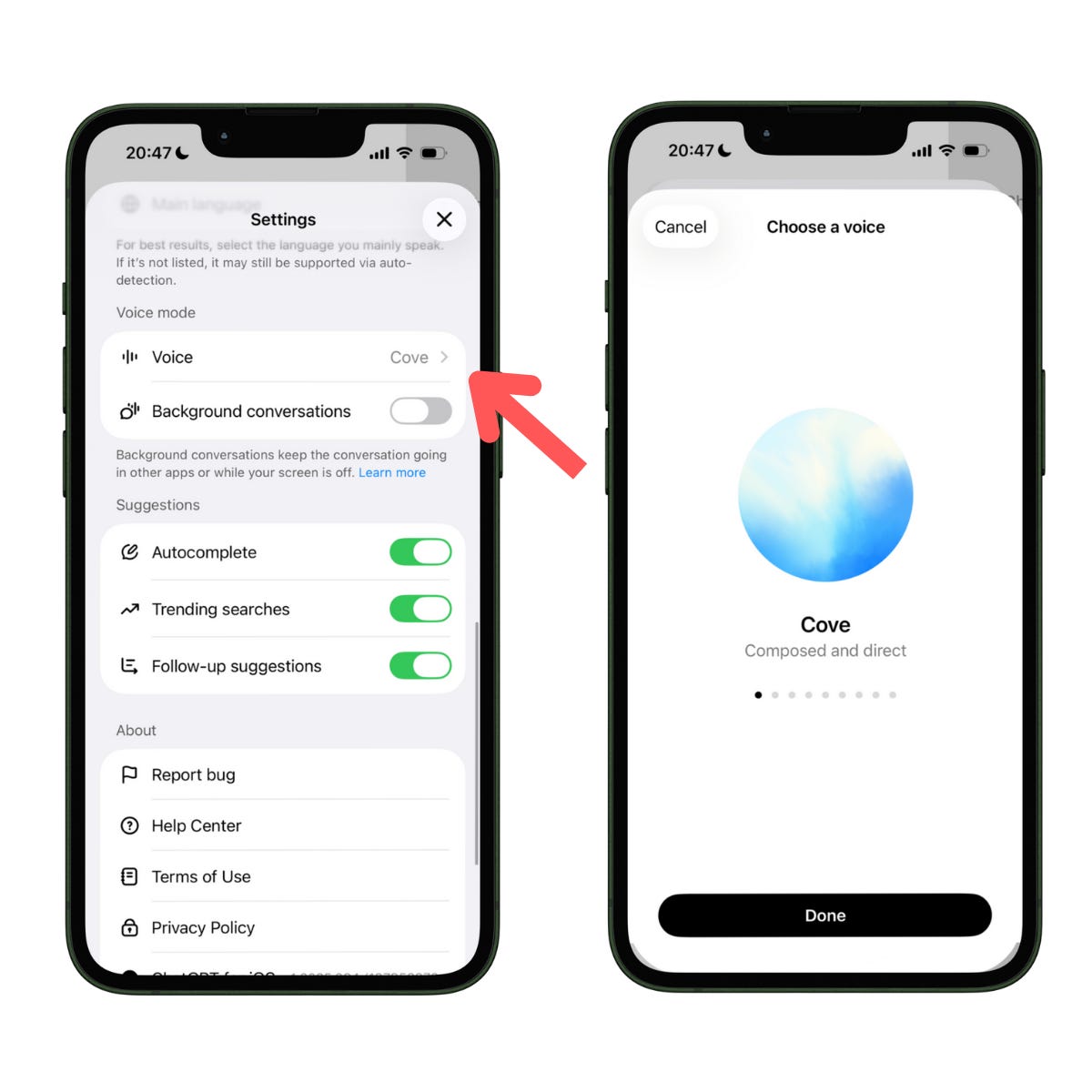
Note: In settings, you can change the speech language: Settings → Voice → Choose a voice. I noted that all the voices in Spanish speak with an accent from Spain (unlike English, where most voices have an American accent, except for “Vale“ which has a British accent
It works like a charm! I have customized it for English vocabulary learning for my 11 years old kid.
Act as a language tutor. I’m going to give you new words I’m learning to increase my vocabulary. You have to write the meaning of the word in both English and Traditional Chinese, provide 3 examples of how to use the word and explain the meaning of the word.
Only when I type the words “Table Time” you have to build the table below.
Column 0 (Word): New word
Column 1 (Type): Classify the word as a verb, noun, idiom, phrasal verb, etc based on the sentence I gave
Column 2 (Meaning): Write the meaning of the word
Column 3, 4, 5 (Example 1, 2 and 3): examples of how to use that new word
Column 6 (Family): Provide the word family
I’ll give you new words on-and-off. You have to update the table every time I give you a new word. Finally, when I tell you “Story Time” you have to create a small story using all the new words you added to the table.
When I say "Quiz", give me a quiz of the last word learnt.
Say “yes” if you understood all this