


NotebookLM is one of my favorite tools of 2025.
This is an AI tool grounded in your own documents that will save you hundreds of hours when learning new subjects in 2026.
I use it regularly. It’s extremely easy to use, highly effective, and free.
Unlike most AI tools, NotebookLM only works with the data you provide.
You can feed it with: Google Docs, YouTube videos, websites, PDFs, text, audio, Word documents, and more!
This means: no hallucination in responses, full control over sources, and more accurate and verifiable results (it provides inline citations)
By the end of this post, you’ll:
Know why NotebookLM is the best tool to learn new topics
Get my 1-hour course to learn anything with NotebookLM
Learn how to use NotebookLM for school, university, work, and business
Diana Dovgopol and I wrote this article together to share different perspectives on learning with NotebookLM. I’m a self-taught learner who uses it to dive into new subjects and create “experts” across fields to guide my business, while Diana relies on it for complex topics in university and at work.
What makes NotebookLM different from other tools
Go to NotebookLM → Try NotebookLM → Create new notebook
At first sight, it looks similar to ChatGPT or Gemini
In “sources” you can see your uploaded materials (PDFs, docs, etc)
In “chat” you can chat with it (just like any other chatbot)
In “studio“ you can transform uploaded sources into different content formats
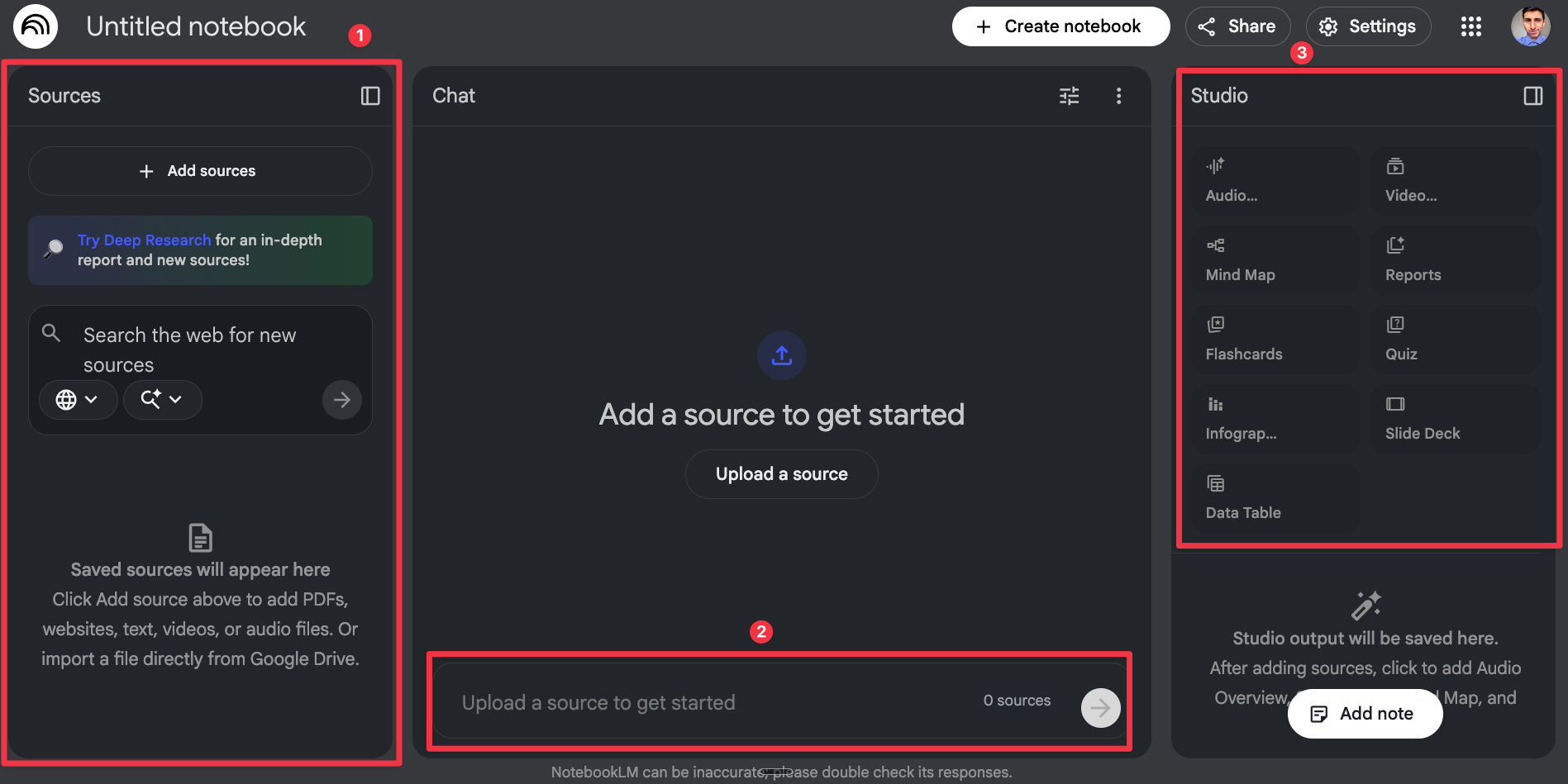
NotebookLM is more powerful than it looks.
The fact that its responses are grounded in the materials you upload makes it less likely to hallucinate about those topics than ChatGPT.
Let me show you most of the things you can do with a simple example.
Let’s say I’m preparing for an exam on Spanish history.
If I just Google things or ask ChatGPT directly, it’s easy to drown in an overwhelming amount of information, like different sources, conflicting facts, and general confusion.
So I chose the source I want to learn from, whether it’s a YouTube video, articles, or even an original museum history book that would be hard to read in just a few days, and simply upload it into NotebookLM.
Based entirely on the sources I’ve chosen, I can generate all of this:
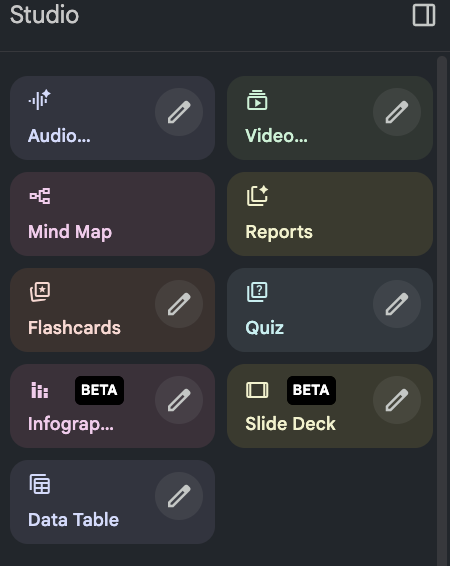
Among them, the two below are exclusive for testing your knowledge:
Flashcards: Key concepts, definitions, and facts are automatically turned into flashcards. It makes it easier to prepare for exams, presentations, or discussions using your materials
Quizzes: It generates a quiz based on your sources. You get instant feedback with clear, detailed explanations, so you don’t just see whether you’re right or wrong, you understand why.
The rest can turn your materials into friendly, easier-to-digest content:
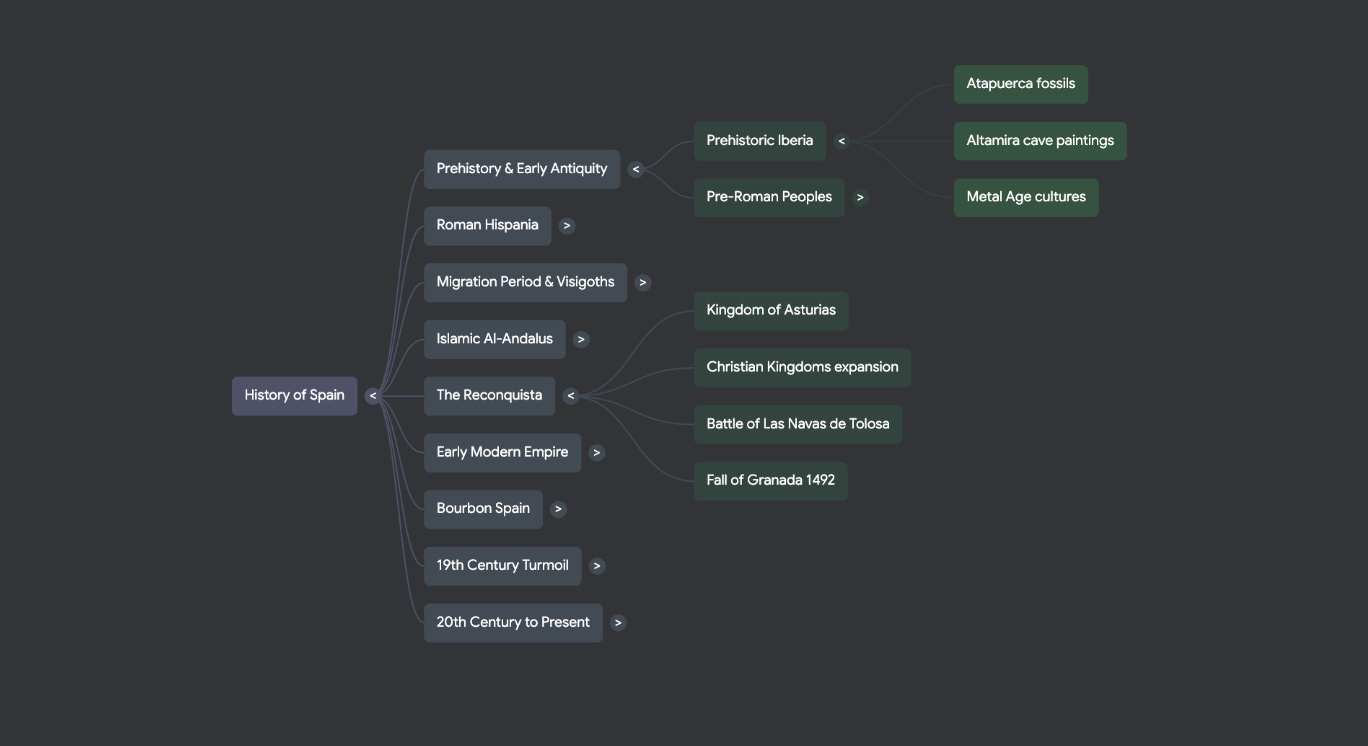
Mind Maps: Helps visually organize information from sources.
It automatically extracts key concepts, topics, and relationships, turning complex materials into a clear, structured map you can explore and expand.
Audio podcast: The AI generates a conversation between two hosts who discuss the content of your sources, simulating a natural, live discussion!
How is this useful? Hearing different perspectives helps you avoid assuming there is only one “right” answer. By listening to real discussions, you see what experts actually debate and disagree on and when different approaches make sense.
Here’s how to generate an audio podcast with NotebookLM:
Choose a topic, length, and language, and get a podcast in minutes. While listening, tap “Join” to ask questions and get real-time answers, just like in a live conversation.
Video overviews: You choose the topic, and NotebookLM generates a video-style lecture where experts walk through key ideas, explain concepts in simple terms, and more
Instead of reading long materials, you can watch and listen as ideas are broken down step by step, making learning feel more natural and easier to follow.
Here’s how to generate a video with NotebookLM:
Slide deck: It generates clear, well-structured slides that feel cohesive, balanced, and easy to follow. Each presentation is designed with clarity in mind.
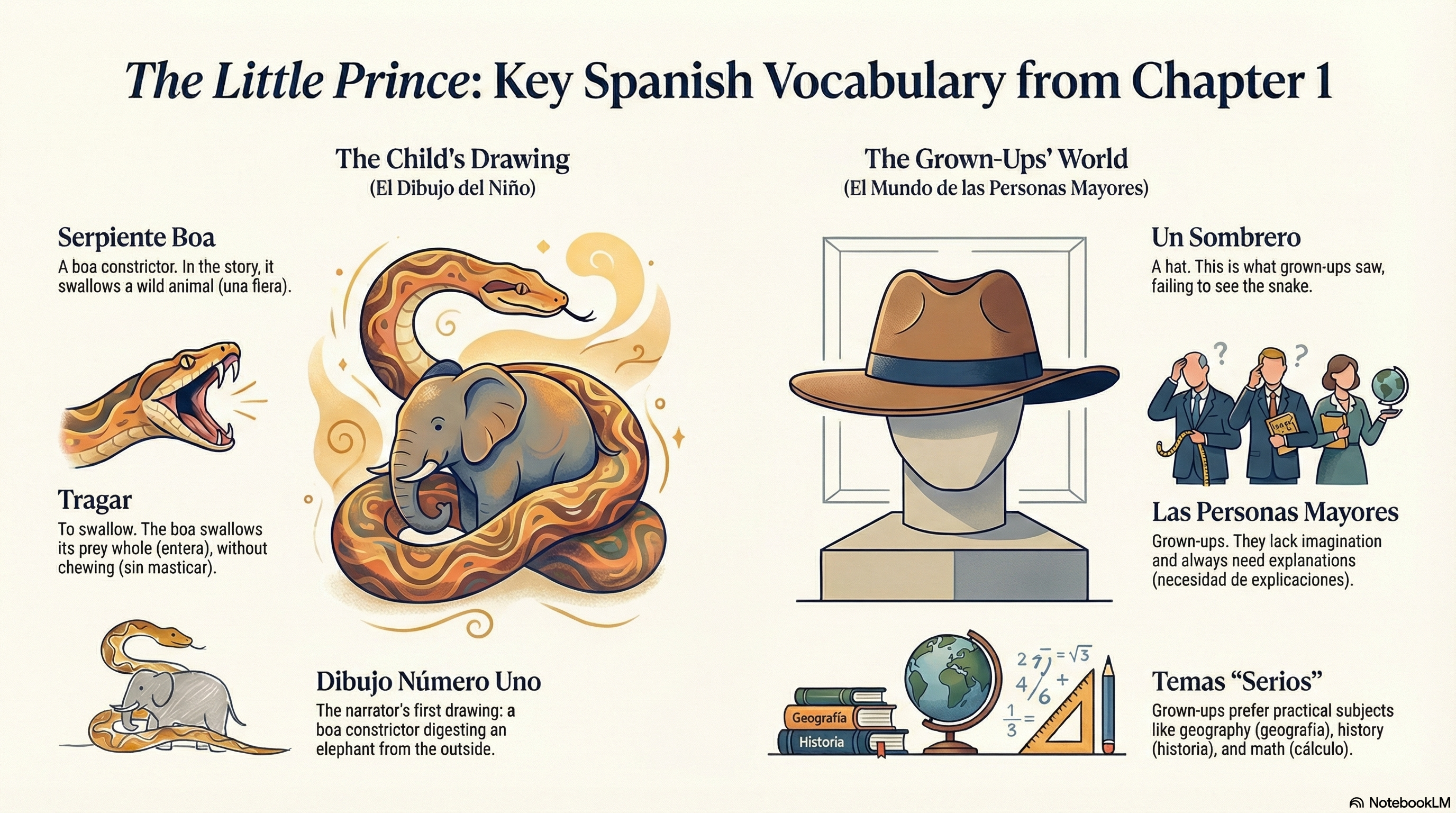
Infographics: It converts your content into clear and easy-to-understand visual summaries
If you love reading or want to help your child enjoy it, try this:
Upload a book to NotebookLM
Click “Customize infographic”
In the prompt, write: Create an infographic focused on the keywords in Chapter 1
I tested it with The Little Prince in Spanish, and the keyword-focused infographic made Chapter 1 easier to understand and a lot more fun!
How we actually use NotebookLM to learn faster
So far, we’ve seen the 80% of NotebookLM that matters most.
Now comes the best part:
My NotebookLM course from scratch: A 1-hour video tutorial on how I use it to learn topics faster
How to use NotebookLM to build experts in different fields (AI, marketing, real estate, etc) that advise in your career and business
How Diana uses NotebookLM to learn complex stuff at university and work (it saves her around 10 hours per week)
Think of that one thing you’ve always wanted to learn. NotebookLM makes it a whole lot easier, more accessible, and interactive.
This is exclusive to paid subscribers. Support us by becoming a paid sub, clicking on the button below :)