

Lately, I’ve been using Claude Cowork and Claude Code to build things.
I’m fascinated by how this works now. You no longer need a ton of technical knowledge (especially coding) to build tools, automate boring tasks, and more.
I’m not exaggerating. I haven’t written a single line of code when building with Claude.
No programming language needed. Just one language: English.
As Andrej Karpathy said, the hottest new programming language is English. I’ve been literally talking to Claude Cowork to build things. When I say talking, I mean it. I don’t type anymore.
What I do is use voice dictation.
Why? Because you have to give Cowork a lot of detail (just like you’d brief a coworker). If you type all of that, you either skip some details or waste a bunch of time doing it.
So I tested the voice dictation tools out there to find the one that fits this kind of work.
In this guide, we’ll see:
The built-in voice dictation on your computer (and why it’s usually not enough)
AI voice dictation tools (with the best use case for each)
The setup I personally use to talk to Claude
Note: No one is paying me to write this, and I'm not associated with any of these tools. After using them for a while, I actually think most people won't need the fanciest features these tools sell you.
Every week, I publish 3 new guides: some free, some paid.
Click here to get my FREE Claude course (20+ lessons)
Built-in voice dictation (macOS and Windows)
If you've ever tapped the microphone icon on your phone keyboard, you already know what voice dictation is. Same idea, just on your computer.
Here’s how to turn it on:
On macOS, press the Globe key twice (set it up in Settings → Keyboard)
On Windows 11, press the Windows key + H
A small mic icon pops up. Start talking, and it starts transcribing.
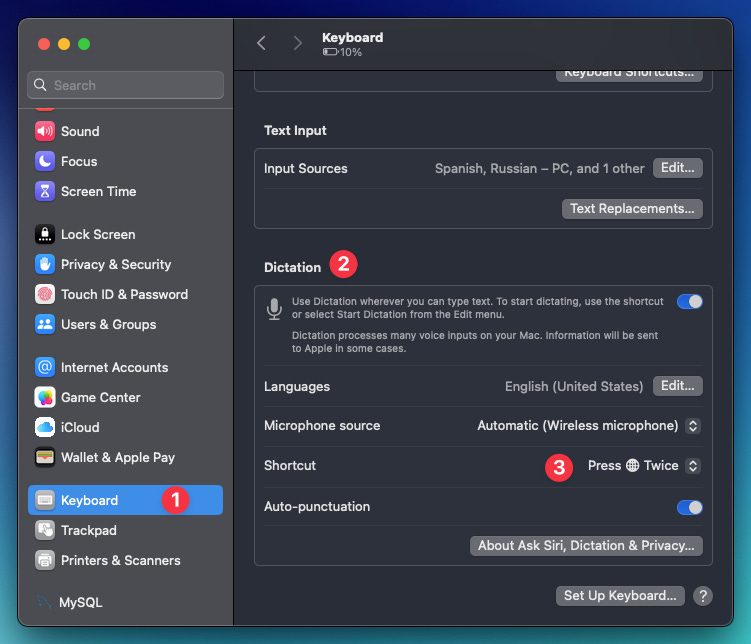
On macOS, it’s basically a real-time transcription. The moment a word leaves your mouth, it shows up in whatever app you’re in.

It’s decent. But it hasn’t caught up with the modern tools out there.
Here are its weak points:
It transcribes what you say literally (no AI cleaning words like “uh” and “um“)
The auto-punctuation is basic. You have to say “question mark” to get a “?”
It has a 30-second timeout that interrupts longer sessions
This might sound like nothing. But these little things change the way you talk. You end up adapting to the tool instead of just speaking naturally.
That's exactly what AI dictation fixes.
They let you talk naturally, like you're talking to a coworker or a friend. The tool adapts to you (not the other way around).
The AI tools below are paid, and I’m going to talk about them based on my own experience.
But here’s my honest advice: try them before you pay. All of them have a free version or demo, and which one fits you really comes down to how you’ll use it.
I mostly use voice dictation for building things in Claude Cowork and Code. For that, I don’t need super polished text or fancy formatting (the AI understands my raw text just fine). So for me, the cheapest option (VoiceInk) in this list already does the job.
VoiceInk: The most affordable, reliable choice (macOS)
VoiceInk is a Mac app that turns your speech into text right where your cursor is, in any app. Everything runs locally on your machine, so your voice never leaves your device (no cloud, nothing sent anywhere).
The best thing? You pay once: $39, no subscription.
The catch: it’s macOS only (and it needs Apple Silicon and macOS 14.4 or later).
As a Mac user, this is enough for me. It does exactly what I need when working with Claude: decent speed, custom vocabulary, and AI cleanup.
The setup that gives me the cleanest text:
AI model: gemini-3.1-pro-preview
Add tricky words to the dictionary (like “Claude” and “Cowork”)
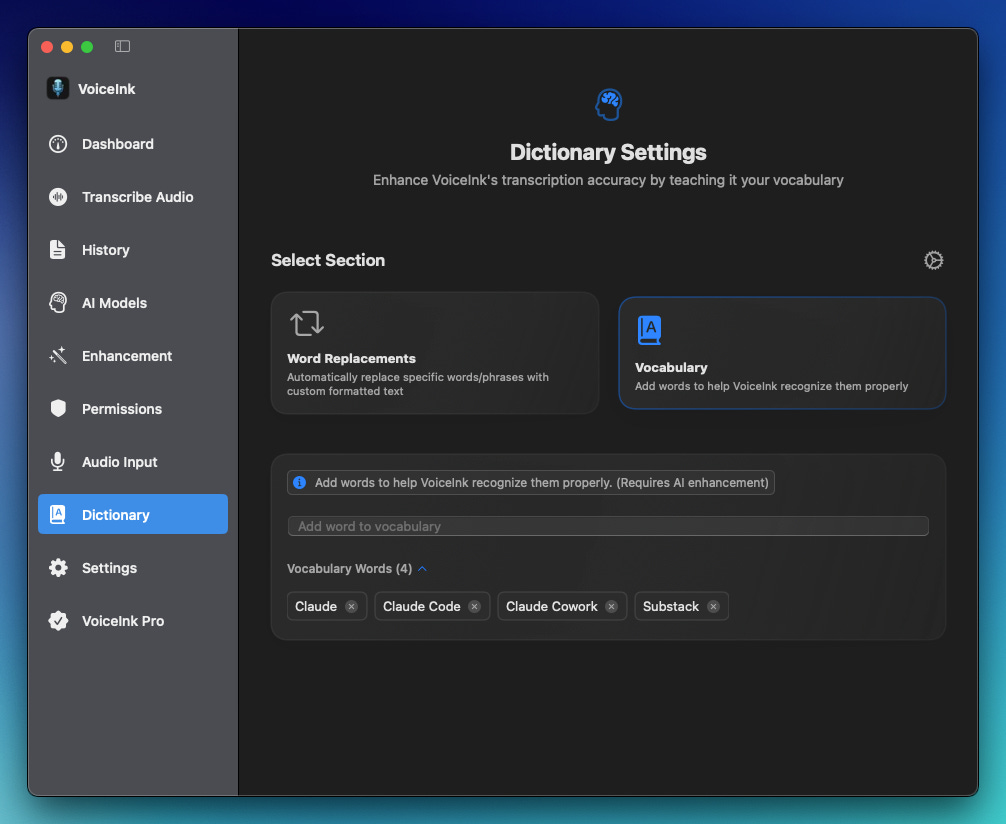
With that, I get text nearly as clean as what the more expensive tools deliver.
A few honest notes after using it:
It’s a big step up from the native dictation (better punctuation, fixes your mistakes)
It cleans up your slips and stops you from repeating words and phrases, kind of like a quick proofread
It doesn’t auto-format like other tools do (no automatic bullets or numbered lists)
I’d say it’s around 95% accurate. Once in a while, it drops or adds a random word
For talking to Claude, that’s more than enough. And at $39 once, it’s the easiest one to recommend.
By the way, I discovered VoiceInk thanks to Sabrina Ramonov 🍄 quick review. Thanks, Sabrina!
Superwhisper: Good option if you're on Windows
I haven't used Superwhisper as much as VoiceInk, but I'm including it for three reasons. It’s good, runs on Windows, and also offers a one-time payment.
The core idea is the same as VoiceInk: it runs locally on your device, drops text wherever you're typing, and keeps your voice off the cloud (as long as you stick to the local models).
What makes it different:
It works on macOS, Windows, and iOS
You can tune it a lot (different modes, model choices, custom prompts per app)
It does more than dictation. It also records meetings and transcribes audio files
Superwhisper has a free tier to test it, a monthly plan ($8/month), and a one-time lifetime license at around $250.
One thing worth knowing before you jump in: all that tuning means a bit more setup. It’s more powerful, but less “install and go” than VoiceInk
If I were on Windows, I’d start with the free version, test it for a few days, and only pay if it clicks (same advice I’d give for any of these).
Wispr Flow: The polished, no-setup option (but pricey)
Wispr Flow is a cloud-based dictation app that turns your speech into polished text in any app. The big difference from VoiceInk and Superwhisper is the heavier AI rewriting.
It makes your text prettier.
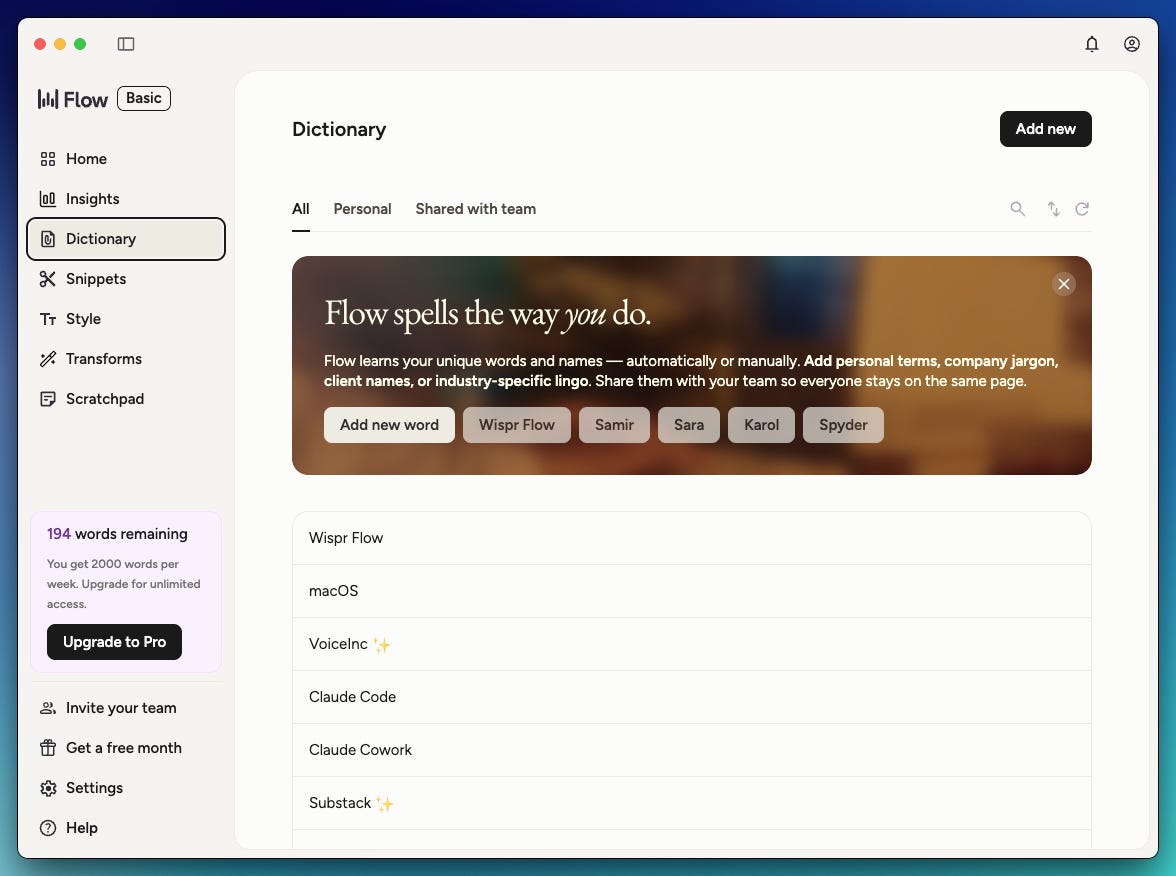
Here's what Wispr Flow does that the other two don't (at least by default):
It generates transcripts faster
The text comes out more polished: great punctuation, fixes speech mistakes, avoids repetition
It automatically creates bullets or numerated lists when needed
These features are great. But in my case, I don’t need them that much.
The faster transcript is a few seconds quicker, and I don’t need polished text or bullets when I’m talking to Claude Cowork or Code (the raw text is enough for the AI to understand me).
Wispr Flow is $15/month (for my use, it’s overpriced)
So who is it for? If you want AI-polished text in your emails, documents, and messages with zero setup, and a monthly subscription and cloud processing don’t bother you, Wispr Flow is a great pick.
It’s not for you if you mostly dictate into AI tools (Claude, ChatGPT, etc), because the raw text is already enough there. You’d be paying for features you won’t use.
What’s your favorite tool? Let me know in the comments
P.S. Superwhisper or Wispr Flow aren’t always 100% accurate. Because of the price, I expected them to be way more accurate than VoiceInk, but they occasionally get some words wrong. Again, I recommend trying them yourself.
I’ve been using voice with AI for ~18 months. I recently played with Wispr.
I agree with your premise. Voice is easier and faster.
Ironically I use it less now. Two issues:
- slow is the new fast: by slowing down and typing, I give more precise and clear directions to AI; it matters when you work on more complex tasks
- the act of typing forces this to think clearly about the problem at hand and stops the brain dump (my weakness)
All in all, voice has its place in everyday common task (execution). For high cognitive load tasks, I still recommend typing.
Please continue this with an example of a Python program developed and executed.