



Click here to get my FREE Claude course (20+ lessons)
I used to blame my prompts when Claude gave me mediocre results.
Turns out, the problem was sitting in my folder the whole time.
Files named final.docx, final_v2.docx, new_final_REAL.docx. Old notes mixed with current drafts. No clear structure, no clear order.
Claude was doing its best with a messy workspace. And messy workspace = messy output.
A clean file system changes that. Claude knows what to read, what to use, and where to save the result. The output gets better without changing the prompt at all.
In this guide, I’ll show you the system I built: five folders, simple naming rules, and a structure Claude (and you) can actually navigate.
Here’s what we’ll cover:
Why your folder is now part of the prompt (and what happens when it’s a mess)
The five-folder structure that gives Claude a clear map of your workspace
How to name files so Claude knows what’s inside before opening them
The difference between active work, reusable context, and old files
The full system, all in one view
If you’re getting value from my Claude guides, support us by becoming a paid subscriber👇
1. Your folder is now part of the prompt
A prompt isn’t just the text you type.
It’s also everything in your folder:
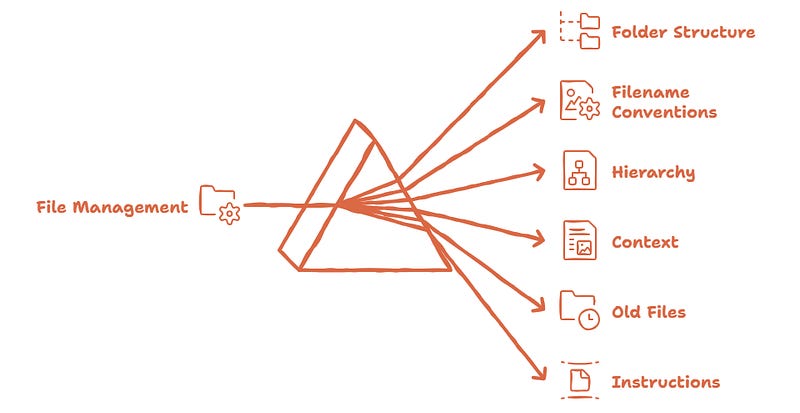
That’s why a messy folder gives Claude messy context.
It might open the wrong draft. Treat an old note as if it were current. Or ignore the file that actually matters. Instead of doing the work, it ends up spending time trying to figure out your workspace.
A well-organized folder removes that guesswork. It tells Claude where things are.
The goal is to make the folders easy to understand. For you and for Claude.
2. Build a workspace Claude can navigate
You don’t need a new system.
Your current Claude system just needs to handle more files without turning into noise.
The foundation stays simple:
YOUR-WORKSPACE/
├── system/
├── context/
├── projects/
└── outputs/
But when Claude starts working with many files, two small adjustments help:
Number the first level of the workspace
Add archive/
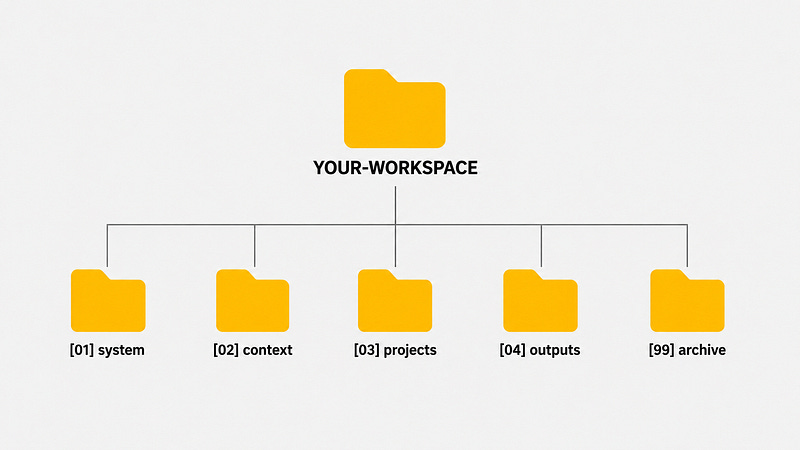
YOUR-WORKSPACE/
├── [01] system/
├── [02] context/
├── [03] projects/
├── [04] outputs/
└── [99] archive/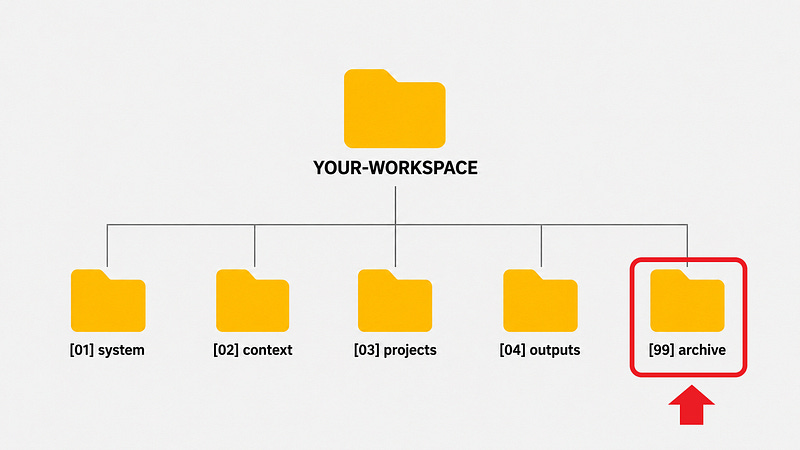
I use [99] archive/ so it always stays at the end. It’s not active work, but it stays searchable.
Same workspace. Easier to navigate.
[01] system/ → rules that Claude must follow
[02] context/ → stable context that Claude must know
[03] projects/ → active work
[04] outputs/ → completed work
[99] archive/ → old, but searchable
That’s enough. You don’t need twenty folders or a perfect taxonomy.
You need a structure Claude can scan quickly and that is:
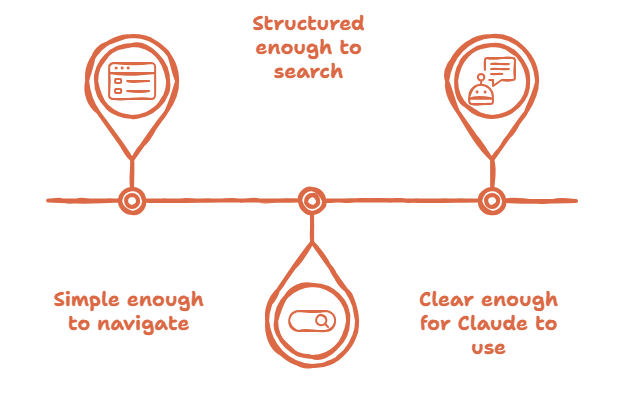
3. Name files so Claude (and you) can understand before opening them
File names are context.
Before Claude opens a document, the name already tells it what that file might be.
Avoid this:
final.docx
final_v2.docx
new_final.docx
final_REAL.docx
notes.md
screenshot.png
Use names that answer three questions: When? What? What status is it in?
Let’s look at an example:
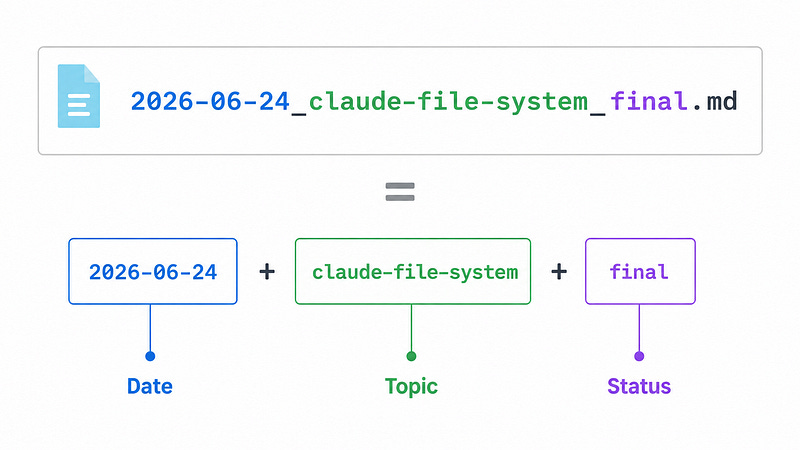
Not every file needs the same level of time precision. Use the level that matches the file type:
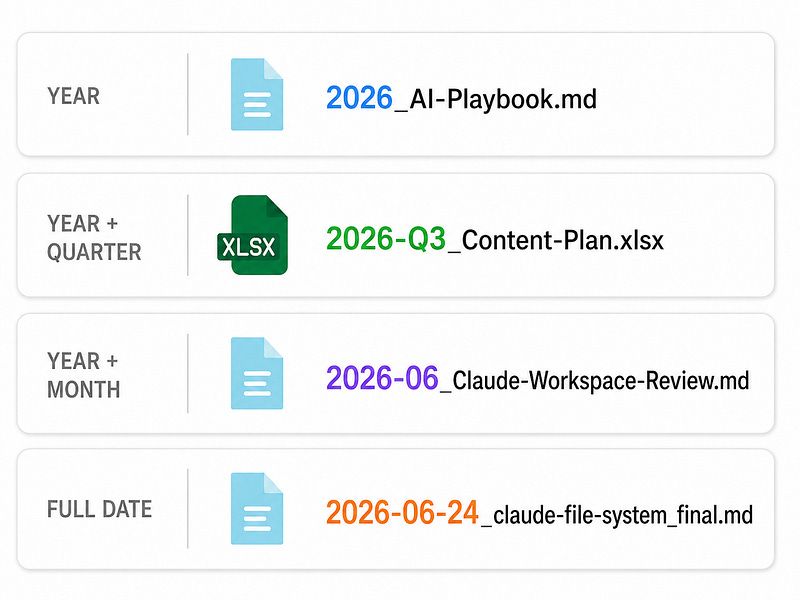
A few quick rules:
YEAR → best for long-term files
YEAR + QUARTER → best for planning cycles
YEAR + MONTH → best for recurring work
FULL DATE → best for task-specific files
Click here to get my FREE Claude course (20+ lessons)
4. Separate active work, reusable knowledge, and old context
Not all files need the same treatment.
Some are active.
Some are reusable.
Some are already finished.
Some are old, but might be useful later.
Don’t mix them.
projects/ → active work
context/ → stable context and reusable references
outputs/ → finished work
archive/ → old, but searchable
Numbering helps when you need a clear path. Claude knows where to start, which folder has the rules, where the active work is, and where the results go.
That doesn’t mean every file needs a number, though.
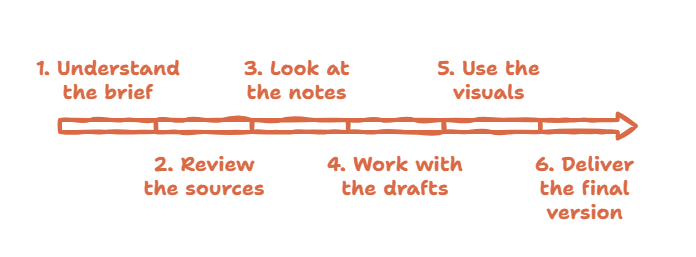
Inside [03] projects/, numbering makes sense because there’s a workflow:
[02] Projects/
└── claude-file-system-article/
├── 00_BRIEF.md
├── 01_SOURCES/
├── 02_NOTES/
├── 03_DRAFTS/
├── 04_VISUALS/
└── 05_FINAL/
That order tells Claude:
[02] context/ works differently. Think of it as a library, not a workflow. There's no universal reading order here.
[02] context/
├── HOW-I-WORK.md
├── voice-guide.md
├── audience.md
└── references/
  ├── brand-guide.md
  ├── article-examples/
  ├── prompt-library/
  └── source-library/
Reusable files don't need to be copied into every project.
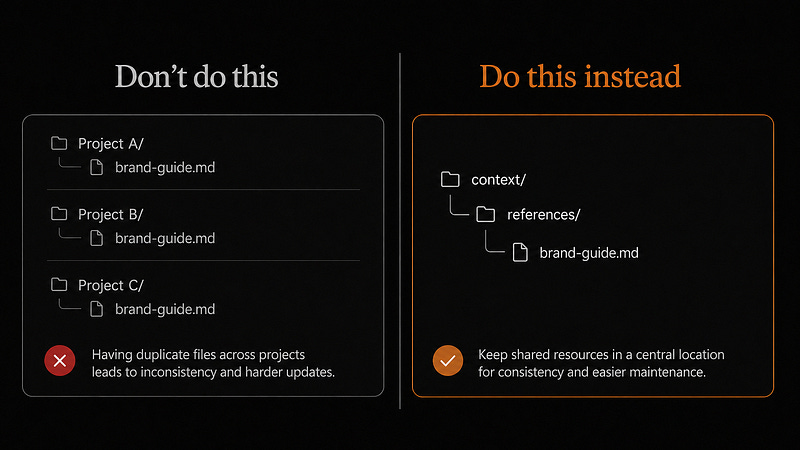
Just tell Claude to use them when needed:
Reusable across projects → context/
Specific to one project → projects/
Finished work → outputs/
Old but useful later → archive/
Here’s the rule I follow for each folder:
Workspace → numbered map
Projects → numbered workflow
Context → descriptive library
Outputs → date + topic + status
Archive → old but searchable5. This is how everything looks together
The complete system doesn’t need to look complicated.
It just needs to show Claude where everything is.
YOUR-WORKSPACE/
├── [01] system/
│   └── SYSTEM-RULES.md
│
├── [02] context/
│   ├── HOW-I-WORK.md
│   ├── voice-guide.md
│   ├── audience.md
│   └── references/
│       ├── brand-guide.md
│       ├── article-examples/
│       └── source-library/
│
├── [03] projects/
│   └── claude-file-system-article/
│       ├── 00_BRIEF.md
│       ├── 01_SOURCES/
│       │   ├── 2026-06-24_video-notes.md
│       │   └── 2026-06-24_cowork-workspace-notes.md
│       ├── 02_NOTES/
│       ├── 03_DRAFTS/
│       │   └── 2026-06-24_claude-file-system_draft-v1.md
│       └── 04_VISUALS/
│           ├── workspace-map.png
│           └── file-name-structure.png
│
├── [04] outputs/
│   └── 2026-06-24_claude-file-system_final.md
│
└── [99] archive/
└── old-projects/
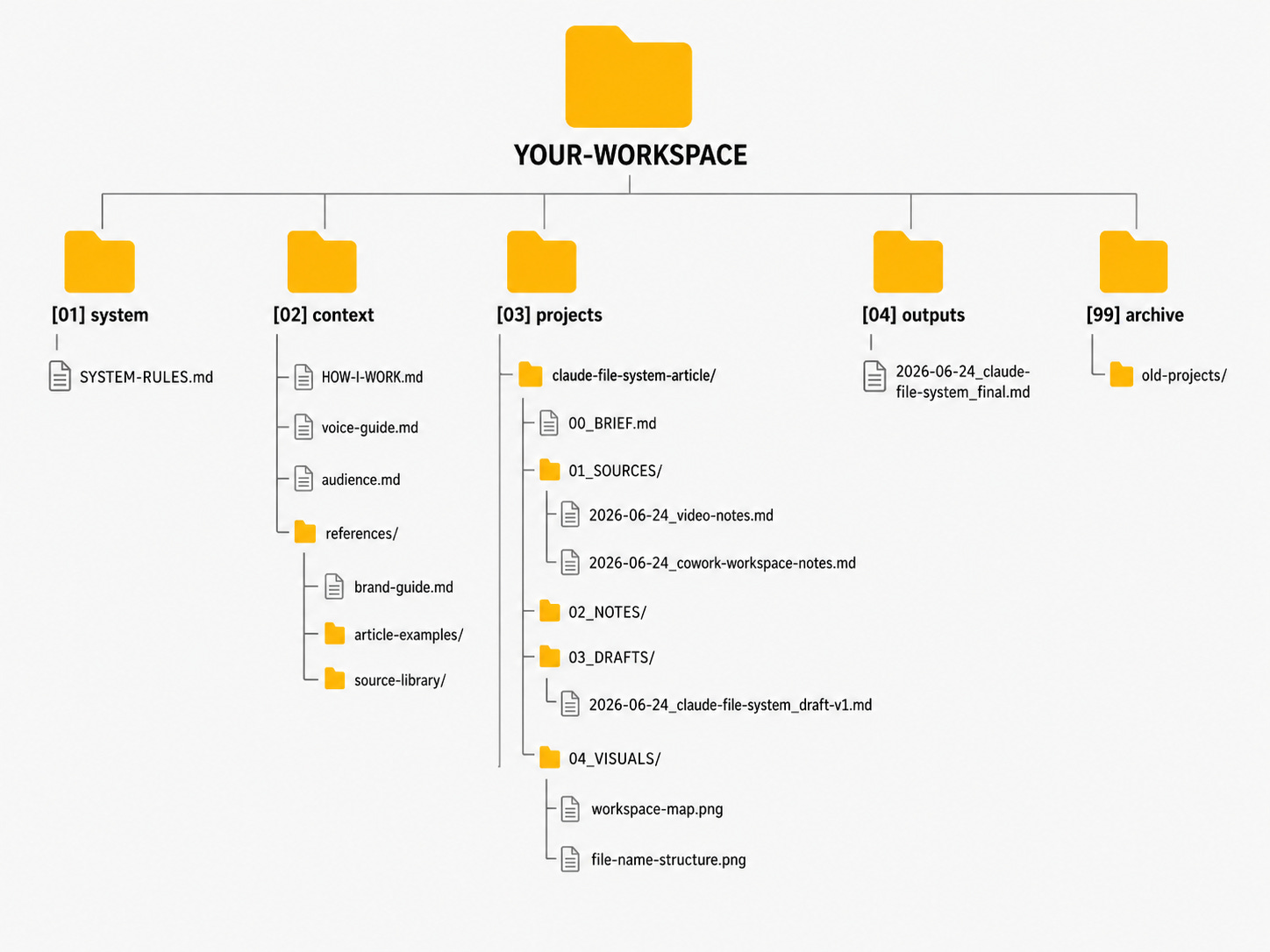
Don’t memorize the structure.
Memorize the rule:
Markdown for instructions.
Numbers for order.
Names for meaning.
Dates for search.
Archive for noise.
That’s all.
Claude doesn’t need a perfect folder. Just one that tells it what to read, what to use, what to ignore, and where to save the result.
One more thing
Don’t reorganize your entire computer tonight.
That’s how people turn file management into another project they never finish.
Start with one folder Claude already touches.
Add structure.
Rename the files that matter.
Move the old stuff to [99] archive/.
That’s enough.
Give Claude fewer reasons to guess. That’s all this is.
If you want more practical guides like this, for Claude, Cowork, and AI workflows, the paid subscription is where you'll find them.
Join my newsletter with 70K+ people to master AI in 2026
This is so interesting. As an Obsidian user I tried to retrain my brain into a no folder structure and just tag everything. It didn't stick. Now with Cowork a folder/project structure is imperative!
BRAVO! An affirming and relevant post indeed. Logical, methodical, effective, and efficient framework, indeed!! Thank you.