


For a long time, the way I used Claude Cowork was simple.
Ask for something. Get a result. Move on.
That works great when the task is a one-off, like a quick email, a summary, a draft you need today and forget tomorrow.
But it starts to fall short when the work doesn’t end in a single session. When you need to come back tomorrow or next week, and the AI has no idea who you are or what you were working on. When you spend 10 minutes re-explaining context you already gave.
That’s exactly where Projects changes Claude Cowork.
Projects is a dedicated space where your work lives with its own files, context, and rules ready every time you come back.
In this guide, I’ll show you:
Why Cowork Projects matters
How to create your first Cowork project
How to shape a project that works
A real use case for projects
Some of you know me from my Udemy courses or YouTube videos. I used to create long-form video content, but AI moves so fast that it stopped making sense — a lesson can go stale in weeks, and updating video is painfully slow.
So I switched. Now I publish (and regularly update) Claude guides every week. Think of them as my courses in written form → Click here to check out my Claude course: 16 lectures and counting!
Every week, paid subscribers get step-by-step Claude guides. No technical skills needed. No ads. Just the stuff that actually matters (+ these perks) 👇
Why Cowork Projects matters
Before Anthropic released projects, Cowork’s biggest problem was its memory. In the past, by default, every Cowork session started from zero.
Now, with Cowork projects, your work lives in a space that already knows what you’re building, has your files, follows your rules, and remembers what you care about (every time you open it)
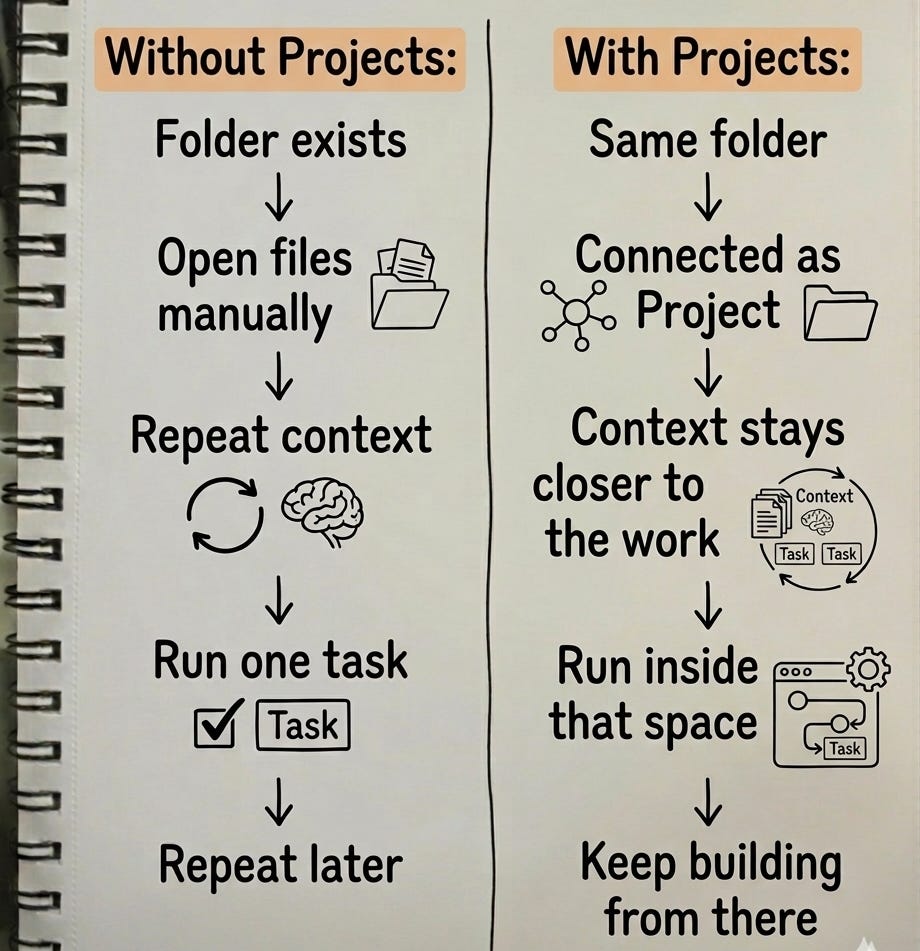
Think of it this way: without Projects, every time you come back, you’re briefing a new assistant from scratch. With Projects, you’re walking back into an office where everything is already set up and the assistant already knows the job.
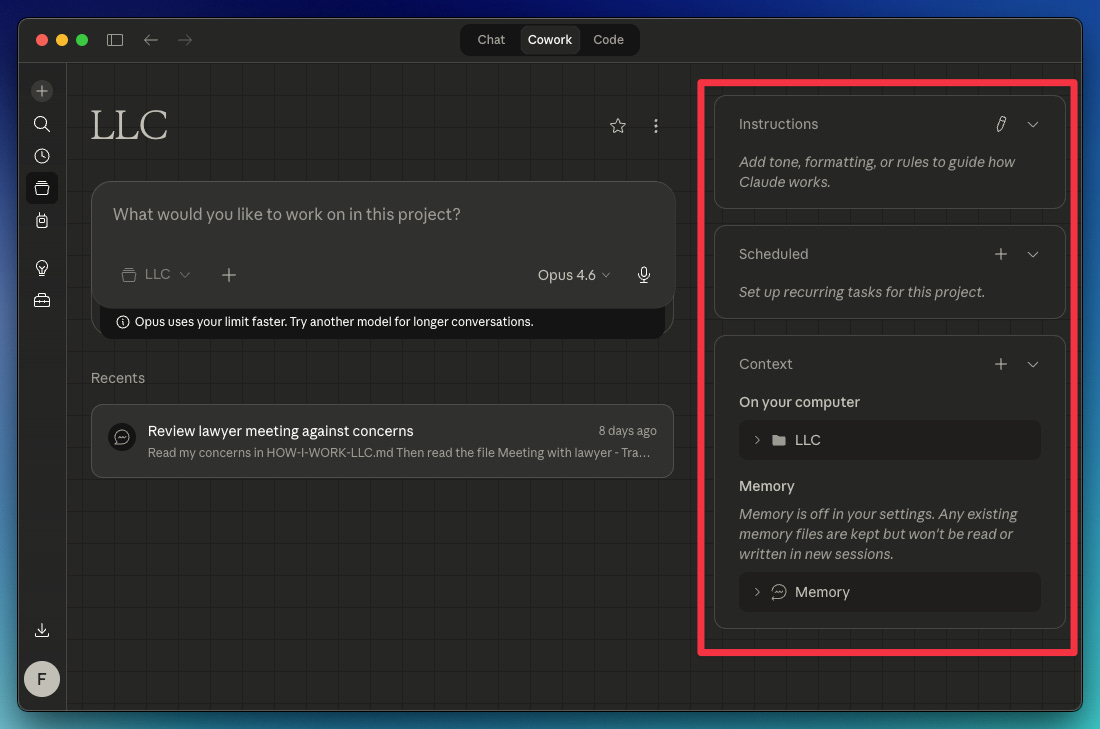
Besides persistent memory, Cowork Projects also offers custom instructions, scheduled tasks, and context. All in one space.
How to create your first Cowork project
If you want to use Projects inside Claude Cowork, the path is pretty straightforward:
Open Claude Desktop → Cowork → Projects → Create your first project
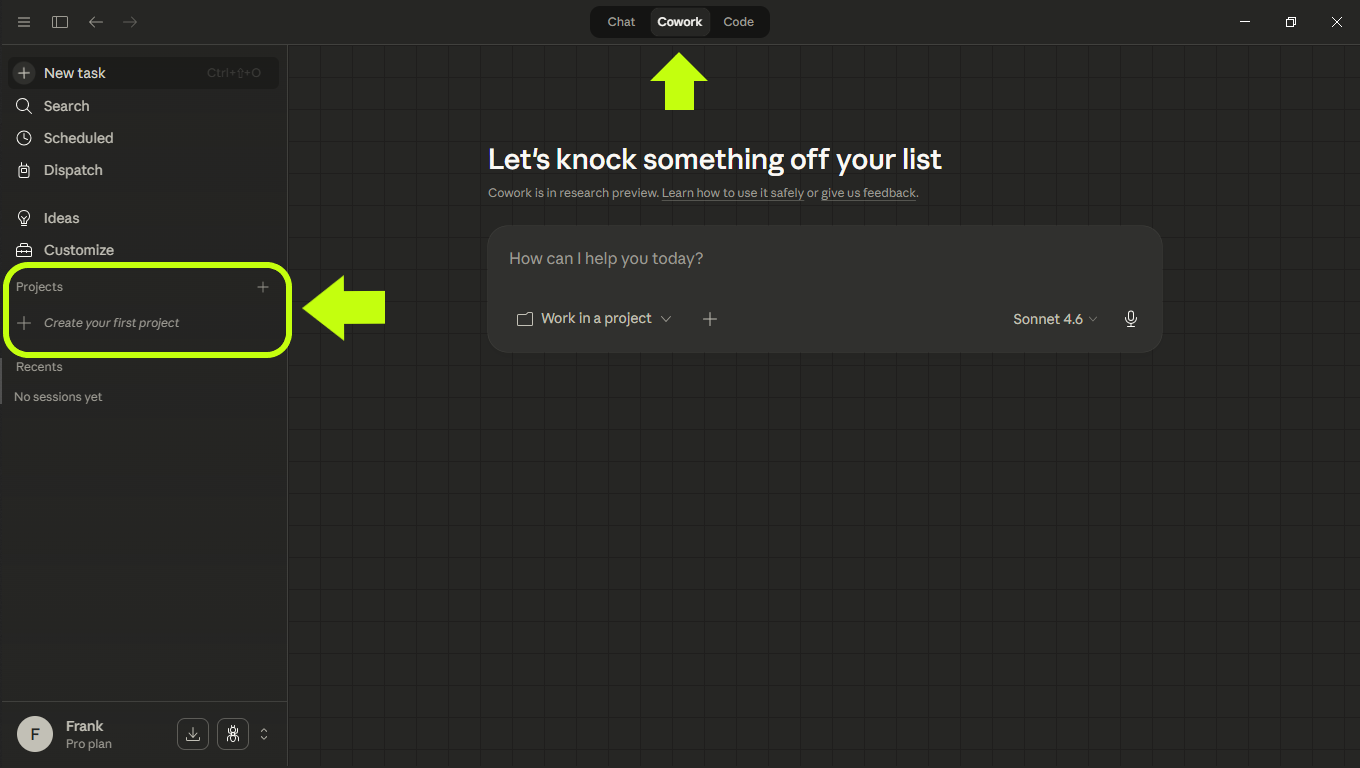
You’ll find 3 options to create a new project.
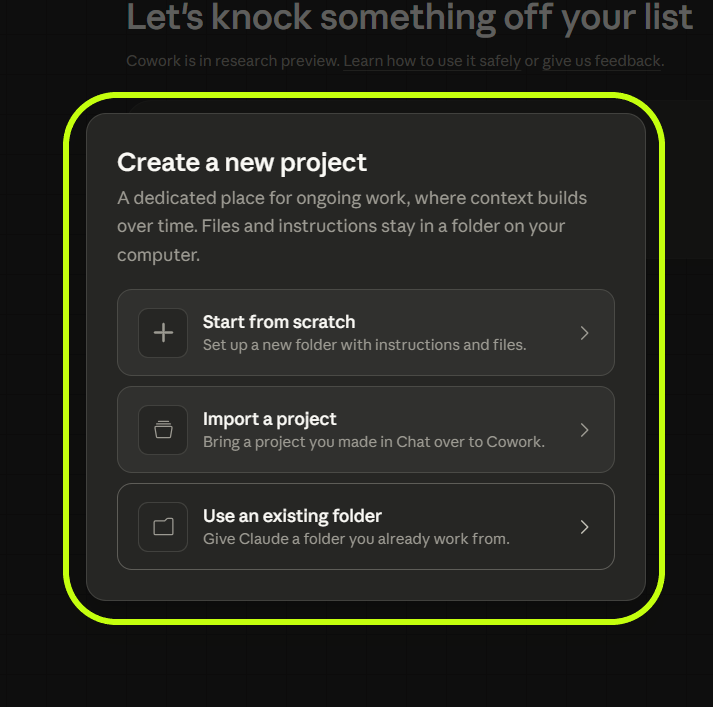
Here’s when to use each option
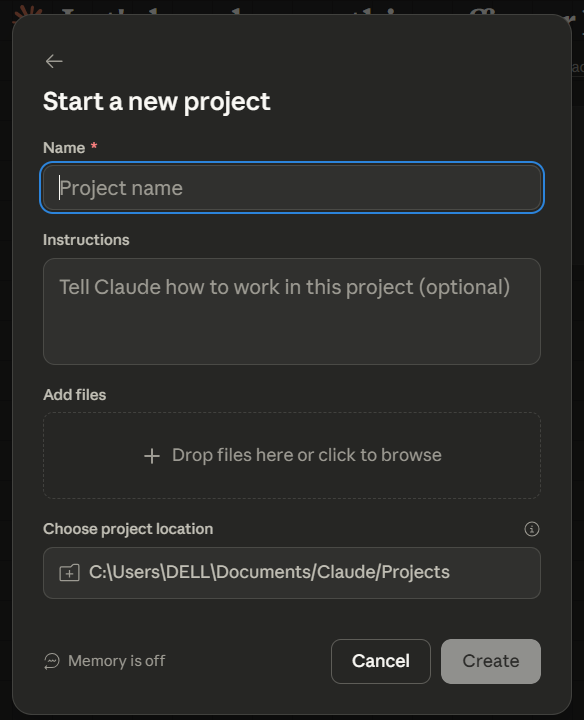
Start from scratch → Use it when you want to create a new space from zero
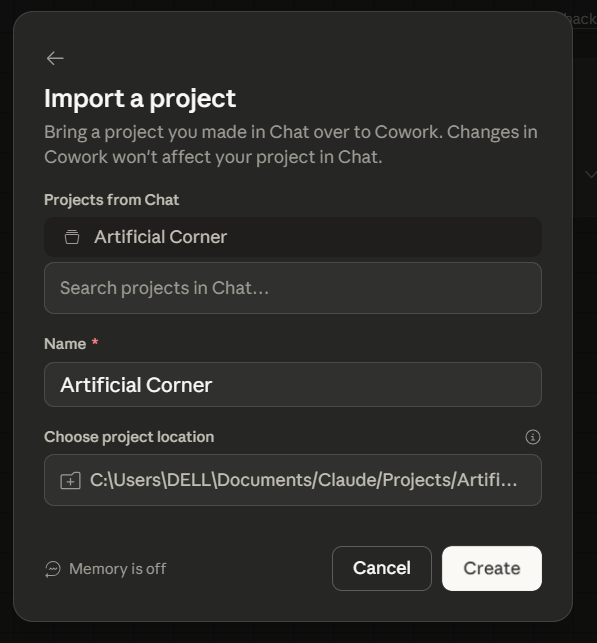
Import a project → Use it when you want to import a Claude chat project
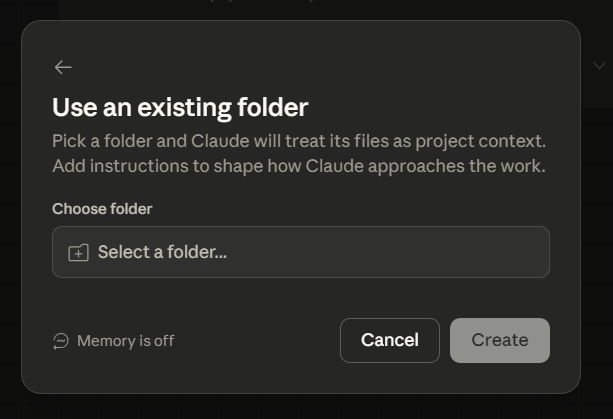
Use an existing folder → If you copied my Cowork system, just select here the “YOUR-WORKSPACE“ folder created
One important detail: importing from an older Claude chat Project doesn't bring over the full chat history. It carries over the instructions, files, and project setup. If an older thread has context you still need, a one-time summary file can bridge that gap.
How to shape a project that works
Not every task needs a project. A project earns its place when the work:
Repeats weekly, monthly, or continuously
Depends on context you don’t want to restate every time
Pulls from several files or sources
Tends to produce the same kind of output
That fits more work than you might expect — research, writing, ops, sales, client work, reporting, internal briefs. Anything recurring where context and format matter.
A solid project usually has four parts:
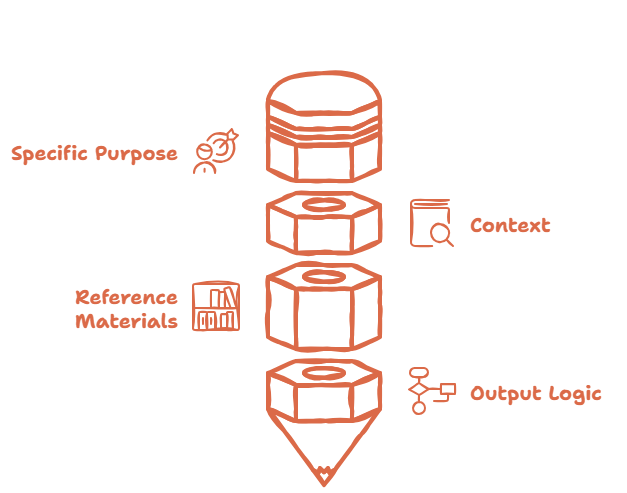
1. A specific purpose: Narrow enough to have one clear job. Weekly competitive tracking, market review, leadership briefing prep, opportunity monitoring.
2. Context that doesn’t repeat: The assumptions, priorities, definitions, and decision criteria Claude needs.
3. Reference materials: The files, links, examples, and sources the project draws from every time.
4. Output logic: What kind of deliverable is expected to produce: a short brief, a memo, an executive update, a prioritized list, etc.
When those four are in place, the project is easy to reopen trust and reuse.
A real use case for Projects
If you’ve already been working with Claude (or read this guide), you probably have folders with useful material inside them. Instead of starting from zero, turn one of those folders into a project.
For this example, let’s say you already have a folder like this:
projects/
└── market-review/
    ├── notes.md
    ├── template/
    ├── references/
    └── drafts/
In this case, I’ll use “use an existing folder” to create the project.
If the folder already has strong context, you may not need much in the Instructions field. Use that field when you want Claude to follow specific rules — how to format outputs, what to prioritize, what to skip.
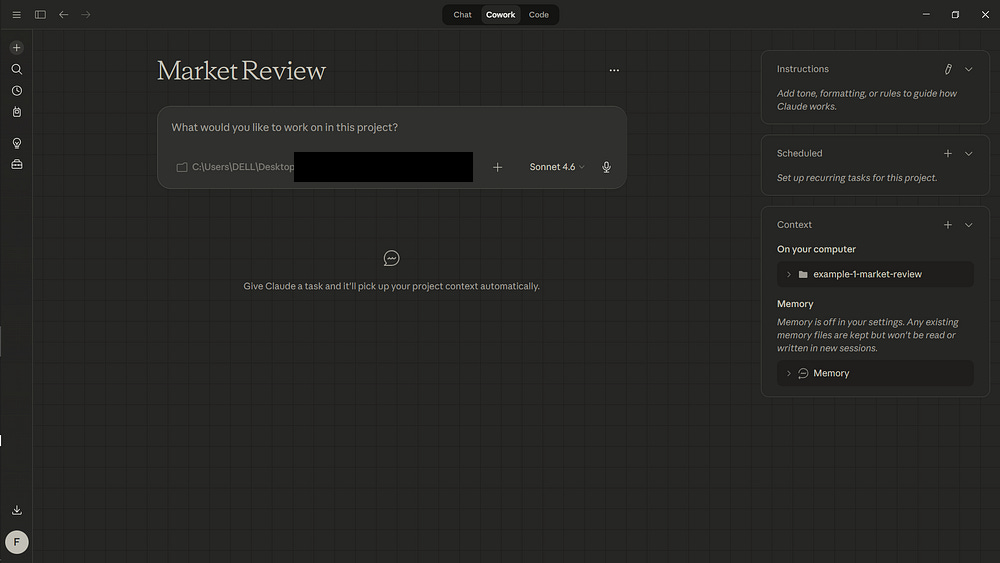
Once the folder is connected, you can start working directly on top of it. A simple first prompt could be:
Read the files in this Project and turn the current notes into a decision brief for internal review.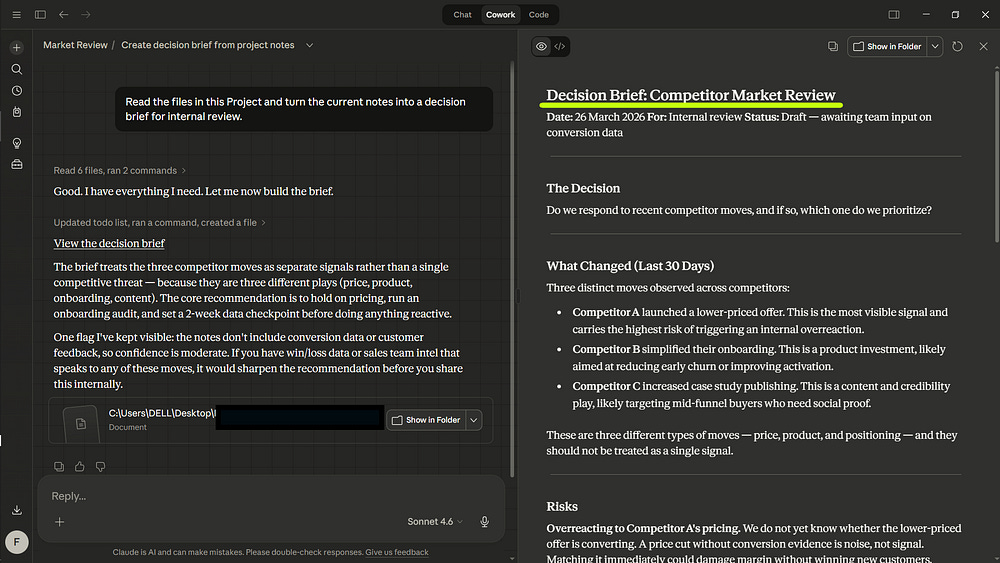
The files don’t move. What’s new is that they now sit inside a workspace that carries context across sessions — instead of reading them cold every time.
That context stays inside the Project. Claude can build on past chats, project knowledge, and outputs from that same workspace without mixing it with unrelated work.
Pro tip: Run the same workflow automatically with scheduled tasks.
Scheduled → Create scheduled task → paste your prompt → choose the frequency → Save
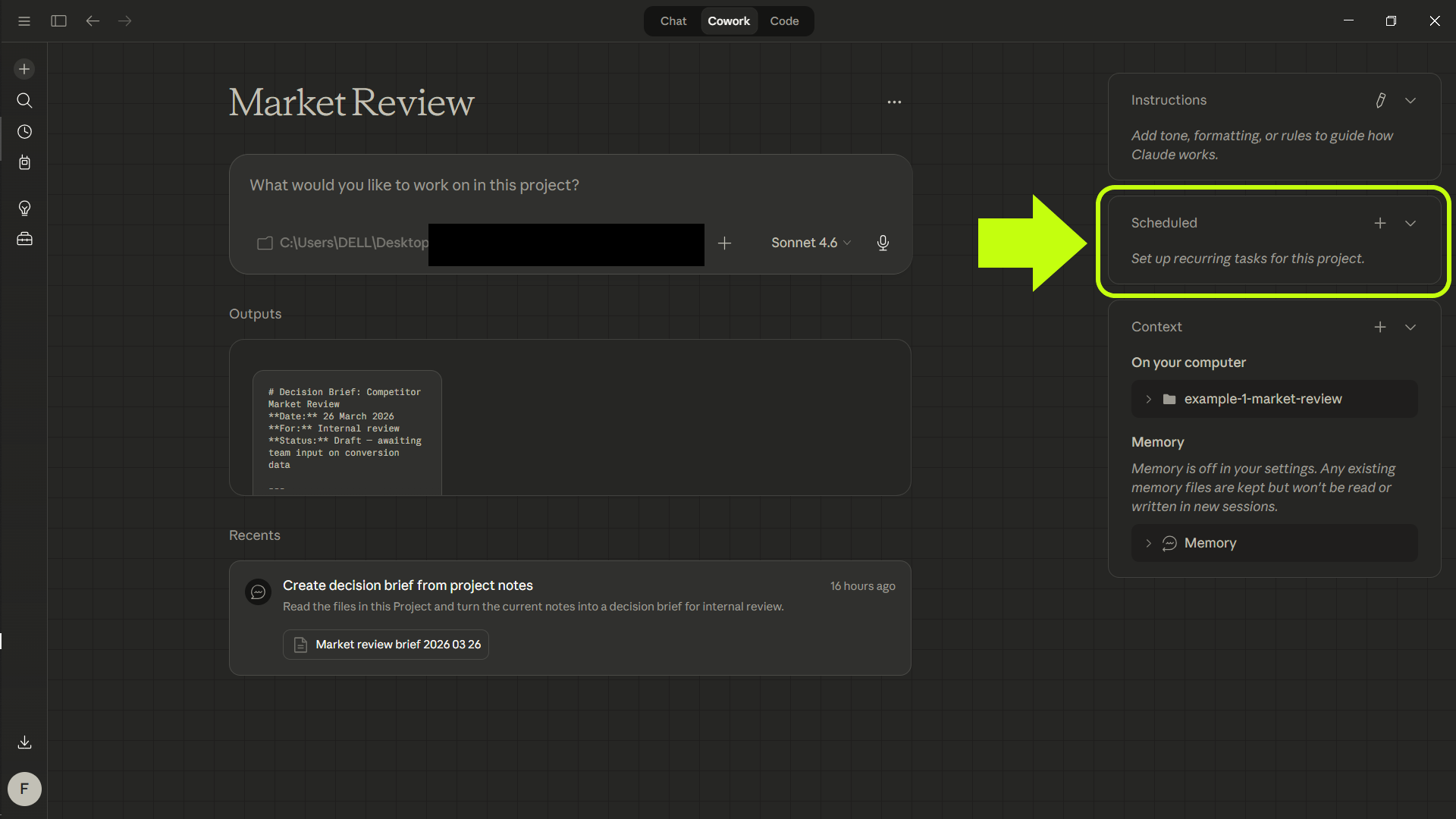
For this example, the prompt would be:
Review the files in this Project, identify relevant competitor, pricing, onboarding, or positioning changes, and produce a concise decision brief for internal review with three sections: what changed, why it matters, and what deserves follow-up.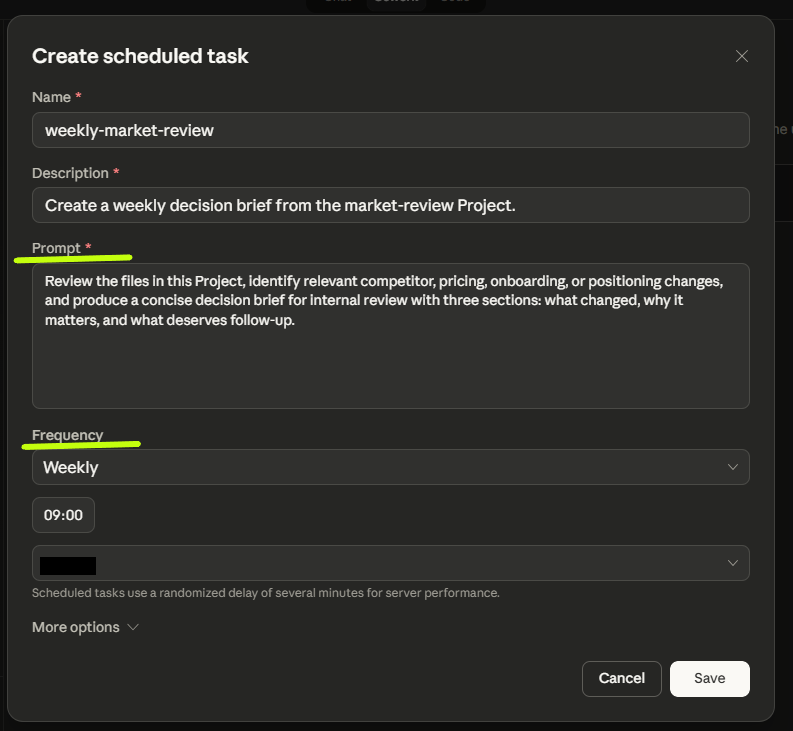
And that’s it. It’s now scheduled.

You can also schedule a task from an existing project chat.
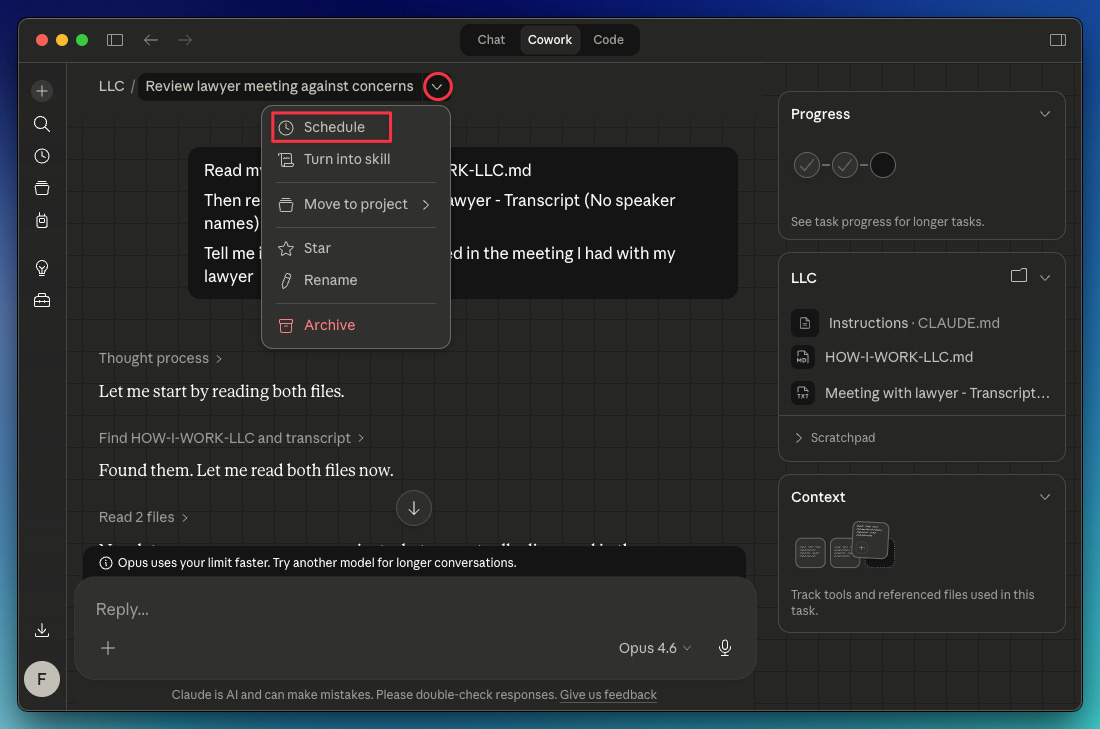
→ For more Cowork project use cases, download these folders and read this guide to copy my prompts to get started with each project
Where tasks, folders, and skills fit
Before moving on, it’s worth clarifying these concepts
A simple way to see it would be this:
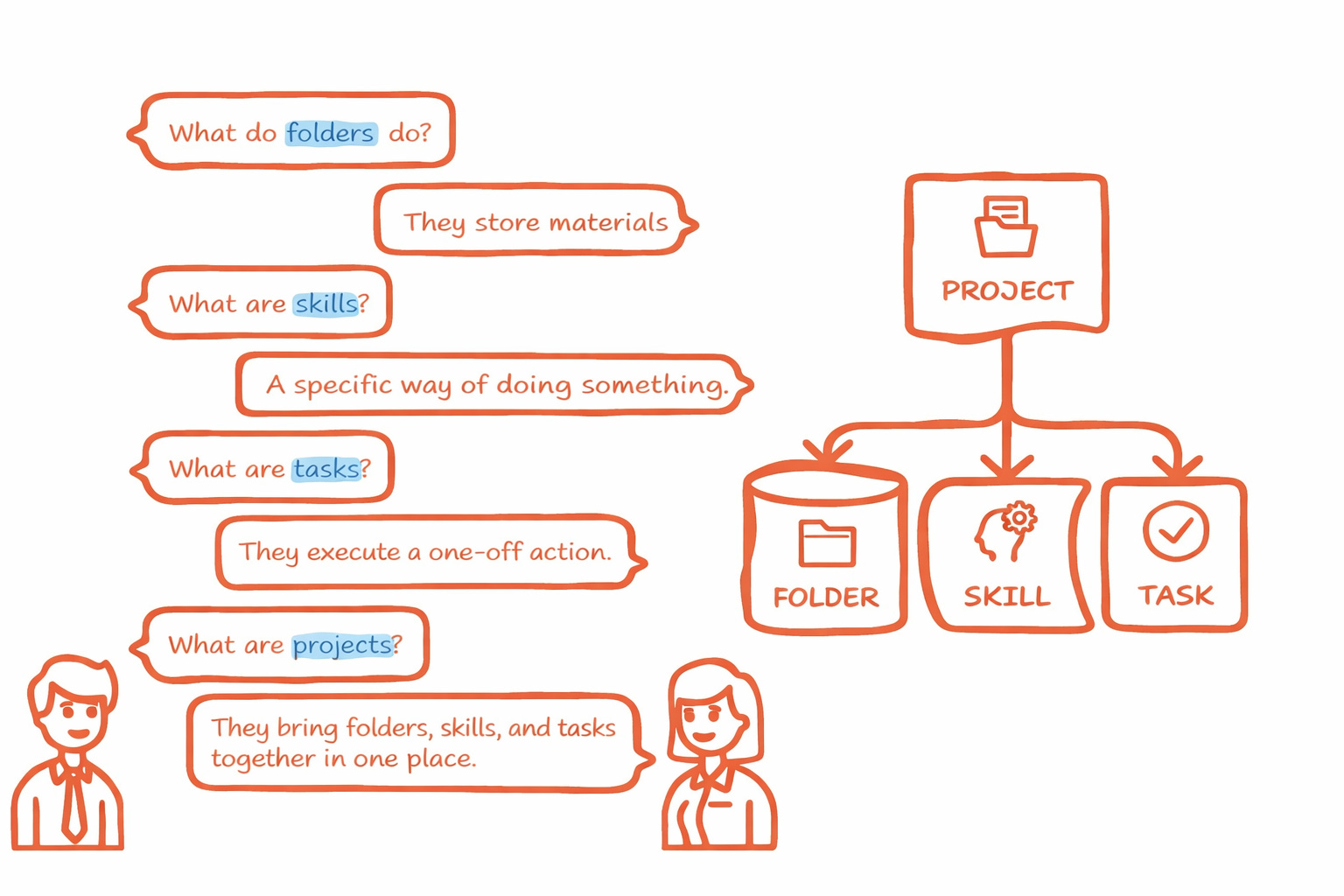
Here’s how each one works:
A folder stores your files, references, and drafts
A skill captures a specific way of working or solving a task
A task executes a one-off action
A Project is what lets all of that live inside the same context
Final notes
Cowork Projects is most useful when the work is recurring, context-heavy, and tied to a stable set of files or outputs.
Cowork projects live on your computer (no cloud sync), so you can’t access a project from multiple computers. If you need a project space built around shared chats, knowledge, and instructions, the older Claude chat projects fit that need better
Subscribe to this newsletter so you never miss guides like this, delivered straight to your inbox 👇
Enjoy the visuals. Words can be too noisy
Really LOVE how simple and clear your explanations are. Thank you!