


Lately, I’ve been replacing Google Search with an AI tool called Perplexity for three main reasons:
Perplexity provides direct answers to your questions with inline citations
Perplexity remembers questions. You can ask follow-ups and dig deeper
There are no ads or sponsored sites on top of your searches
For example, I recently looked up some gardening advice, and Perplexity provided information from reliable, up-to-date sources, saving me the time of clicking through multiple pages.
I believe tools like Perplexity are shaping the future of how we find information online, and in this guide, I’ll show how I make the most out of Perplexity.
How Perplexity works
First, I’d like to demonstrate how Perplexity generates responses based on the prompts we create. As with any AI tool, the best results come when your questions are clear, structured, and specific.
Let’s take a simple example using the prompt:
Secure ways to share compressed files
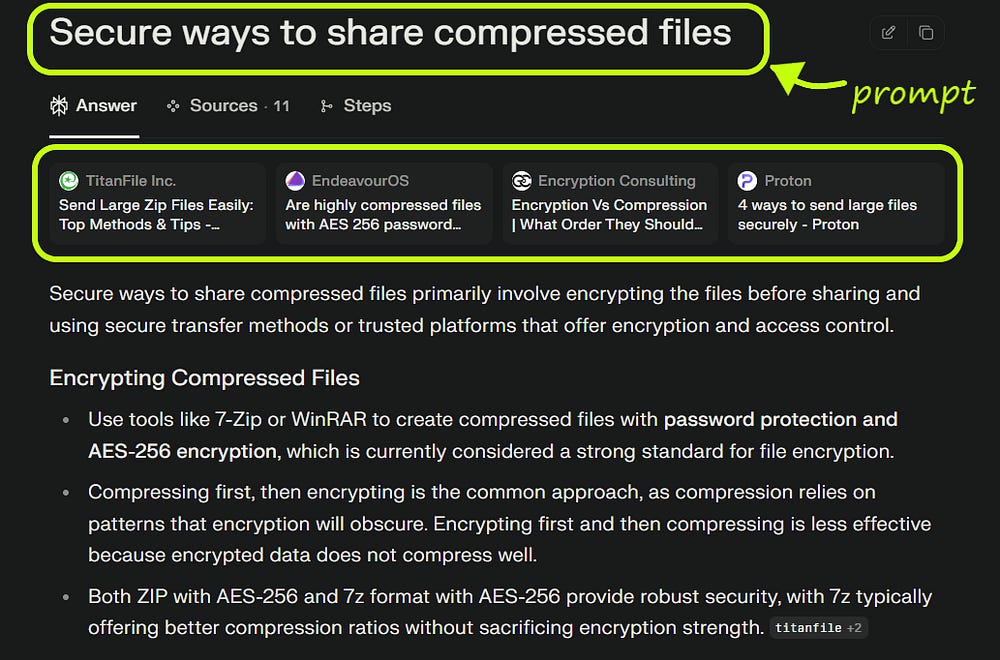
Perplexity provided a direct and relevant answer right away.
Unlike a typical Google search, where you often have to click through several links to find what you need, Perplexity gives you the core information up front. What’s even more helpful is that it doesn’t stop at a single response. It also includes additional steps and practical recommendations, all of which are pulled from a variety of reliable sources across the web.
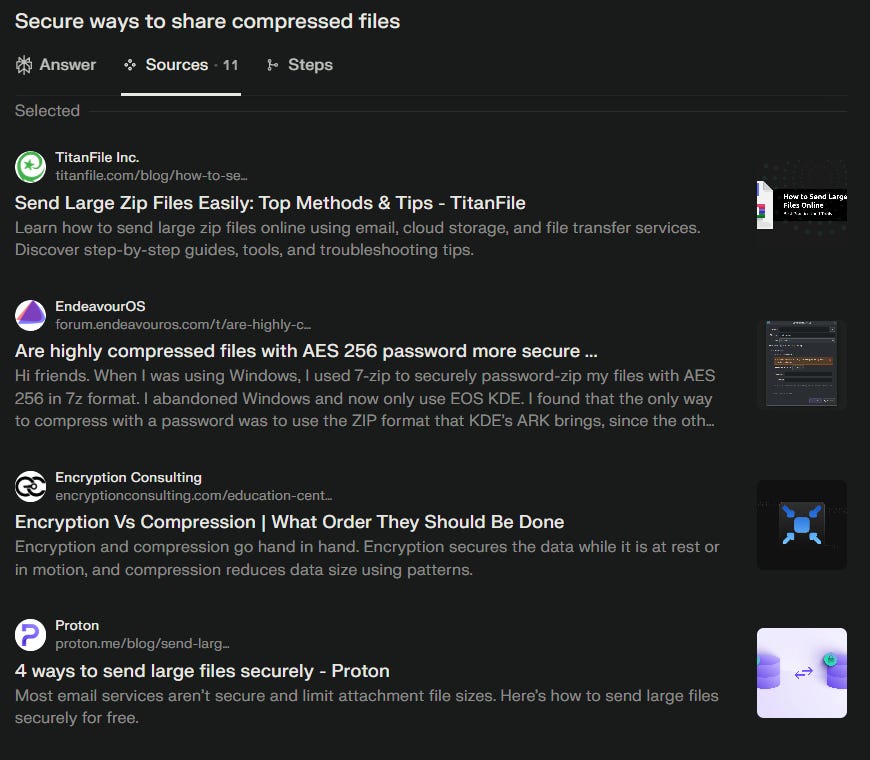
What I like about Perplexity is that it clearly shows where its answers are coming from. The sources are listed directly alongside the response, which helps build trust and makes it easier to verify the information.
While it's true that Google has started integrating Gemini’s quick answers into its search results, I’ve noticed a few limitations. In many cases, those AI-generated responses don’t include sources, and sometimes they don’t appear at all. That’s an area where I think Perplexity continues to perform exceptionally well.
Perplexity Interface and Setup
Here’s the interface you’ll find when you go to Perplexity
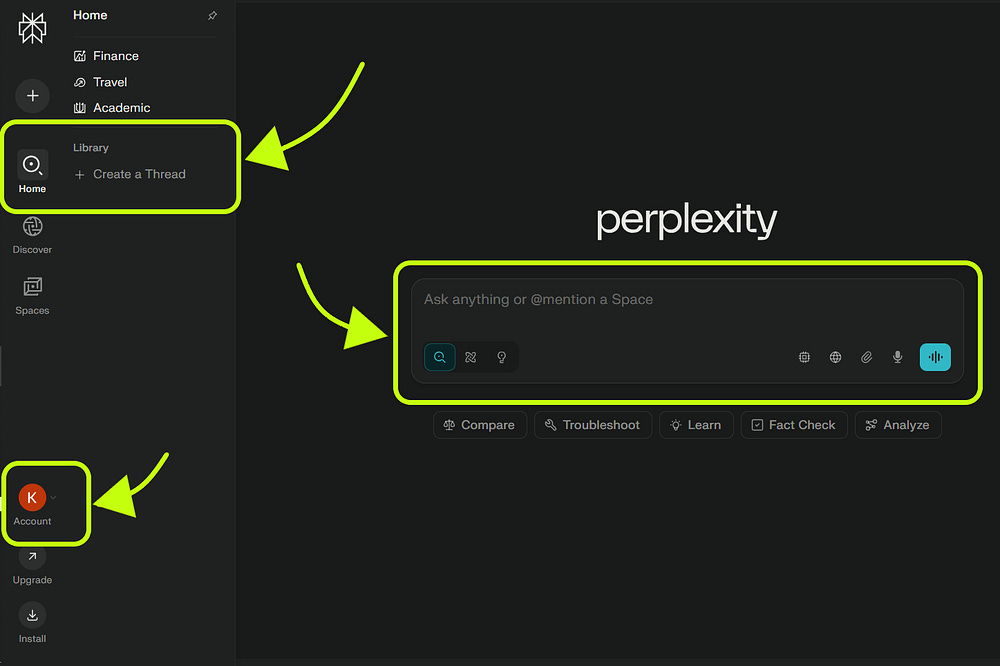
What makes Perplexity especially useful is its ability to search across different types of sources. You can choose to search the web, academic databases (which I personally find very helpful), or more specialized categories like Social or Finance, which are great for specific use cases in those areas.
In the Library section, you’ll find a history of all your past queries. This makes it easy to go back and reference previous conversations or research without starting from scratch.

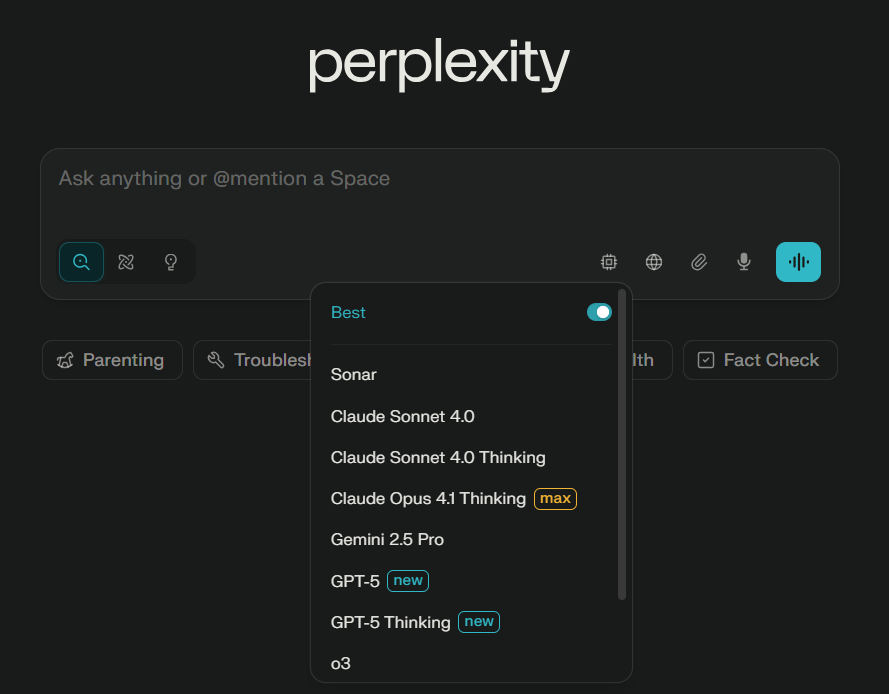
Perplexity allows you to switch between different AI models, depending on what’s available. Since each model may offer a slightly different experience or strengths, it’s a good idea to stick with the ones that have worked best for you in the past.
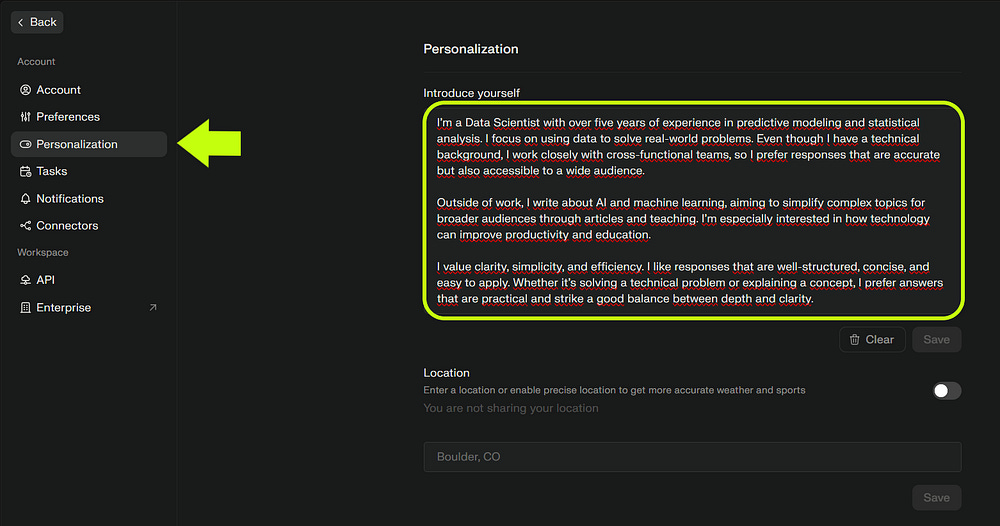
Perplexity also lets you customize your responses. In my case, I took the text I configured in ChatGPT and applied it to Perplexity as well. This personalization option helps generate responses that better align with your goals and communication style.
Note: You can also download Perplexity on your phone. It’s available on the App Store and Google Play Store.
The following section is only accessible to paid members :) They get all these perks
P.S. I created a Google Doc with more guides like this. Check it out here
