
Since I started writing AI guides, this is the question readers ask me most:
“I’m not technical. Is this for me?”
Yes. That’s exactly who it’s made for.
Most Claude tutorials are made by people who use Claude every day (like me). They skip the steps that feel obvious to them, and those are exactly the steps where beginners get stuck. Their computers are also already set up, so the errors you’ll hit never show up on screen.
So I did the opposite. I’m teaching Claude to a real beginner with no technical background, from zero and on her own computer. My team and I turned those sessions into a shorter way to learn Claude, made for busy people like you. It’s the heart of the paid plan of Artificial Corner.
Here’s what’s included for $250 a year:
1. Don’t get lost in endless lessons
The Claude Shortcut is a series where I teach Claude from zero to a real beginner.
My free Claude course has 20+ lessons, one for every feature Claude released. The Claude Shortcut is the short way: only the 20% of Claude you need for 80% of your work.
Meet Diana, the beginner I’m teaching. Every problem in these sessions is a real beginner’s problem, and we solve it together on camera.
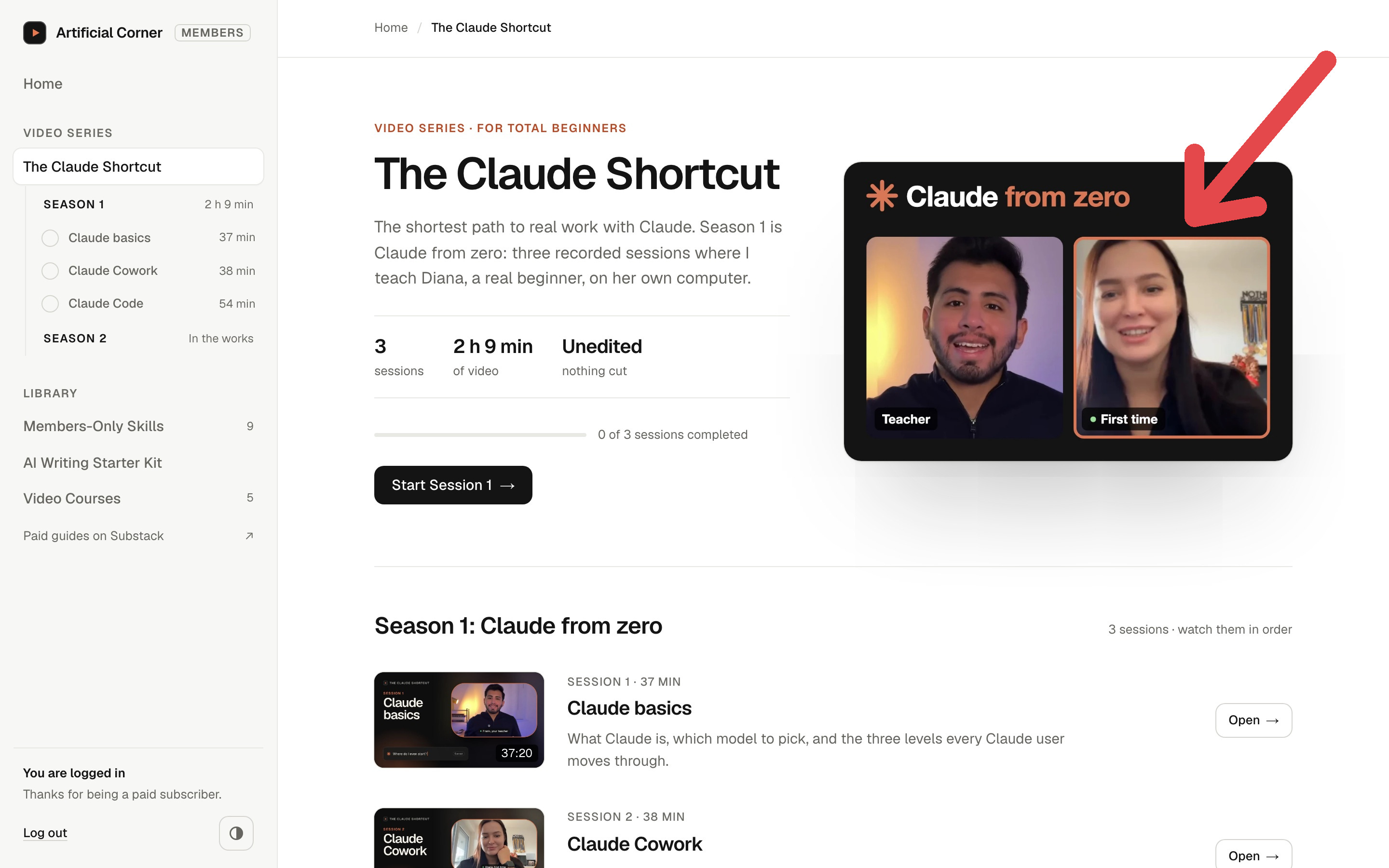
Claude changes every month, so the series grows every month too, at the pace of a real beginner. You’ll always be learning the version of Claude you actually see on your screen.
See the sessions on the members website: learn.artificialcorner.com
2. Get real work done with my skill library
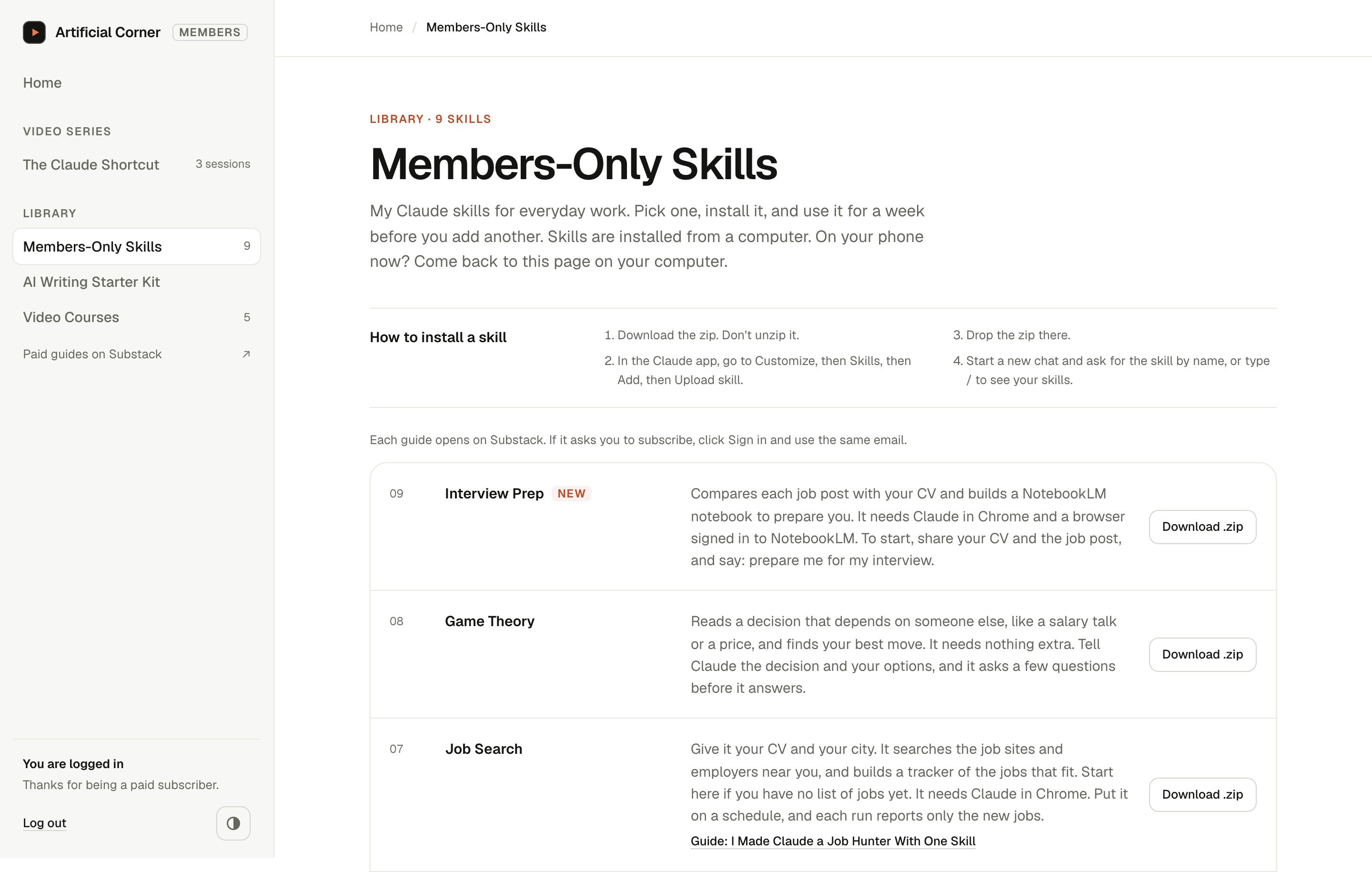
Members-Only Skills is my library of every Claude skill I’ve built, each one ready to install in one click.
Once a skill is installed, Claude does the job the same way every time, without you writing a long prompt.
A few of them:
Pyramid Writer. Writes any email, update or report with the answer first, the way McKinsey teaches it.
Winston Talk. Prepares a presentation the way Patrick Winston taught MIT students for 40 years.
Job Search. Give it your CV and your city. It searches the job sites and employers near you, builds a tracker of the jobs that fit, and on a schedule reports only the new ones.
Interview Prep. Compares the job post with your CV and builds a notebook in NotebookLM (now Gemini Notebook) to prepare you for the interview.
A new skill comes with most guides, so the folder keeps growing.
3. Skip the hours of testing new features
Every week, I test what’s new and publish a deep-dive guide on what’s worth your time: one real task, solved with Claude step by step, plus the skill that does it for you next time. Everything in it is something I use myself.
My prompts are always free. What you pay for is the short way: the series, the skills already built and tested, and the full guide every week.
Bonus: Learn anything faster with AI
As a paid subscriber, you also get my course Learn Any Language Faster with AI, at no extra cost.
I built it around learning languages (I speak four), but the same system works for anything you want to learn. Claude keeps your learner profile, NotebookLM turns your material into quizzes and podcasts, and ChatGPT’s and Claude’s voice modes let you practice out loud.

Everything lives in one place, the new members website my team and I built. You get access as soon as you subscribe.
Here’s what some of our paid subscribers have been saying:

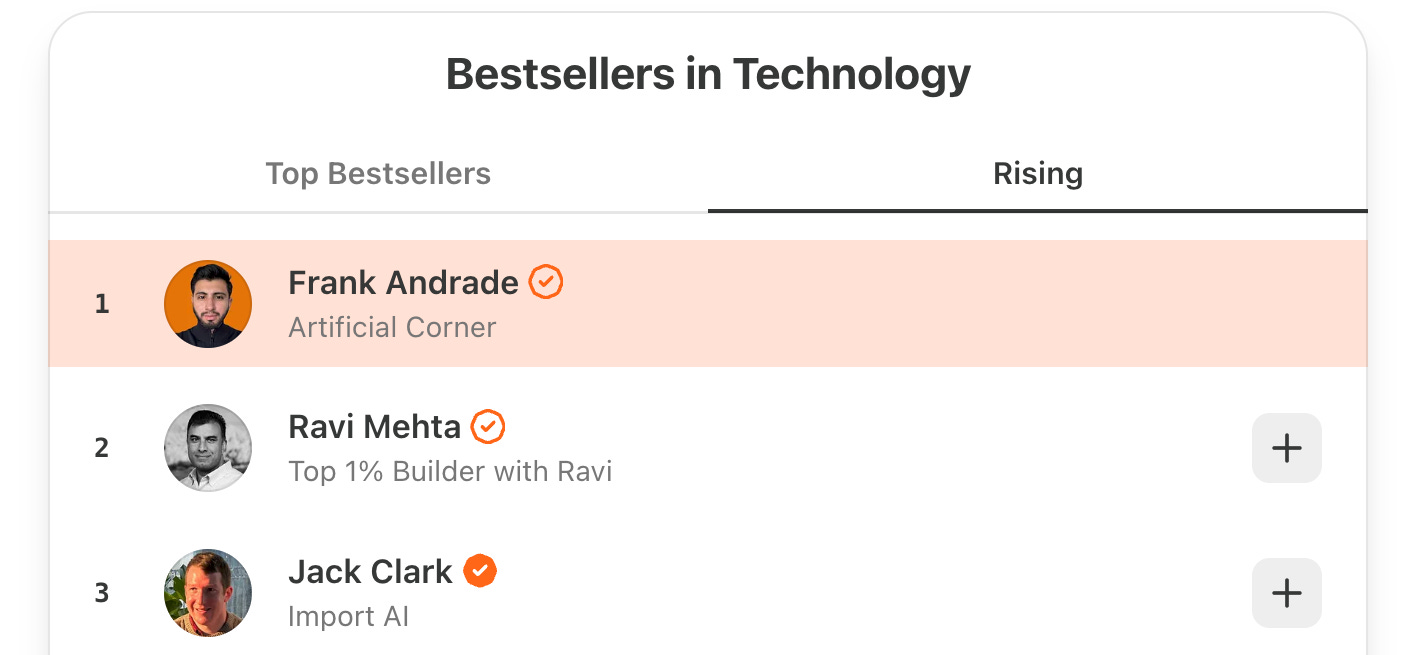
And in November 2026, thanks to everyone who upgraded, Artificial Corner reached #1 on Substack’s Rising list in Technology:
Let your company pay for it
If your company covers learning or work tools, it might pay for this.
I wrote a short email you can copy and send to your manager: click here.
Once you subscribe, you get everything:
The Claude Shortcut, with new sessions every month.
Every Members-Only Skill, ready to install in one click.
A new deep-dive guide every week.
My course Learn Any Language Faster with AI.
The members website, with all of it in one place.
It’s billed once a year, and you can cancel anytime.
I share the link to the members website right after this paywall.