


I’m starting a new series: learning Claude (or any AI) from zero.
For this series, I have a student: Diana. She knows a little bit of ChatGPT and Claude. When I asked her what she uses AI for, she said:
“Normally I use it for studying, work, Excel, googling.”
That’s most people.
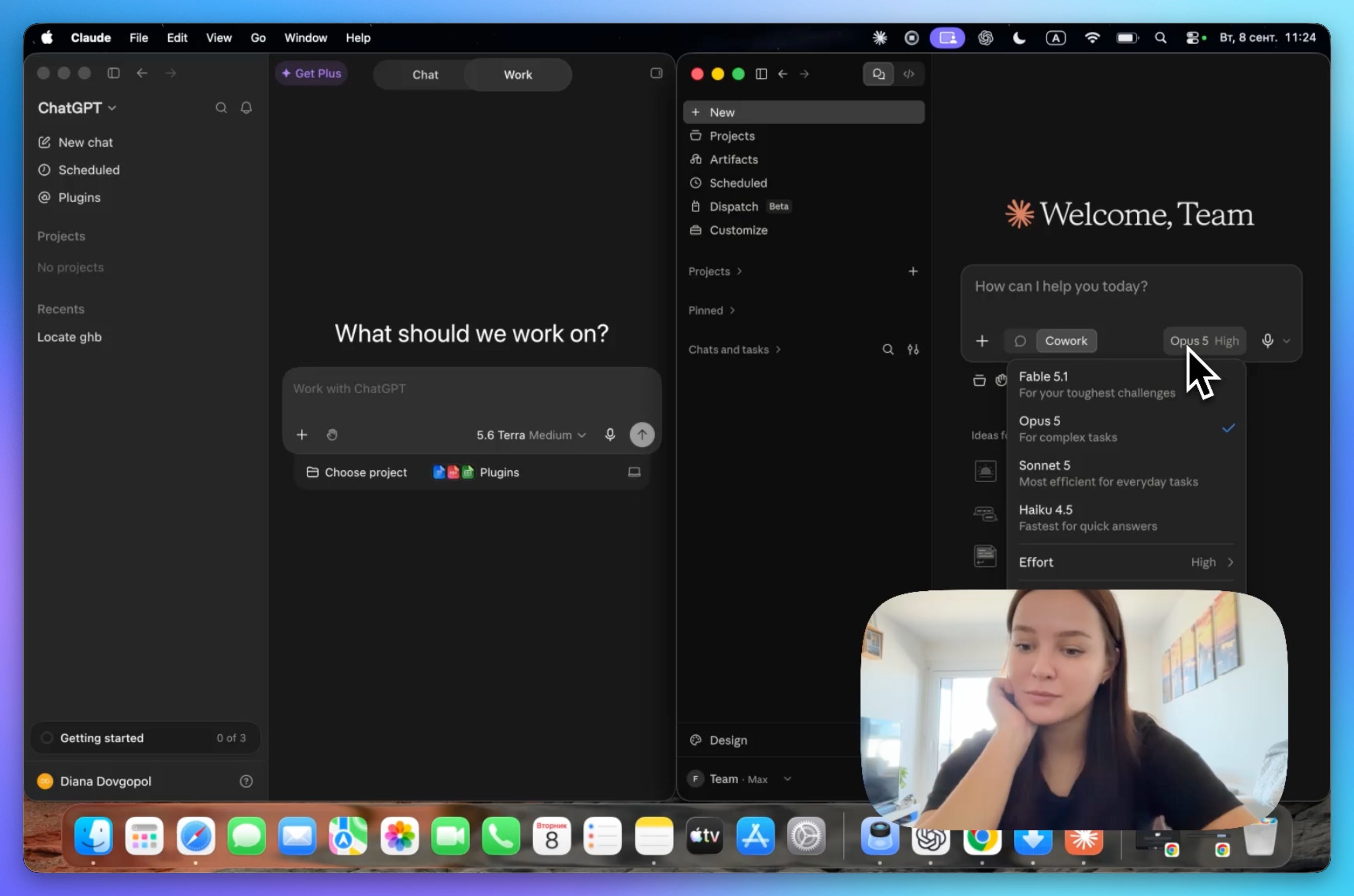
What she has never touched: Claude Cowork, ChatGPT Work, Claude Code, Codex. Almost zero experience there. That’s exactly why she’s the perfect student, and if that describes you too, this guide is written for you.
We had a 37-minute session: the very beginning, the part nobody records. The complete video is at the end.
Here’s a decision I made for this first guide in the series: I’ll start with the foundation.
If you learn the foundation, you can pick up Claude, ChatGPT, or whatever goes trending next, in an afternoon. These companies are rivals, so almost everything one has, the other has under a different name.
Learn the shape once and the names stop mattering.
In this guide, you’ll learn:
What ChatGPT and Claude actually are (and the one word that scares people off)
Why “ChatGPT vs Claude” was never the right question
Which model is right for you, and why you probably don’t need the best one
The three levels Claude comes in
How to talk to Claude, what it’s good and bad at, and what to try this week
Your first step to go from AI beginner to pro
1. What Claude and ChatGPT actually are
Remember the first time you opened ChatGPT.com? One box. You typed in it. You used it like Google, or for translation, or to get some facts.
That’s what both ChatGPT and Claude were when they launched, and it’s still what the chat window is today. The simplest way I can put it: a smarter Google. Everything Google gave you, plus it answers you directly instead of handing you ten links.
On top of that, it could write code.
I know “code” sounds like a word for programmers, and you’re about to skip this paragraph. Don’t. This is the single most important thing in the guide.
When I say code, I don’t mean programming.
I mean things that happen on your computer. Code is how a report gets built without you building it. Code is how three hundred photos get renamed while you make coffee. Code is how a system runs every night whether or not you remember to run it.
So when I say these tools can write code, what I’m actually telling you is: you can now do things on your computer that were not possible for you before.
Not for programmers. For you.
That’s the whole promise, and everything in the rest of this guide is a bigger version of it.
2. ChatGPT vs Claude was never the right question
Halfway through the call Diana asked the question everyone asks:
“Which is better, ChatGPT or Claude?”
Wrong question, and I understand completely why everyone asks it. The right question is: which model do I need for this task?
I’ll get to models in the next section. First, why the comparison itself is the wrong question.
I’ve written ChatGPT vs Claude comparisons. They got a lot of readers. And I want to be honest with you about them.
Every comparison I’ve published was true the day I published it. Six months ago I wrote that Claude was clearly better at writing and clearly better at coding. That was true.
Today it isn’t.
GPT-6 Astra came out on September 3 and it beats Claude at many things.
Here’s the problem. You’re reading this weeks or months after I wrote it. If I hand you a table of who’s winning, you’ll believe it, and by then it’s wrong. Not because I lied. Because these two companies leapfrog each other every few months. Claude pulls ahead. Then ChatGPT ships a model and pulls ahead. Then it flips again.
A Claude vs ChatGPT comparison is true today and wrong in a month.
What is worth telling you is something different and much more stable: what one has that the other simply doesn’t.
Claude doesn’t generate images. ChatGPT does, Gemini does, Claude doesn’t
Claude’s voice mode is weak. It exists, but it’s nowhere near ChatGPT’s. I practise languages with voice mode (Spanish, French) and for that I use ChatGPT.
Claude never had video generation. ChatGPT had Sora, and even that is gone now
Those gaps have held since 2023 and they’re still true now (image, voice and video aren’t Claude’s priority)
That’s a much better thing to know than a leaderboard, because it doesn’t flip next month.
Everything else? They mostly have the same features. One will be stronger than the other at any given moment, and then they’ll swap.
3. A better question: which model is right for my task?
Open Claude and click the model name in the corner. You’ll see a list.
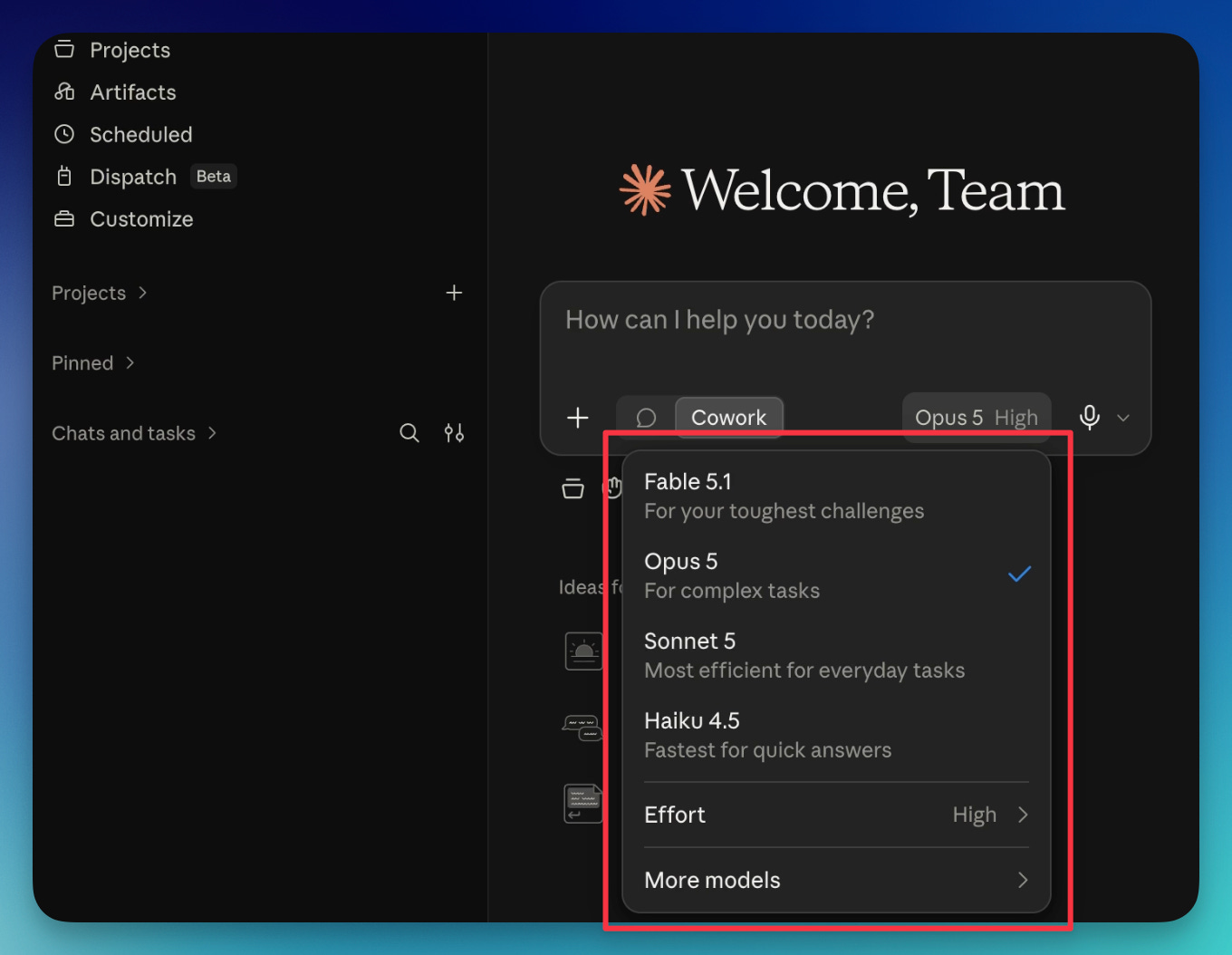
Think of it as a ladder:
Haiku is the small, fast one. Quick questions.
Sonnet is your everyday model. Emails, drafts, translation, learning something. Most of what you do, most days.
Opus is the serious one. Building a system, setting up automations, anything where reliability matters. When something involves real work rather than a quick answer, this is where I go.
Fable is the top of the range. High-stakes work: money involved, or a mistake would be expensive.
My own split, roughly: Opus for most of it, Sonnet for everyday things, Fable rarely.
ChatGPT has the same ladder under different names. Terra and Luna are the everyday ones (Terra is the balanced one, Luna the fast one), and GPT-6 Astra sits at the top, the equivalent of Fable.
Now the question I actually want you to ask yourself: do you really need the top model? Do you need Fable? Do you need GPT-6?
I don’t, most of the time. Almost nobody reading this does. Powerful also means expensive, and for everyday work you’d be paying for headroom you never touch. You need it when you’re building something complex, or when a mistake costs money. Everything else, Sonnet or Terra will do, and you’ll never notice.
So the answer to Diana’s question is: neither is “best.” Best is a model, not a company, and the model you need for most of your work is the cheap one.
4. How to get them
Both work in the browser with a free account:
Claude: claude.ai. The desktop app, which you’ll need for level 2 and 3, is at claude.ai/download.
ChatGPT: chatgpt.com. Desktop app at openai.com/chatgpt/download.
Both have a free plan. Both free plans are very limited. You won’t see what these tools can really do on them.
The paid tiers are the same story on both sides:
$20 a month for real access with a smaller allowance (enough for beginners)
$100 for a bigger one
$200 for the most generous (that’s where I am right now).
Every plan has a limit, including the expensive ones.
I’m on the $200 plan and I still hit the limit some weeks.
Not from chatting. From the heavy tools, the ones where Claude takes over your screen, clicks around, and takes a screenshot at every step to see what it did. Each of those screenshots costs usage.
If you only chat, you’ll never see the wall. If you start automating, you will, and I had to learn how to cut my usage before I stopped hitting it.
5. The three levels
Every one of these tools comes in three levels. Once you see the ladder, the whole product line stops being confusing.
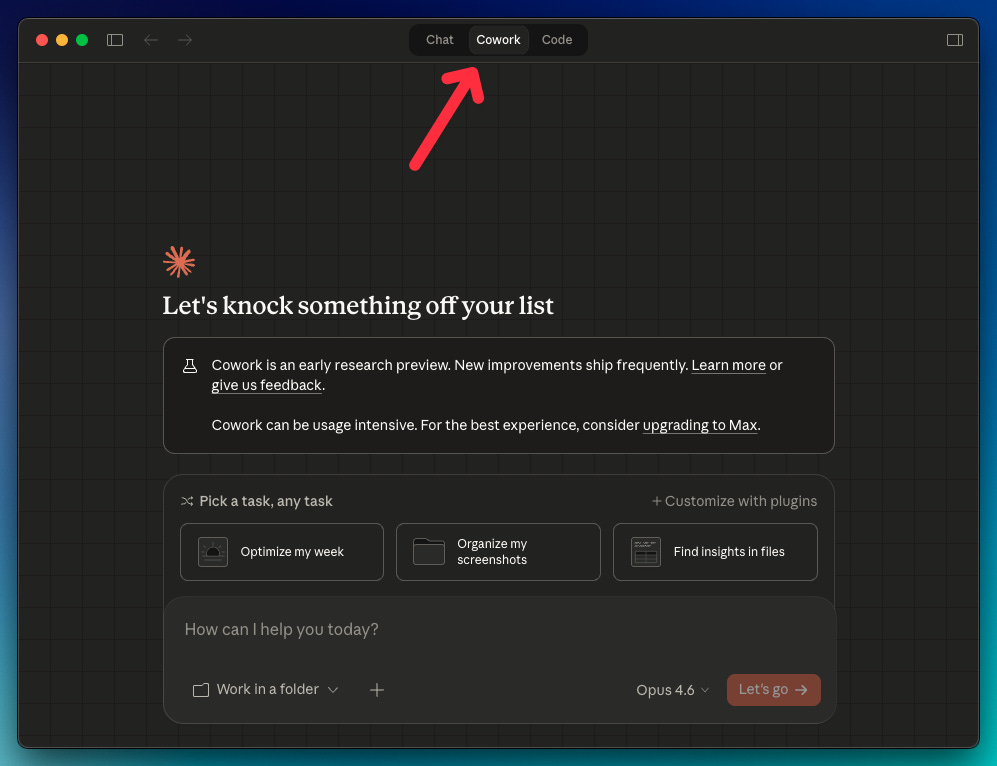
Level 1: Chat
The box. The smart Google that can code. It exists on day one of every one of these products, it’s on your phone, it’s what everyone means when they say they “use ChatGPT.”
Chat talks. That’s the thing to hold on to. It can produce anything, including code, but it hands it to you. What you do with it is your problem.
Level 2: Cowork / ChatGPT Work
Chat talks. Cowork works.
Here’s the difference in one example. In 2022, if you wanted to automate an Excel report, you’d ask ChatGPT to write you a script, and then you’d be sitting there with a script, wondering what to do with it.
With Cowork, you skip all of that. You don’t see “code” at all. You only say: automate this report for me. Cowork goes to the folder where the report lives, and it does it. It might write a script along the way. That’s its business, not yours.
Three things I’ve actually used Cowork for on week 1, none of which need technical knowledge:
Renaming a trip’s photos. Everything comes off the phone as IMG_1234. Point Cowork at the folder and it looks at the photos and renames them by what’s in them: the restaurant, park, beach.
Tracking subscriptions. Give it your bank statements. It finds Netflix, HBO, all of them, and tells you what you’re paying every month.
Automating a report and creating interactive dashboards (aka artifacts)
Those are small on purpose, so you can see the shape.
I run a real part of my business on Cowork, and the systems are much bigger than this.
I mentioned “Cowork“ because it’s the tool I’ve been using mostly, but the same applies to ChatGPT Work. It’s the same thing: same idea, same way of working.
Level 3: Claude Code / Codex
The name is intimidating, but it shouldn’t be. You don’t need to learn to code to use it.
Level three is more powerful than level two for one reason: access.
Cowork is sandboxed. That word means it runs inside a safe box. It can still touch your files, but it’s fenced in, and it can’t reach everything. If you’re new and you’re trying automations for the first time, that fence is protecting you.
Claude Code isn’t fenced in the same way. It has access to your whole computer. That’s the scary part, and it’s also exactly why it’s more powerful.
Two simple examples of why I use Claude Code more than Cowork.
Reaching tools on the internet. I wanted to download videos from YouTube. In Cowork, there was no clean way. It told me it couldn’t, and the workarounds were slow and expensive. In Claude Code it took no time at all, because it could reach a tool somebody published on GitHub called yt-dlp, connect to it, and do the job. Cowork couldn’t reach out to that. Code could.
Changing many things at once. I have tasks that run on a schedule, every night. In Cowork, each one is an island: to change something in ten of them, I open ten tasks and change it ten times. In Claude Code I say “change this in all of them” and it’s done in one shot.
Diana’s question at this point was the one you might be wondering now:
“Does ChatGPT have something like this?”
Yes. It’s called Codex. Finding it on her screen took her a few tries, though.
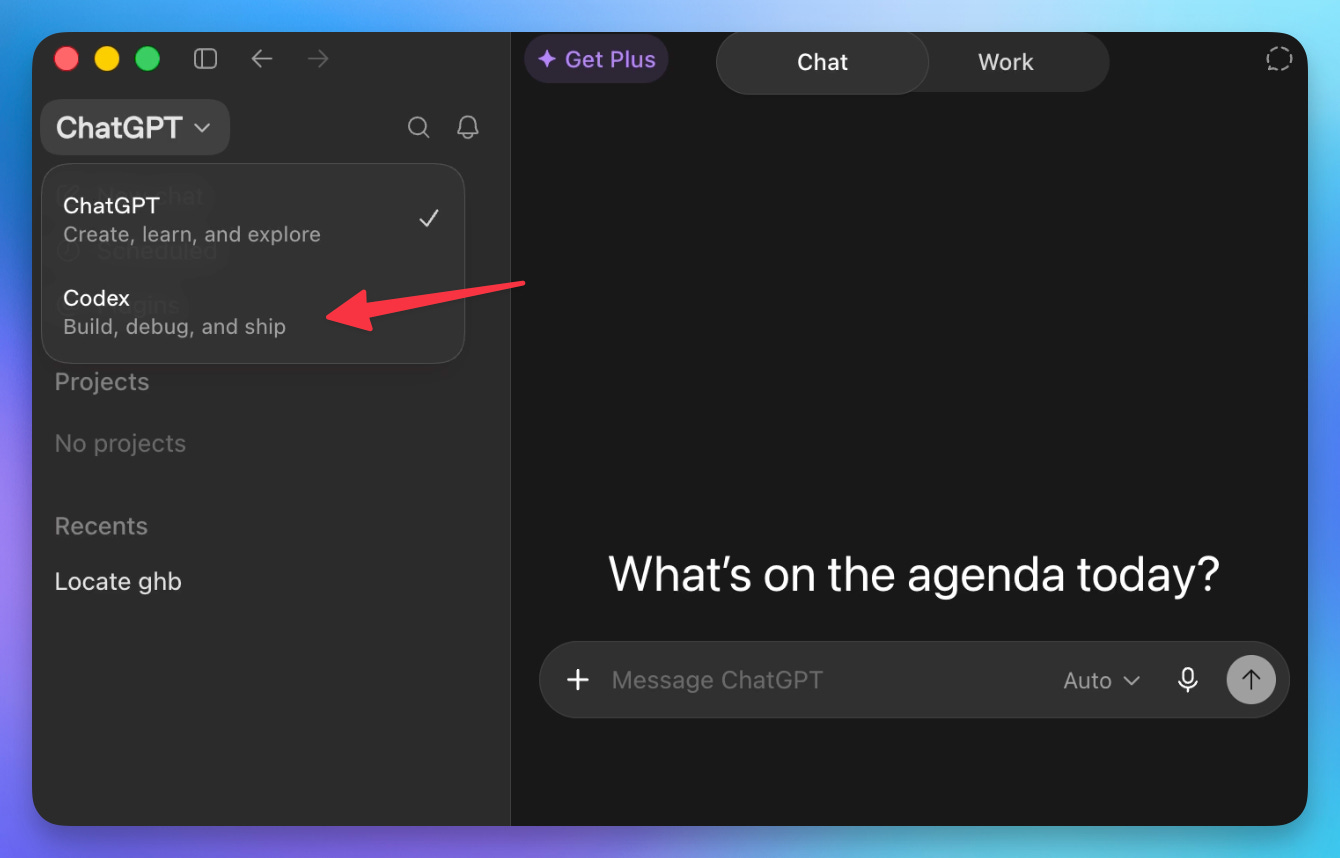
The ladder, in one line: chat, then Cowork, then Code on the Claude side. Chat, then work, then Codex on the ChatGPT side.
Easiest to hardest, safest to most powerful, in that order.
Which also answers the other question Diana asked:
“Which one is easier to use, ChatGPT or Claude?”
Neither. They’re the same. The real answer is chat, then Cowork, then Code, and it’s identical on both sides. Start at chat if you’re absolutely new, otherwise start with Cowork or ChatGPT Work.
6. How to talk to these tools
Three habits carry almost all of it. Each one comes with a line you can copy.
1. Tell it who it’s for and what happens next
Weak:
Write an email to a client.
Strong:
Write a reply to a client who missed our call on Tuesday. Friendly but firm. She needs to pick a new date this week. Four sentences.
The details you’d give a new assistant are the details it needs. Who, what happened, what you want to happen, how long.
2. Treat it as a conversation, not a form
Nobody writes the perfect prompt first time. Type your prompt, press enter, see what comes back, then steer:
“Shorter.”
“Warmer. Add a line about the deadline.”
“Good. Now the same thing for my boss.”
Start a new chat when the answers start feeling off, the chat is full and the model is losing the thread. But don’t just open a new chat and start over. First, ask for a hand-off:
Summarize what we’ve decided so far and what’s still open, so I can paste it into a new chat.
Copy the answer, open a new chat, paste it in, and keep going.
3. Give it an example
Don’t describe what you want. Show it. Paste something you wrote and liked, then:
Write a new one like this. Same tone, same length.
Once it learned how you write, the next responses in that chat will follow the same style.
7. What they’re good at, and what they’re bad at
Good at:
Writing and rewriting, in your voice if you feed it examples.
Long documents. Drop in a hundred-page PDF and ask questions about it. Ask for page references so you can check the answer instead of trusting it.
Making files. Both will build you a spreadsheet with real formulas, a Word document, a slide deck or a PDF.
Thinking a decision through with you. Genuinely useful, with one condition I’ll come back to in section 10.
Your files and your computer. Levels two and three. The reason the rest of this series exists.
Bad at:
Vague requests. You get what you give.
Telling you it doesn’t know. Its default is to answer. Treat it as a very fast colleague, not as a source of truth.
The rule underneath all of it: it will always give you an answer, and that is not the same as the answer being right.
8. Your first step to go from AI beginner to pro
The rest of this guide is for paid subscribers.
The rest of this isn’t more theory. It’s the things to do this week. They come with guides that walk you through it step by step.
Below the line:
Six things to do this week, ranked from easy to real. Three you can do in the chat box today, three that use Claude Cowork. Each one links to a complete guide so you’re never left staring at a blank prompt.
The one thing I’d set up first for better decision-making with AI. There's one thing you can set up that makes Claude noticeably better. It changes the answers you get back, and it's the difference between AI helping you decide something and AI just telling you what you want to hear.
The full video session with Diana. Unedited. Every wrong click, every “where is that button,” nothing cut.