


Click here to get my FREE Claude course (20+ lessons)
This is part 3 of a three-part Claude Cowork series. Don’t miss part 1 and part 2
Every morning at 5, while I’m still asleep, Claude checks the job board I pointed it at, reads every job posted in the last 24 hours, scores each one against my CV, and writes proposals for the ten best matches. By the time I’m up, they’re in a Google Drive folder named after today’s date, ranked 01 to 10.
I don’t start it. I don’t watch it. I read ten proposals and decide which ones to send.
That took three parts to build, and this is the one where you get all of it.
Part 1 used Claude in Chrome to scrape 161 job posts from Indeed, Glassdoor, and Upwork into a single Google Sheet. Part 2 built Head Hunter, a skill that reads your CV and scores every post against it, then drafts proposals for the best ones. Part 3, this guide, is the scheduled task that runs both of them every morning without you.
You don’t need to have read the first two. At the end, I hand over one folder with three prompts, one per part. Paste them in order and the whole chain is yours.
In this guide, you’ll learn:
What a scheduled task is, in plain English, and where to find it in Cowork
The one prompt that builds the entire Daily Job Hunt task, start to finish
What the first run actually produced
This was made in collaboration with Gencay . He writes LearnAIWithMe, a newsletter focused on practical AI tutorials for people who’d rather replace than be replaced by AI. If you’re interested in building real projects with AI, check out LearnAIWithMe
What a scheduled task is, in plain English
A scheduled task is a prompt Cowork runs for you on a schedule, in a fresh session, with your project folder attached. You write it once, pick a time, and it runs every day at that time.
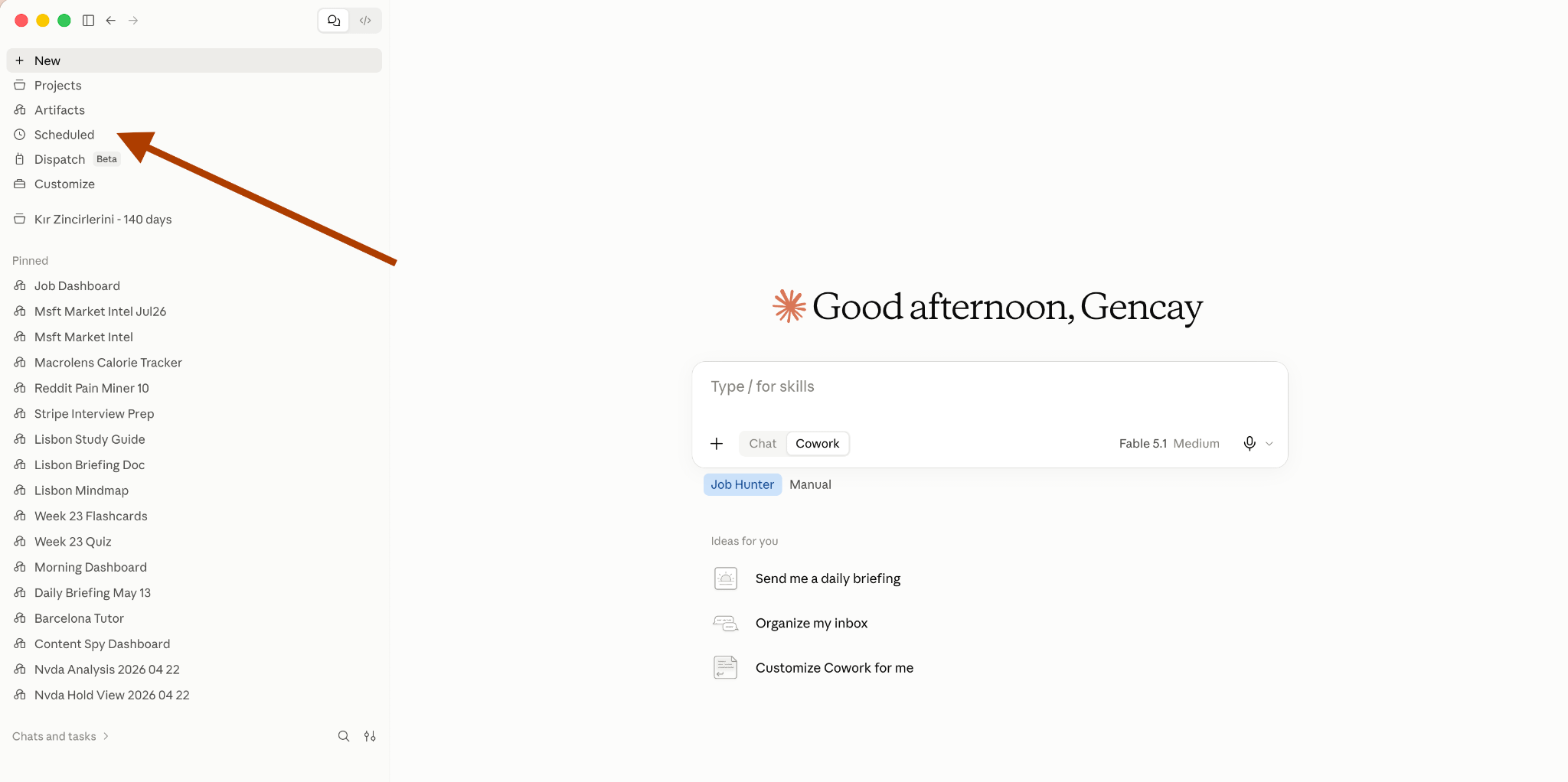
To see yours, click on “Scheduled”.
Setting it up
When you click on “New task”, you can see two options.
Create with Claude
Set up automatically
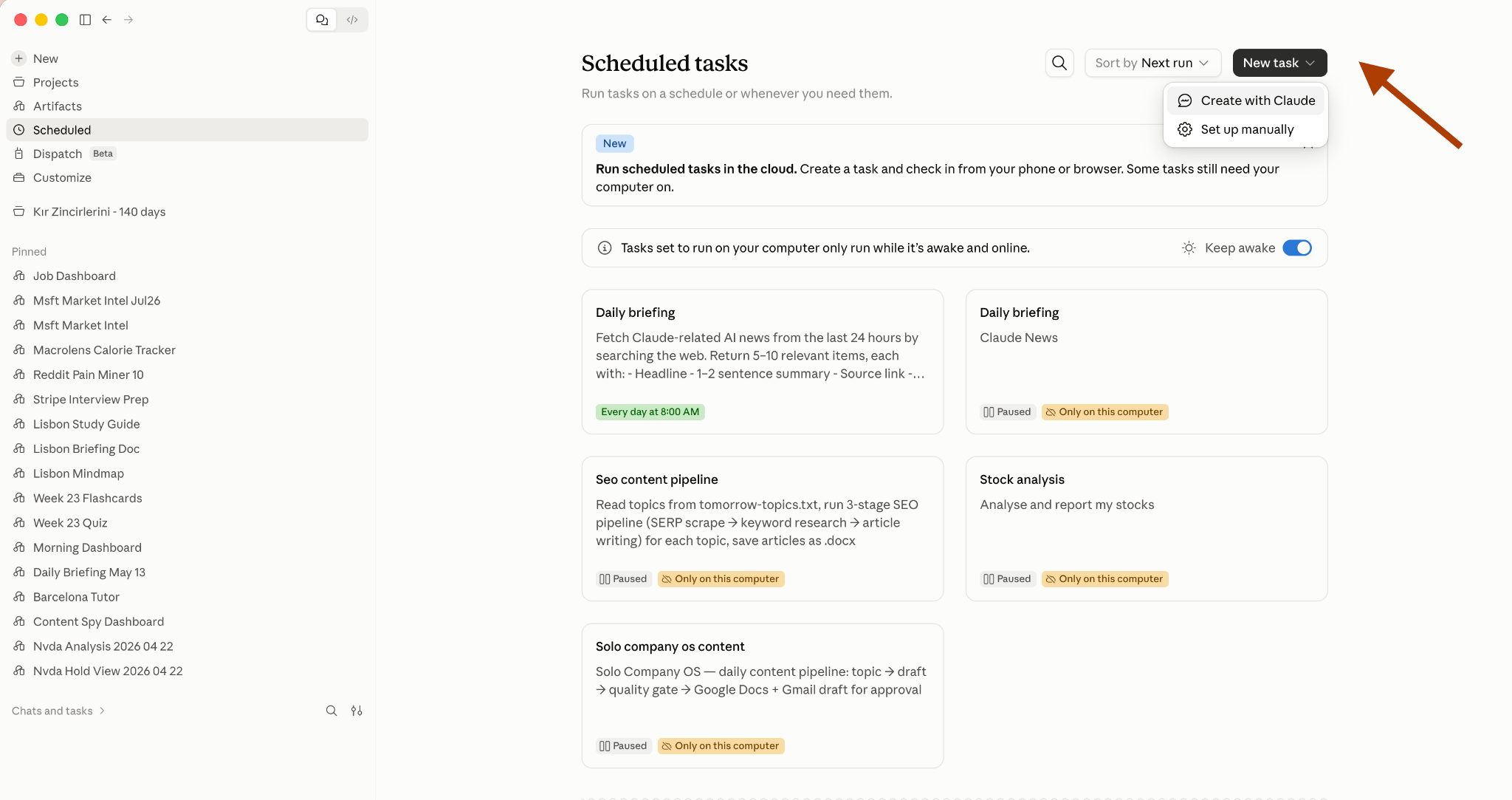
Let’s click on Create with Claude.
The task we’ll create here will automate job hunting. It will find relevant jobs and write proposals for them automatically, without needing you, from start to finish.
If you’re not a paid subscriber yet, now’s the time to join hundreds of members with full access to all our guides :)
First, copy the prompt below:
Create a scheduled task named Daily Job Hunt. Run it every morning at 5.
Here is what it does, start to finish:
Search Upwork for Data Science jobs posted in the last 24 hours.Pull the full post for each one: title, client, budget, experience level, description, and URL.
Open job-hunt/state/seen.json and skip every URL already in it.Those are jobs we already drafted or rejected.
Run the head-hunter skill on what is left. It reads cv-profile.md and scores every new post with its four criteria. Do not rebuild the CV profile, it already exists.
Draft proposals for the top ten. If fewer than ten clear the bar, draft what is there and say how many made it.
File the day into Google Drive. Inside my Job Hunt folder, create a folder named with today’s date. Upload each proposal as a Google Doc named NN - Client - Role, and the day’s scores as a Google Sheet named Scores YYYY-MM-DD.
Add every drafted and rejected URL to seen.json so tomorrow’s run skips them.
End with a short report: how many new posts came in, how many were skipped as seen, how many got drafted. If nothing new came in, report “nothing new today” and stop. Never redraft yesterday’s jobs.
Rules that never bend: never apply to anything, never message anyone, never sign in anywhere, never share a Drive file, never convert salary formats, never invent experience that is not in my CV.
After pasting this prompt, it’ll ask you to schedule this task.
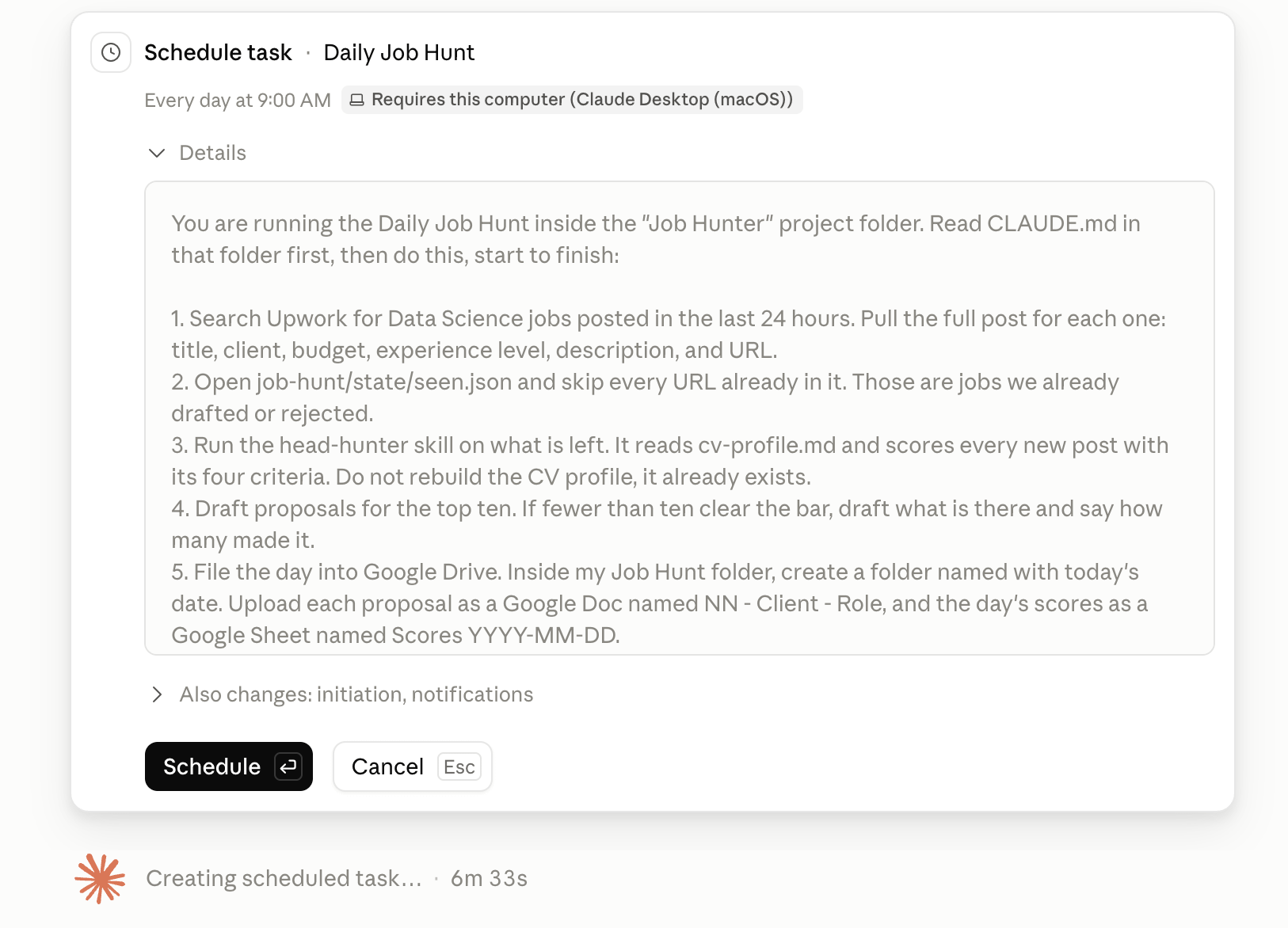
I approved it. Claude created the task, then asked whether to run it right away instead of waiting for tomorrow morning. I said yes.
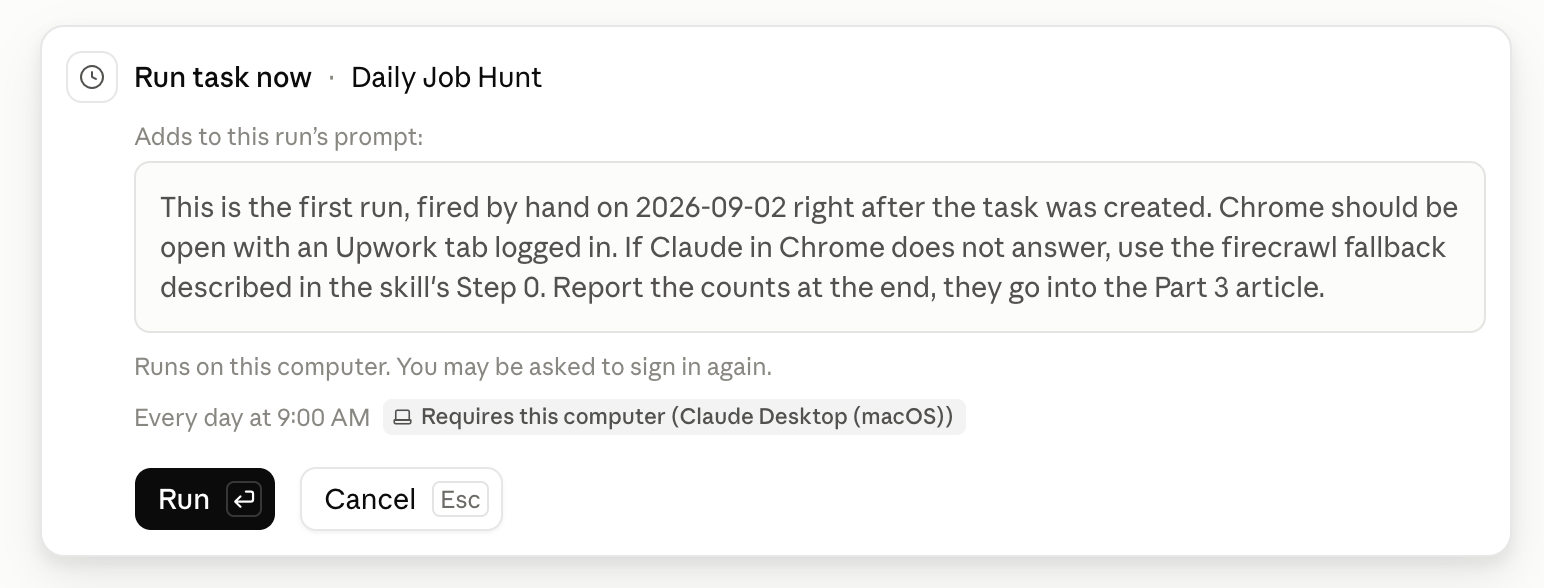
And it started working.
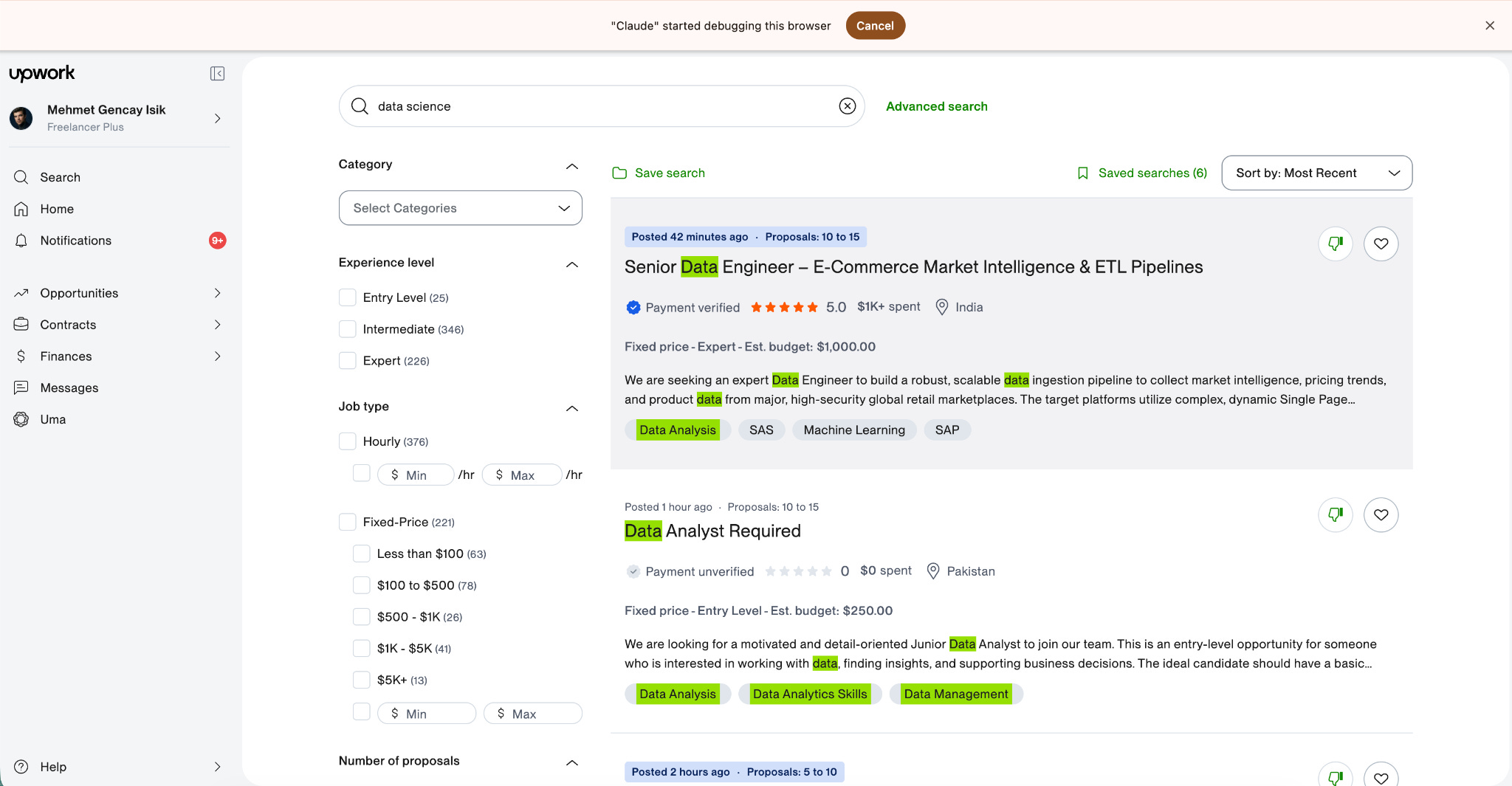
The first part is to collect data from Upwork. It will score the jobs and write proposals for the top 10, based on the criteria I defined.
You can click on Scheduled, then open your task and check the History section to see the process.
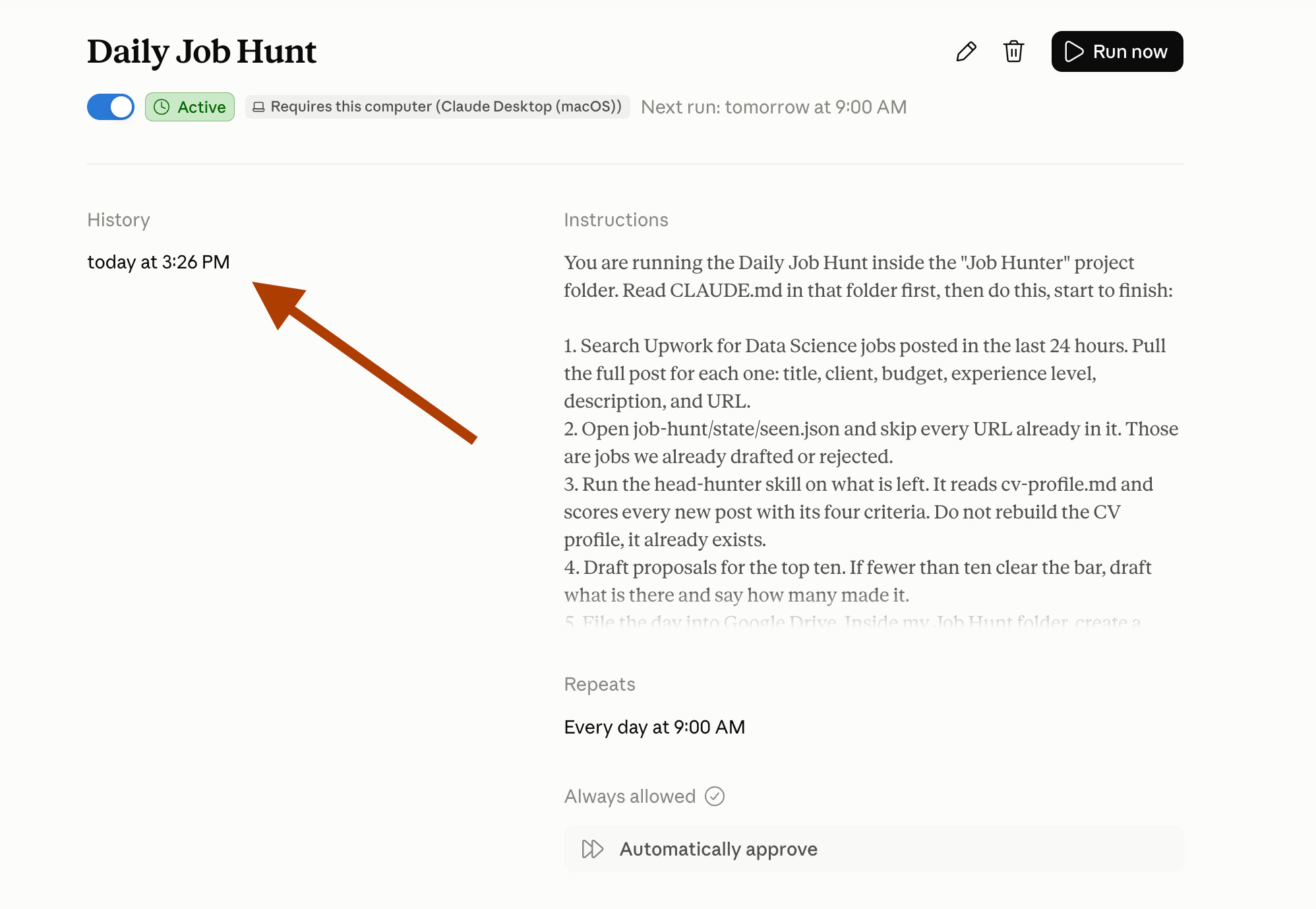
Here it is.
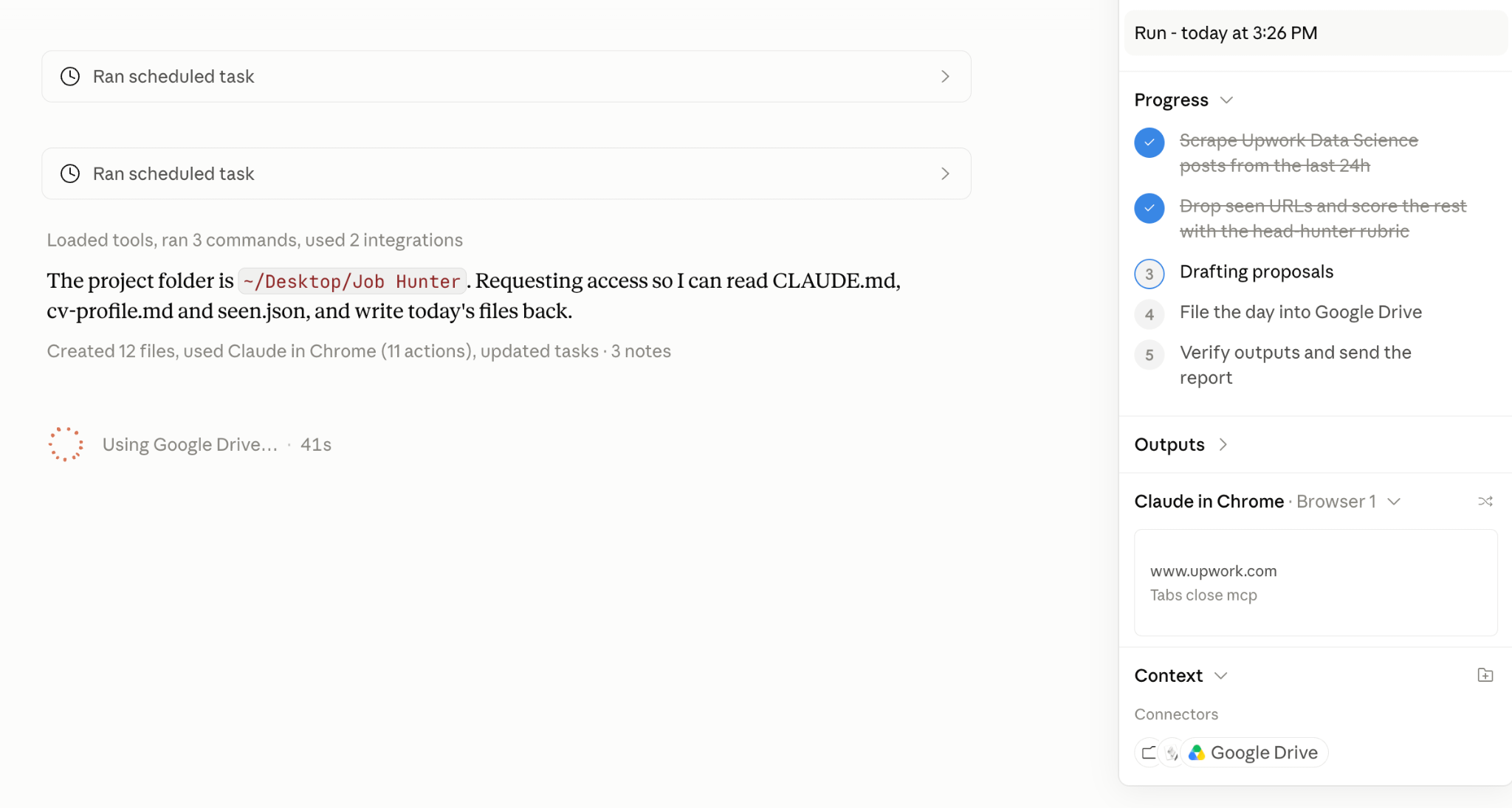
It scored the jobs, and now it is drafting the proposals. Check the progress bar, 3 of 5, at the top right.
After a few minutes, the task is finished.
Here is the report it sent. 50 results came back from Upwork. 30 were posted in the last 24 hours, 21 were worth opening, 13 scored above 45, and 10 got a proposal. The top score was 73, a senior data scientist role at $30 to 60 an hour.
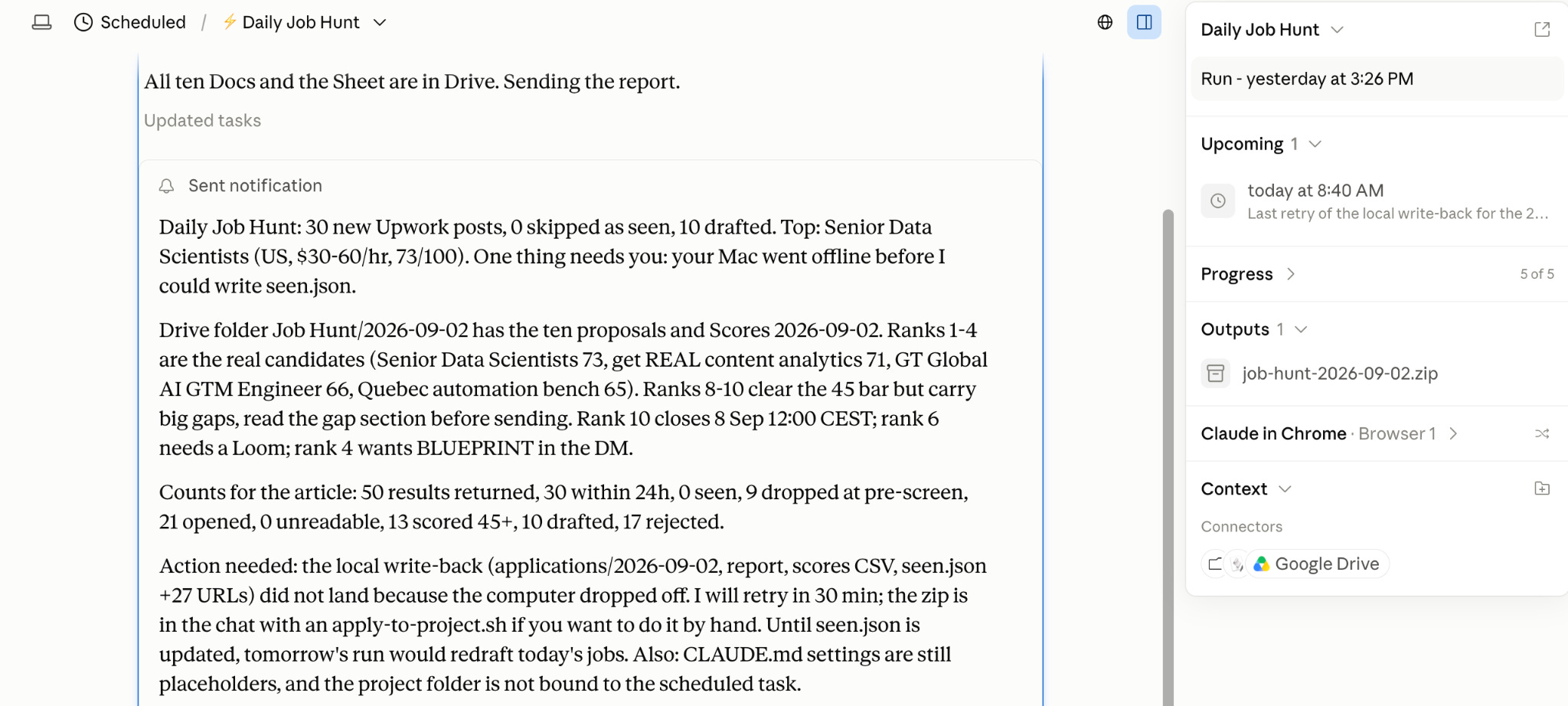
Read the last paragraph too. My Mac went to sleep before it could write seen.json, and it told me so instead of pretending.
More on that at the end.
Let’s check Drive.
Here are all ten, in one Drive folder named after the date. The file names start with the rank, so 01 is the best match, and 10 is the weakest.
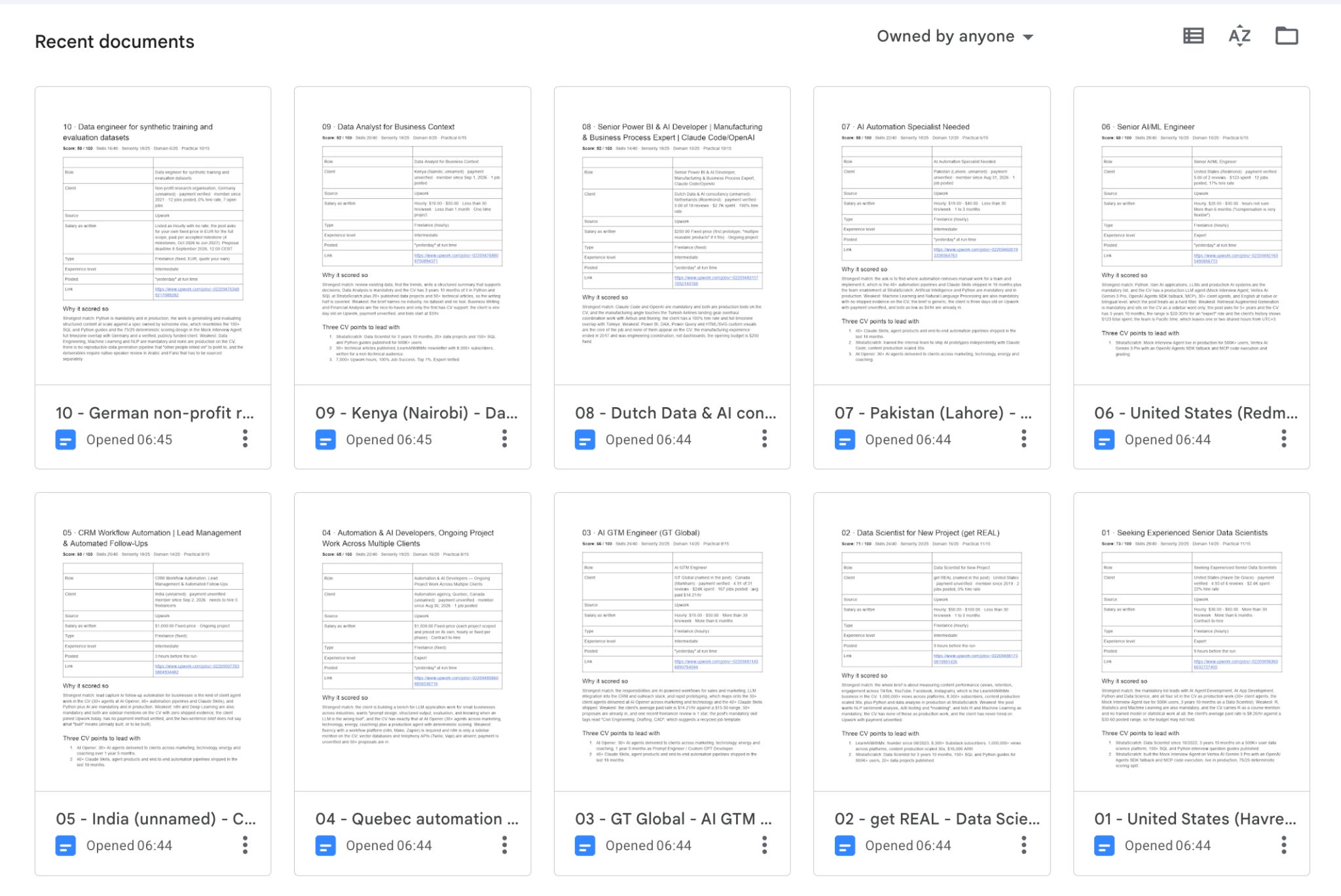
I opened number 10 on purpose, the weakest of the ten. It scored 50, and the skill says so in the first line.
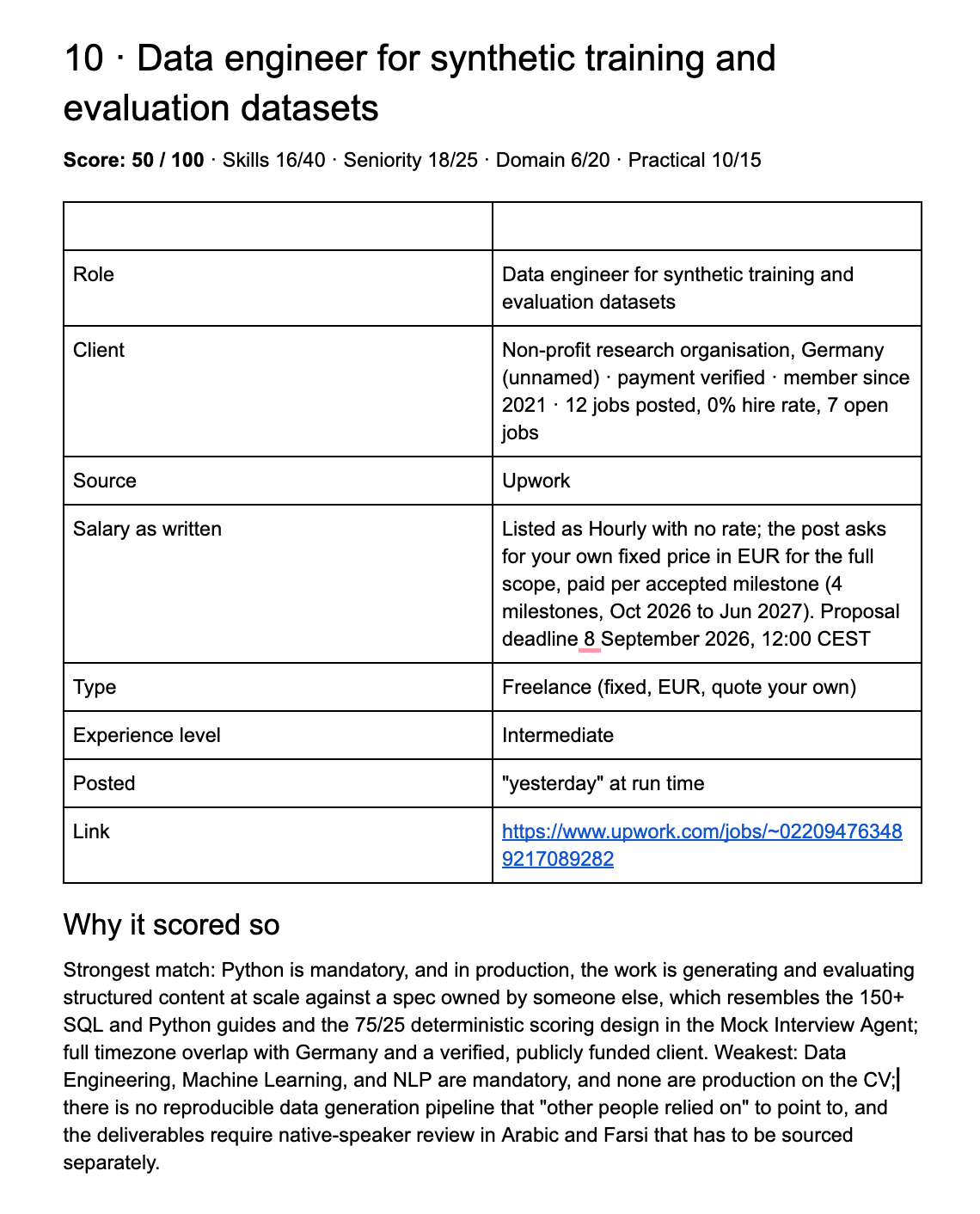
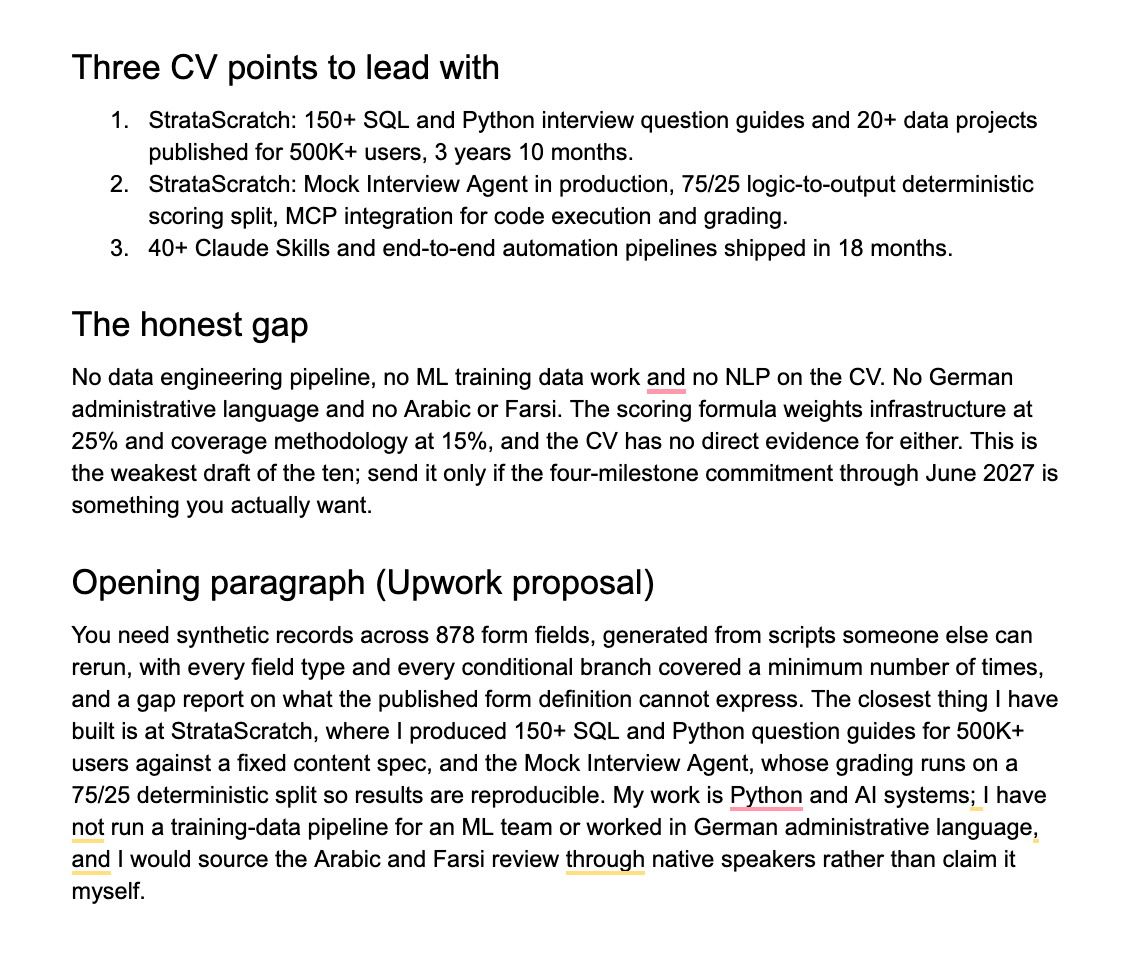
Two pages. The score and its four parts, the post’s details as written, why it scored so, three CV points to lead with, the honest gap, and an opening paragraph I could send.
Look at the gap section. It says this is the weakest draft of the ten and tells me to send it only if I want a four-milestone commitment through June 2027. That is the part I would never get from reading 30 posts myself.
Click here to get my FREE Claude course (20+ lessons)
The chain, complete
If you did not read what we did in Part 1 and Part 2, that is fine. I put everything into one folder, and it walks you through the whole series.
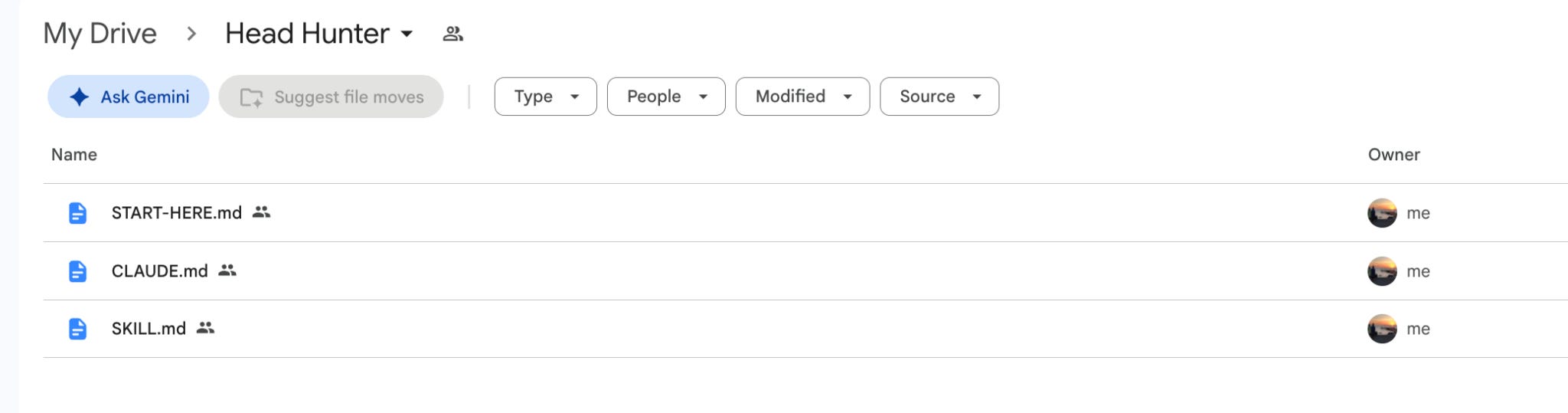
👉 Here is the folder: Head Hunter
Download the three files, drop them into one empty folder with your CV as a PDF, and open that folder in Claude Cowork.
Then open START-HERE.md. It holds three prompts, one per part.
The first one sets up the project and runs the scrape from Part 1, the second runs Head Hunter from Part 2, and the third is the scheduled task you just saw.
Paste them in order, and the whole chain is yours in about an hour.
That is the whole chain. Claude in Chrome finds the posts, Head Hunter scores them against your CV, and the scheduled task runs both every morning while you sleep.
Ten proposals wait in Drive before your coffee, and the only thing left is reading them and clicking send.
One warning from my first run: the task runs on your computer, so keep the computer awake at 5. Mine went to sleep halfway, and Claude told me plainly which step failed and retried the next morning, but a closed lid still means a day without proposals.
Download the folder above, paste the three prompts in START-HERE.md, and you have the same thing running by tomorrow.
Join my newsletter with 80K+ people to master AI in 2026