

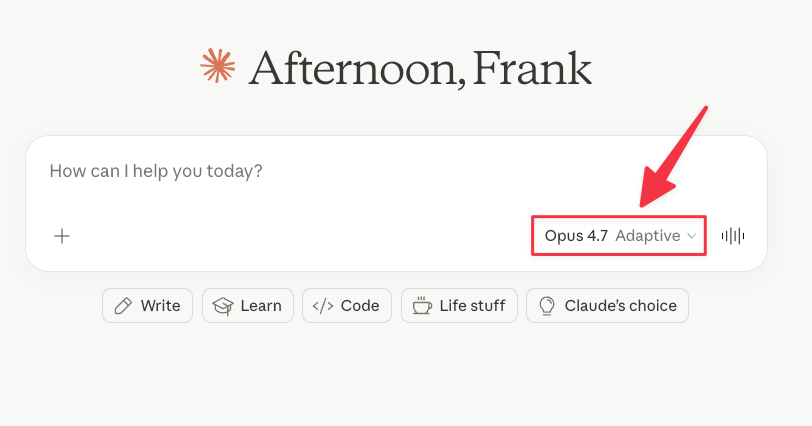
Anthropic just released Opus 4.7. The most powerful Claude model.
Every time a new AI model drops, the announcement sounds the same: “Smarter. Better. More capable.”
Cool. But what does that actually mean for you?
I went through Anthropic's official announcement, read tips from the creator of Claude Code, and did my own tests to find what’s good about Opus 4.7 (so you don't have to)
In this guide, you’ll learn:
The top 4 things that changed in Opus 4.7
How to get more out of Opus 4.7
What to watch for if you’ve been using Opus 4.6
Your first 30 minutes with Opus 4.7 (find out whether 4.7 is good or bad news for your workflow)
Subscribe to get my FREE Claude course.
20+ lessons delivered straight to your inbox 👇
Top 4 things that changed in Opus 4.7
#1 Vision got a serious upgrade
Opus 4.7 can see images at 3x higher resolution than any previous Claude model (up to around 3.75 megapixels).
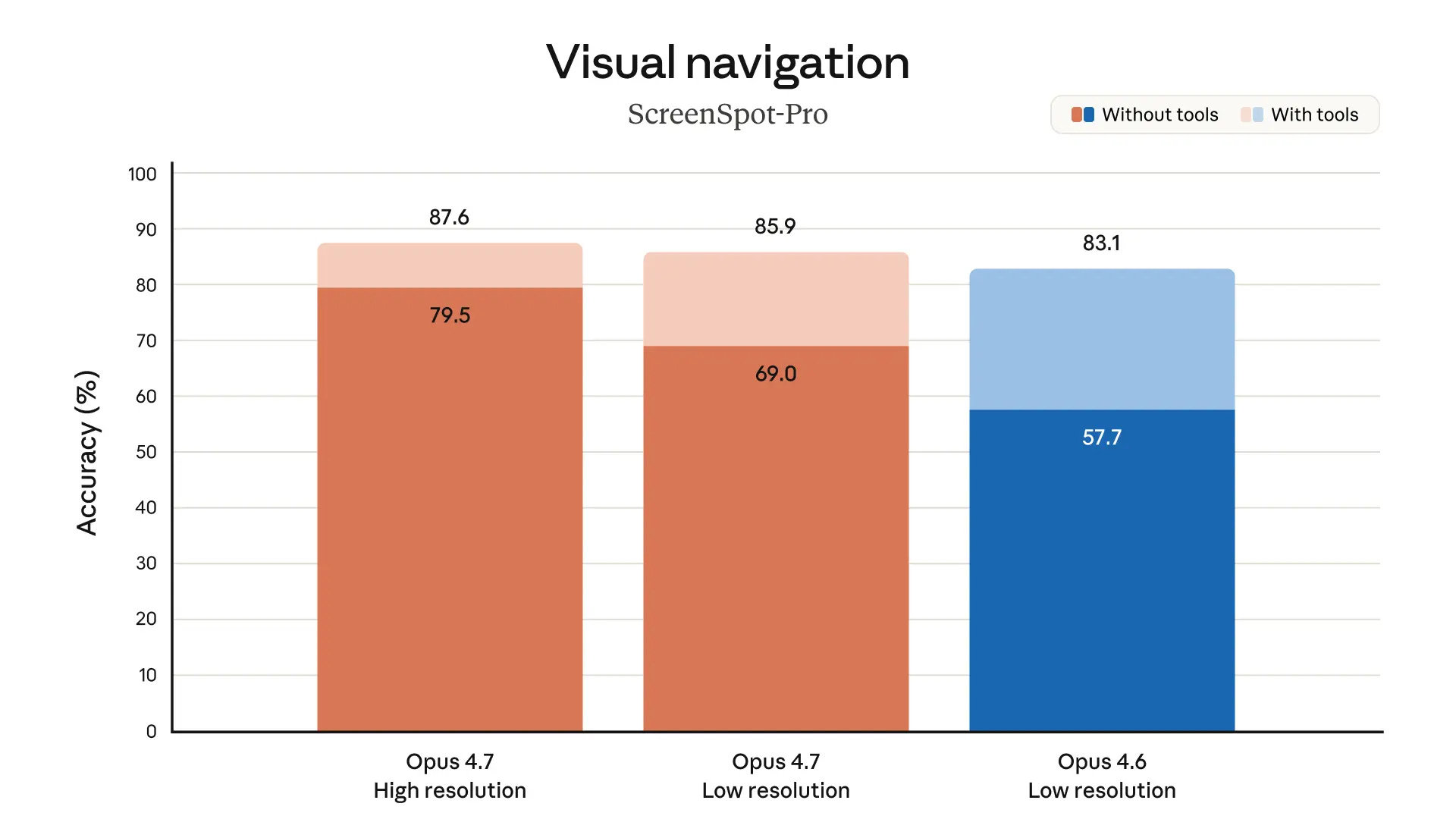
This means Claude can actually read:
Dense screenshots (dashboards, analytics, small UI text)
Complex diagrams
Detailed charts with small numbers
Scanned documents
If you upload a packed screenshot and Claude used to miss half the text, that problem is mostly gone now.
#2 It follows instructions way better
Opus was already my favorite model for instruction following. That’s one of the reasons why I switched to Claude (wrote about it here).
Opus 4.7 is substantially better at this.
But here’s the catch: prompts written for older models might produce unexpected results now. Why? Because 4.7 takes your instructions literally. Older models interpreted things loosely or skipped parts entirely.
You might want to re-check your saved prompts.
#3 Adaptive thinking
Older Claude models used a fixed thinking budget.
Opus 4.7 replaces that with adaptive thinking
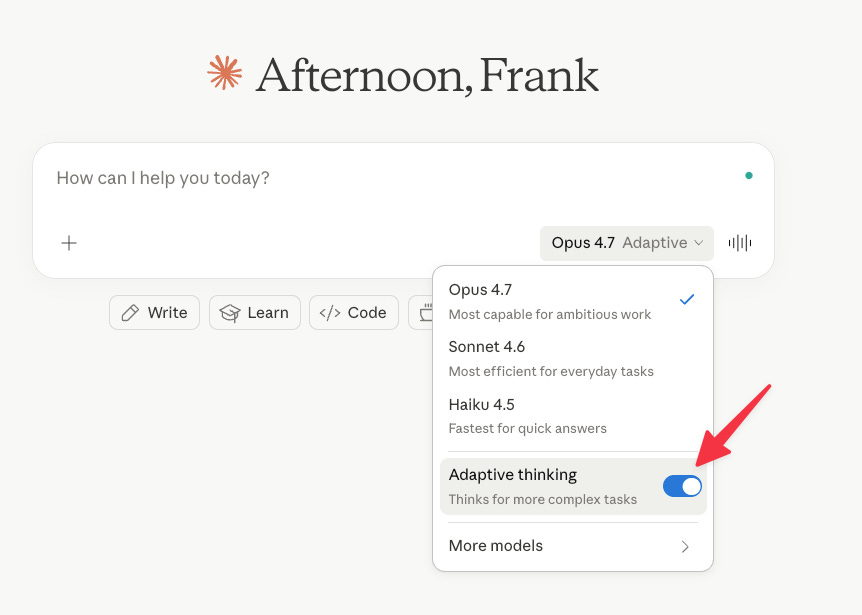
The model now decides on its own when to think deeply and when to skip thinking altogether. Simple tasks get quick responses. Hard problems get more thought behind the scenes. Over a long session, this means faster responses and less wasted compute.
Adaptive thinking shouldn’t be confused with the model router (as we’ve seen with GPT-5). According to a Claude PM, this is the model being trained to decide when to think based on the context.
For more control, try these prompts suggested by Anthropic:
More thinking: Try something like: “Think carefully and step-by-step before responding; this problem is harder than it looks.”
Less thinking: Try: “Prioritize responding quickly rather than thinking deeply. When in doubt, respond directly.”
The first option gives you more accuracy. The second saves tokens but might miss nuance on harder tasks. Pick based on what you're working on.
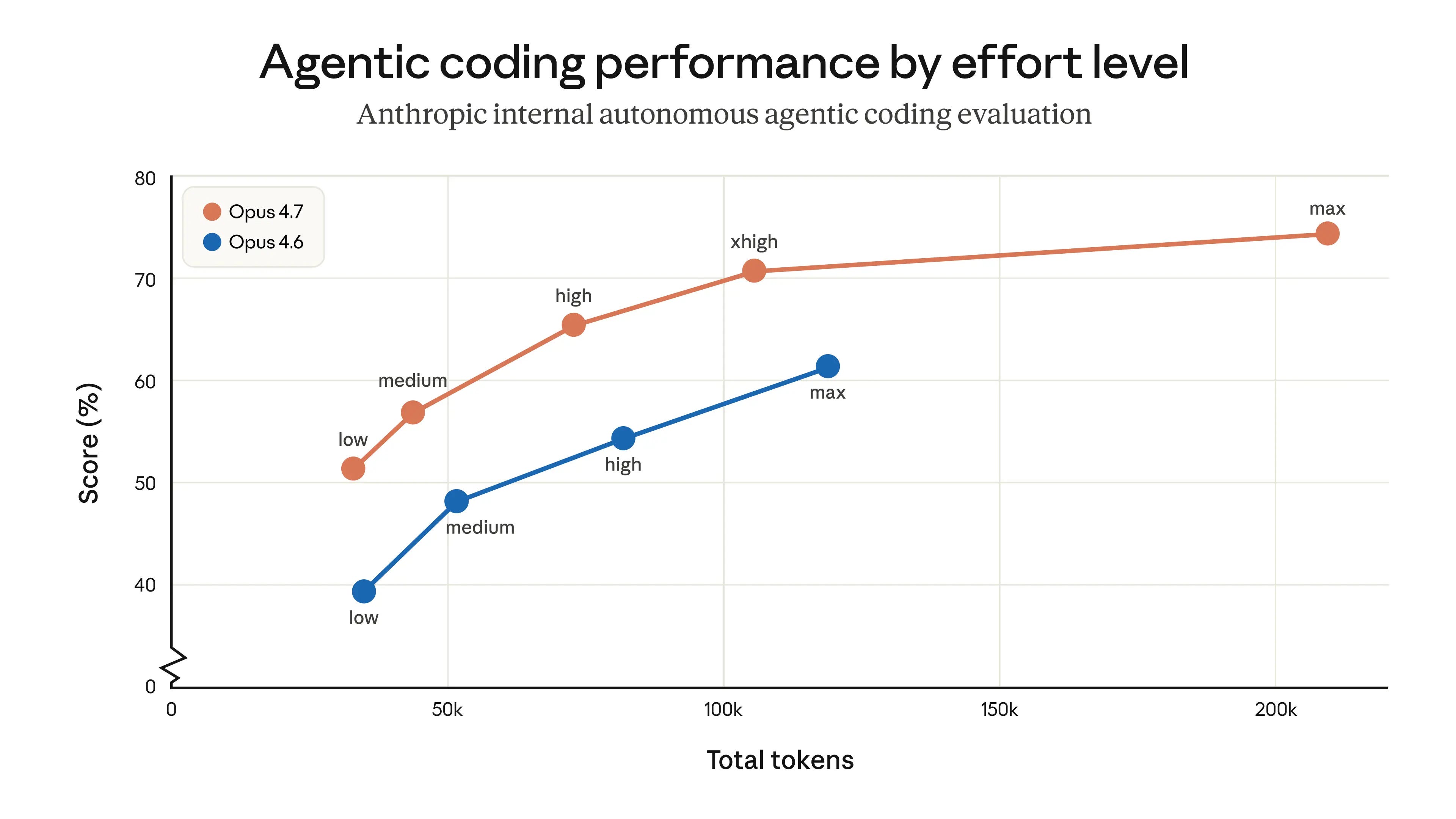
#4 A new "xhigh" effort level
There’s also a new effort level called xhigh. It sits between high and max. Smarter than high, less prone to overthinking than max. It’s the new default in Claude Code.
How to get more out of Opus 4.7
Boris Cherny (creator of Claude Code) shared his own tips alongside the launch. I’ll mix his tips with the official best practices blog.
His tips come from hands-on experience with Opus 4.7 in Claude Code, but the core concepts apply just as well when working with Claude and Claude Cowork:
Specify the task up front, in the first turn
With Opus 4.7, you want to treat Claude more like a capable engineer you're delegating work to, and less like a pair programmer you're guiding step by step.
Opus 4.7 works better when it has everything upfront.
Instead of sending 10 small messages, write one detailed prompt that covers what you want, the constraints, and where the relevant files are.
Give Claude a way to verify its own work
This is maybe Boris’s most important tip. Always give Claude a way to check its own output. Depending on what you’re building:
Backend work: Have Claude run your server to test things end-to-end
Frontend: Use the Claude browser extension so it can see what it built
Desktop apps → Use Computer Use
Boris has a skill called /go that makes Claude test itself using bash, browser or computer use, run the /simplify skill, and put up a PR. All in one shot.
Use auto mode
Shift+Tab turns on auto mode in the CLI (Claude Code)
Instead of Claude asking “can I run this command?” every 30 seconds, a safety classifier decides if it’s safe and auto-approves.
This is the middle ground between babysitting the model and --dangerously-skip-permissions (which is what devs used before this shipped).
Run the /fewer-permission-prompts skill
Even if you don’t use auto mode, run this once.
It scans your session history → finds the bash and MCP commands you keep approving → suggests adding them to your allowlist.
Recommended effort settings
Think of effort levels as a slider between speed and intelligence:
Low/Medium → Fast but less thorough
High → Good balance of intelligence and cost
xhigh → Best for most coding and agentic tasks (the new default)
Max → Maximum intelligence, but it can overthink and burn tokens
Boris uses xhigh for most tasks and max only for the hardest ones.
Use /effort to set the effort level
Try Recaps and Focus mode
Two features that shipped with 4.7:
Recaps → short summaries of what the agent did and what’s coming next (great when you return to a session after a few hours)
Focus mode → hides all the intermediate work so you only see the final result. Type /focus to toggle it on or off.
What to watch for if you’ve been using Opus 4.6
If you’ve been using Opus 4.6 for a while and have prompts dialed in, here’s what to watch for:
Response length now matches the task: Simple questions get shorter answers. Open-ended stuff still gets longer ones. If you need a specific length or style, say so in your prompt. Anthropic recommends showing Claude an example of the voice you want. That works better than negative “Don’t do this” instructions.
It uses tools less and thinks more: Usually, that's a good thing. But if your workflow needs aggressive search or frequent file reading, spell it out. Tell Claude when and why to use the tool.
It spawns fewer subagents: Opus 4.7 is more conservative about delegating work to subagents. If you need parallel work, tell Claude explicitly.
Your first 30 minutes with Opus 4.7
Watching others test Opus 4.7 is good, but you know what’s better?
Testing it yourself! That’ll help you see whether this update improves or hurts your prompts and workflows.
Try this right now.
Minutes 0-5: Rerun your most complex prompt
Pick a prompt with multiple rules, specific formatting, or several steps (the trickier the better).
Run it again on Opus 4.7.
If the output follows every single instruction — even the small ones older Claudes used to skip — that’s the upgrade showing up. If not, update the prompt.
Minutes 5-10: Throw a dense screenshot at Claude
Grab a busy dashboard, a packed analytics screen, or a diagram with tiny text.
Upload it. Ask Claude to extract everything.
If 4.6 used to miss half the details, you’ll notice the difference immediately.
Minutes 10-20: Generate a real deliverable in Cowork
Opus 4.7 produces more rigorous finance analyses and models, more professional presentations, and tighter integration across tasks.
Put it to the test! Pick something you’re actually working on — a weekly report, a client deck, a one-pager.
Let 4.7 generate it in one shot
Then look at the details: structure, visual hierarchy, how ready-to-send it feels. This is where 4.7 steps up the most over 4.6.
Minutes 20-30: Try adaptive thinking
Click on the model selector → Toggle on “adaptive thinking.”
Try one of your prompts. If you need more control, add one of these:
More thinking: “Think carefully and step-by-step before responding; this problem is harder than it looks.”
Less thinking: “Prioritize responding quickly rather than thinking deeply. When in doubt, respond directly.”
After these first 30 minutes, you’ll know what works and what doesn’t for you.
One more thing
You now know what changed in Opus 4.7 and how to get the most out of it.
But new models keep shipping. New features keep dropping. And the people who get the most out of Claude are the ones who stay ahead of every update.
That said, it’s hard to stay ahead by taking courses that become outdated fast.
AI moves fast. This is a challenge even for online academies with 5M+ course enrollments:
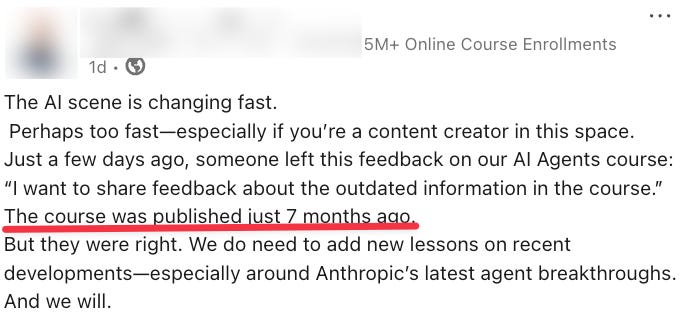
A course published 7 months ago — already outdated.
That’s why I created a living Google Doc with my best Claude guides. Written guides take minutes to update. Video courses don’t. I keep this doc current so you’re never learning something that stopped working two updates ago.
Here’s what you get by becoming a monthly or annual paid subscriber:
Full access to the living Google Doc with my best Claude guides
Free access to my video course catalogue (over $200 in value) and future evergreen course releases
A private community where you get advice from other professionals and me
I’m adding new perks constantly. Subscribe now and you lock in today’s price for everything that’s already there (and everything I add next).
Two pieces of information are missing:
1. Opus 4.7 will likely cost you 2-3x as much as Opus 4.6
2. In various ways it has gotten much worse - it seems to have an even stronger tendency in 'creating infinite loops where it argues with you' than Sonnet 4.6 already could which with the price of Opus is a total desaster. Especially in Claude Cowork it has becompe completely unusable to me.