

The gap between people using AI every day is wider than ever.
One group is saving 5 minutes on emails.
Others are running systems that work while they sleep.
The good news? You can climb faster than you think.
Last year, I wrote about how to go from AI beginner to pro. Here’s the updated framework for 2026:
Stage 1: The AI beginner
Stage 2: The prompt crafter (where most people are)
Stage 3: The AI literate
Stage 4: The workflow builder
Stage 5: The system builder
What stage are you at? I’ll leave links to resources for each stage.
Stage 1: The AI beginner
This is where everyone starts.
You have a ChatGPT, Gemini, or Claude account. You use it like a fancier Google. You ask one-off questions, maybe write a quick email, generate images, and that’s it.
It’s useful, but it doesn’t feel like a superpower yet (we’ll get there).
The first move at this stage is picking your tools.
AI tools split into two categories:
General-purpose tools: Tools that can handle multiple tasks (text, image, etc.)
Task-specific tools: Tools designed for one specific task
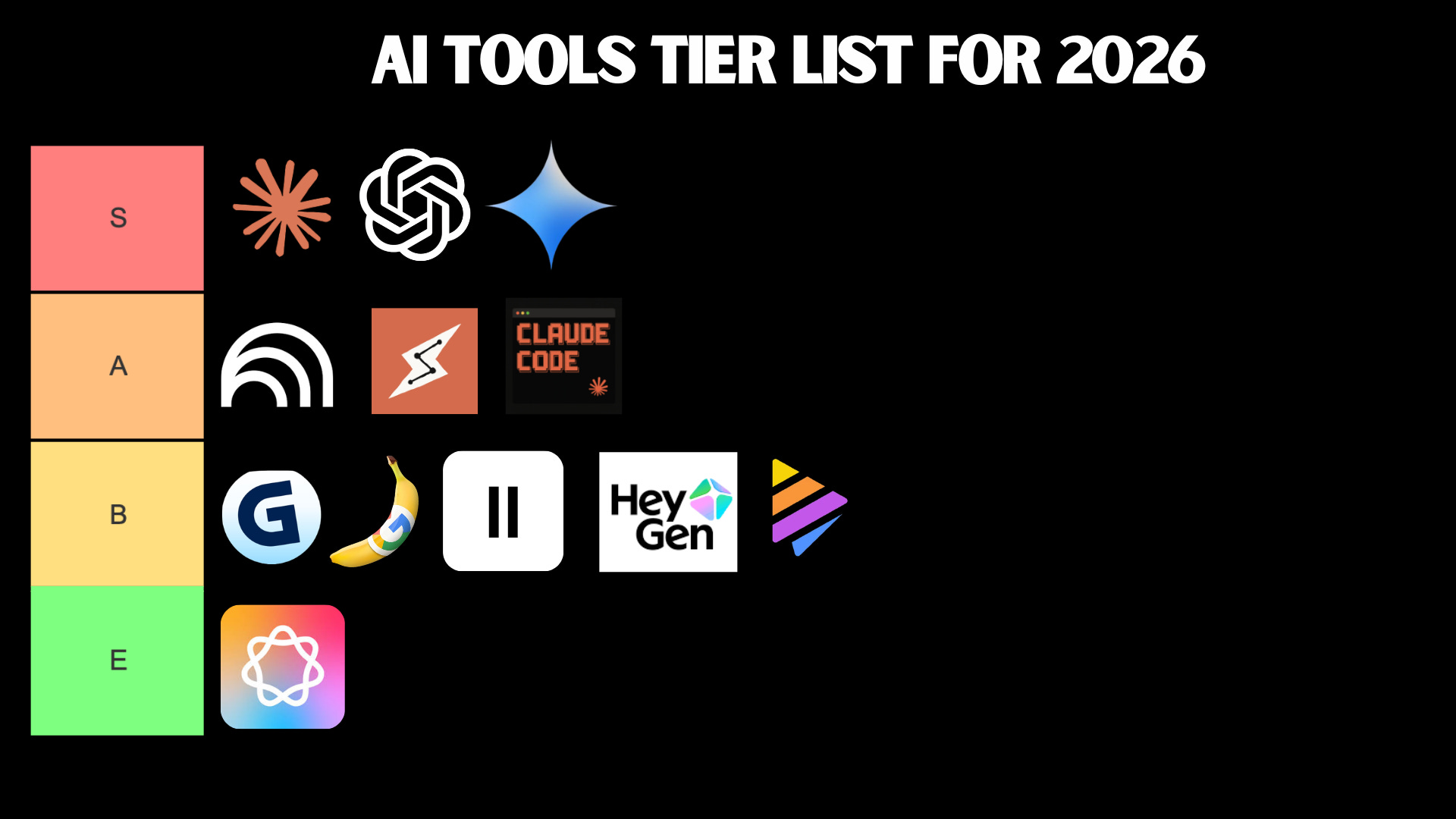
For absolute beginners, there isn’t a big difference between ChatGPT, Gemini, and Claude. Still, here are some things to keep in mind:
ChatGPT: It has a rich feature set (voice/video mode, image generation, etc.)
Gemini: Similar to ChatGPT + integration with Google products (Docs, Sheets, etc.)
Claude: Excels at writing, automation, and building tools/apps (no image/video generation)
If you’re a beginner, stick to one for a few weeks to learn how it thinks.
For task-specific tools, follow these steps:
Identify your needs
Find what tools can cover those needs
Compare them and learn to use the winner
My current stack: Claude Cowork, and Claude Code for serious work, NotebookLM for learning, and ChatGPT for voice mode
Your stack doesn’t have to look like mine. Build your own based on what you actually do.
Here are some resources for this stage:
Stage 2: The prompt crafter
When it comes to AI chatbots, how you ask is as important as what you ask.
At this level, you should know this basic prompt structure:
Instruction: what you want
Context: background the AI needs to know
Constraints: length, tone, format
Example: when possible, show what “good” looks like
Or this more robust prompt formula shared by Anthropic:
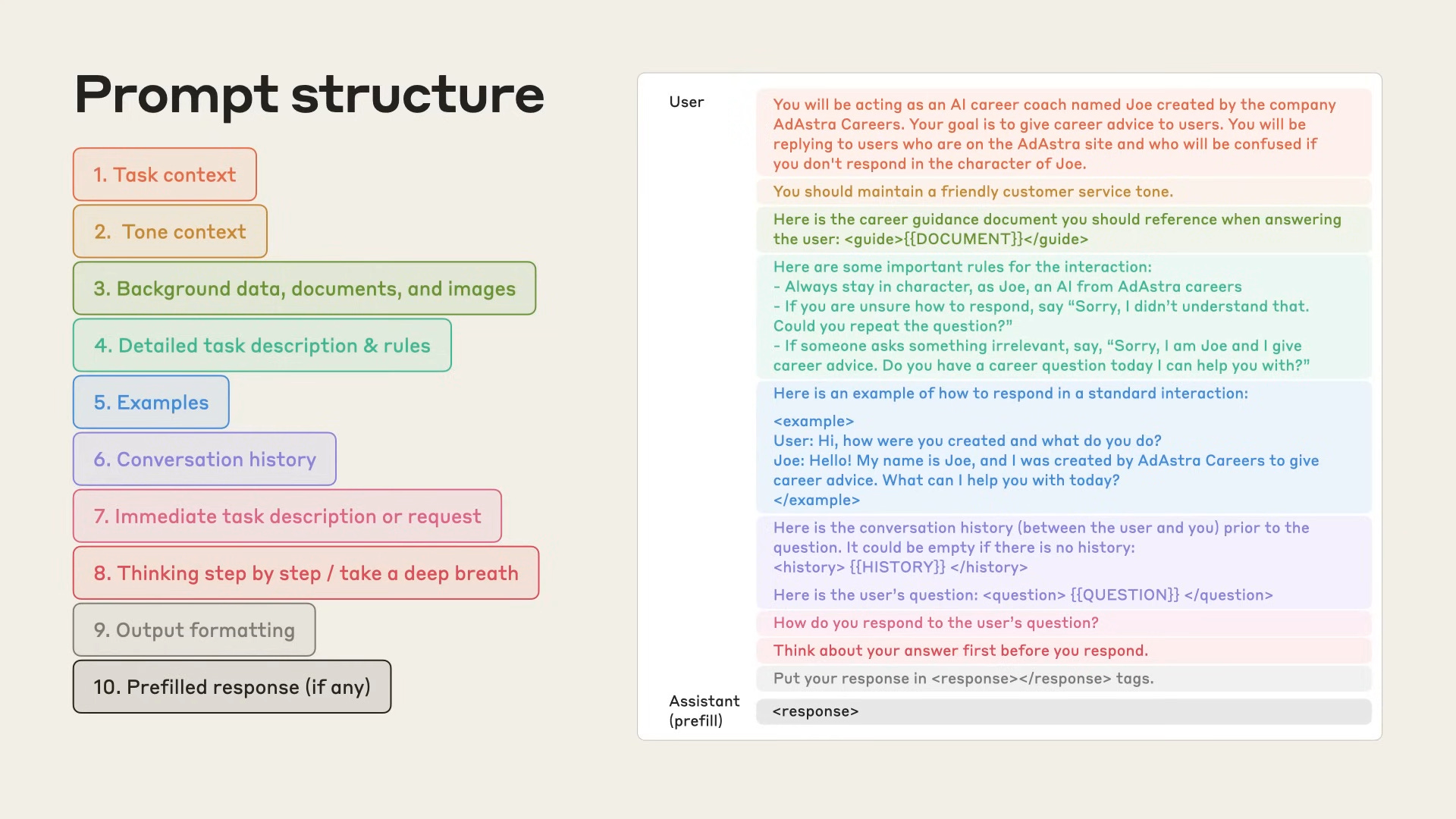
You’ll rarely need to use all the elements of the formula, but it’s good to know they exist.
At this level, you also know a few prompt-improvement tricks. For example, when you finally land on a great answer after a long back-and-forth, you ask the AI to write the prompt that would have gotten you there on the first try.
Here are some resources for this stage:
Who needs to go beyond stage 2?
Stage 2 was enough in 2023.
Things have changed a lot in 2026. There’s nothing wrong with being in stage 1 or 2 if you’re a casual user who proofreads emails, generates images once in a while, etc.
However, if you want to master AI, you need more.
That’s what we’ll cover in the next stages:
Stage 3: Develop AI literacy & use it as a thinking partner
Stage 4: Build AI workflows for the work you keep doing
Stage 5: Build AI systems that run while you sleep
Stages 3, 4, and 5 aren’t for casual AI users, but for professionals, builders, and business leaders who want to turn AI into a real competitive advantage.
Stage 3: The AI literate
Understanding how AI actually works changes how you use it.
Users with AI fluency know when to trust AI outputs, when to push back, and how to frame problems to get maximum value. This is what separates those who use AI as a novelty from those who deploy it as a real edge.
People at this level know these AI concepts:
Hallucinations: AI can confidently fabricate facts, stats, and citations. Always verify outputs when accuracy matters
Context window: AI can only remember a finite amount per conversation. Once exceeded, it forgets earlier context
AI sycophancy: AI models are trained to be helpful and will validate your perspective even when you’re wrong. They rarely challenge assumptions unless prompted
Knowledge cutoff dates: Most models have training cutoffs. They don’t know events after that date unless web search is on
Data bias: AI inherits biases from training data. Be cautious when using AI for decisions on sensitive topics
Privacy & safety basics: Know the data policies for both your AI tool and your organization
AI literates also know how to fight AI limitations.
Say you’re a leader who wants to fight AI sycophancy to make better decisions. At this level, you should be able to create an anti-sycophancy skill to make Claude disagree with you constructively before it agrees.
At this stage, you should move from “AI thinks for me” to “AI helps me think better.”
That means using AI as a sparring partner that helps you think. Here are some examples of how to do it:
Ask AI to generate different solutions and grade them
Generate three solutions. Score them from 1 to 10 and justify the score.
Use AI to critique responses, opinions, plans, etc.
Be my adversarial friend. Argue the strongest case against Option A. List 5 reasons why it might fail and the leading indicators. Suggest 5 countermeasures.
Generate questions to refine outputs
Before drafting anything, ask the 5 questions that would most alter the outcome of this memo: [1-sentence purpose].
Here are resources for this stage:
Stage 4: The workflow builder
The real unlock at this stage isn't using more AI tools. It's designing your own workflows.
A workflow is a multi-step process where AI plays a role at each step. You might still drive it (you click, you upload, you review), but you don't start from scratch every time.
Here are two workflows I built:
I wanted Claude to write articles in my voice, so I built a voice profile:
Step 1: I answer 50-100 questions about how I write
Step 2: AI generates a “voice profile” file from my answers
Step 3: I upload the voice profile + raw inputs (audio transcripts, video transcripts, resources) → AI writes a draft that actually sounds like me
Steps 1–2 are the setup. Step 3 is the actual workflow — the part that repeats every time I want a new draft in my voice.
Same structure, different goal. This one’s for learning a foreign language:
Step 1: I answer questions about my learning preferences, challenges, and goals
Step 2: AI generates a “language DNA profile”
Step 3: Record myself speaking the language for 5-10 minutes → upload the transcript + my DNA profile → AI gives feedback tailored to me
I see both of these as workflows because you still trigger each step. You generate a profile. You upload the inputs. You hit go.
Here’s how to build your own AI workflow:
Pick one task you do repeatedly and turn it into a 3-step workflow
Find the tool(s) that can help you optimize this workflow
Write a prompt for each step (if possible, add examples of what "good" looks like)
Test it with a real example and iterate until the output is what you need
Set up a Project (in ChatGPT or Claude) to keep your context, instructions, and reference files in one place
Here are resources for this stage:
Also, check out the links to the workflows I built. It can inspire you to build your own.
For most professionals, this stage is more than enough.
But if you want to multiply your output without working more hours, there’s one more level to unlock.
Stage 5: The AI system builder
Stage 4 was about workflows you run. Stage 5 is about systems that run themselves.
There’s a mindset shift here.
You stop asking “How do I do this faster?” and start asking “How do I build something that does this for me, even when I’m sleeping?”
Here’s a system I recently built:
The problem: I publish daily Substack notes. Many of my notes are inspired by viral content I find on Instagram, YouTube, and X. The old process took hours every day: saving links, watching videos, downloading images, writing hooks, etc.
The system I built (simplified):
Collection: My team and I save viral content to a shared group chat throughout the day
Trigger: At 3am, an automation kicks in (I’m sleeping)
Processing: Claude reads the group chat, checks what’s new for today, then downloads everything (text, images, videos)
Generation: Each piece runs through my Substack notes generator (a separate workflow that uses my brand voice and note formats)
Output: When I wake up, I open my “Today” folder. Inside are 3 sub-folders: YouTube, X, and Instagram. Each has media content + 5 draft notes ready to post
I pick one draft, edit, copy-paste, and post. What used to take 2-3 hours now takes minutes.
To build AI systems, you need tools that go beyond chatbots:
Claude Cowork: My favorite for delegating things to Claude without being technical. It has limitations, though. It runs in a sandboxed environment for safety, so you might occasionally hit some walls.
Claude Code: Cowork on steroids. I use it whenever Cowork can’t build something for me. You don't need to be a coder. You describe what you want, and it builds it (it can feel scary at first)
n8n: Popular no-code tool for AI agents and multi-step systems. I don’t use it, but many builders do
Here are resources for this stage:
One more thing
Two things to keep in mind as you climb:
Don’t skip stages. AI literacy and prompting feel boring compared to “build your own app,” but they make every stage above them work better.
You don’t need to be at Stage 5 to get serious value. Many professionals get a 2x improvement just from reaching Stage 3.
Pick one stage above where you are right now and focus on it for the next few weeks.
That’s how you actually go from AI beginner to pro in 2026.